
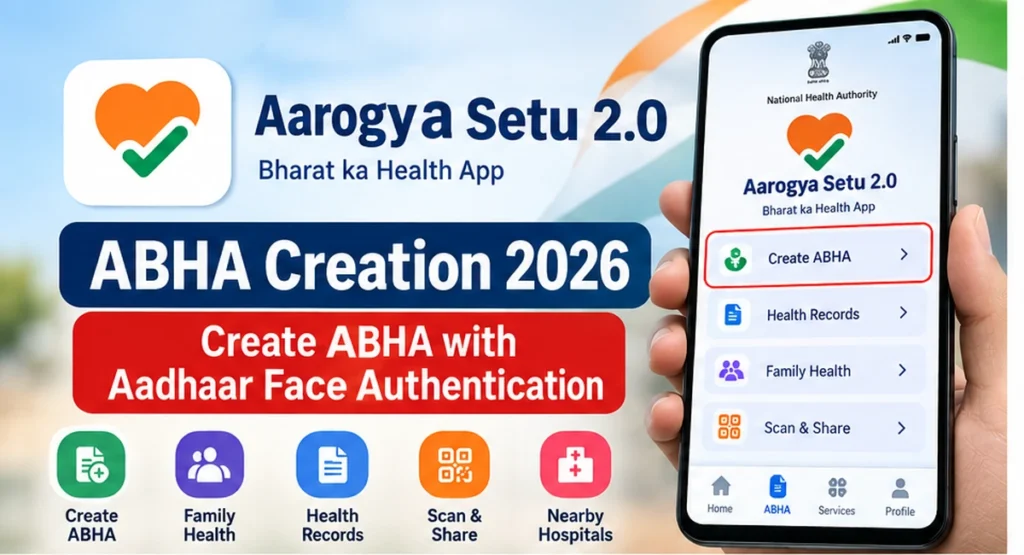
Aarogya Setu 2.0 now allows users to create or access an ABHA – Ayushman Bharat Health Account directly through the official app. The revamped Aarogya Setu application is connected with the Ayushman Bharat Digital Mission ecosystem and supports ABHA creation using Aadhaar-based face authentication.
An ABHA Number is a 14-digit unique health identifier that can be used with participating digital-health services and healthcare facilities across India.
This guide explains how to create ABHA through Aarogya Setu 2.0, how Aadhaar face authentication works, what to do if you already have an ABHA, and how to solve common registration problems.
Official Aarogya Setu 2.0 Android App:
https://play.google.com/store/apps/details?id=nic.goi.aarogyasetu
Aarogya Setu 2.0 ABHA Creation – Quick Answer
To create an ABHA through Aarogya Setu 2.0:
- Install or update the official Aarogya Setu app.
- Open the ABHA section.
- Select the option to create ABHA.
- Provide the information requested by the app.
- Read and accept the required consent.
- Complete Aadhaar face authentication.
- Verify your personal details.
- Complete the ABHA creation process.
After successful verification, your ABHA profile should become available through the app.
The exact button names or screen layout may change with future app updates, so always follow the instructions currently displayed inside the official application.
What Is Aarogya Setu 2.0?
Aarogya Setu was originally introduced during the COVID-19 period.
In 2026, the application was redesigned as Aarogya Setu 2.0 – Bharat ka Health App with a broader focus on digital-health services.
The newer application is designed as a citizen-facing health platform connected with the Ayushman Bharat Digital Mission – ABDM.
Current Aarogya Setu 2.0 services can include:
- ABHA creation and login
- Personal health-record access
- Family health management
- DigiLocker-supported health-record storage
- Scan & Share for supported OPD registration
- Healthcare-service discovery
- PM-JAY-related information
- Nearby hospitals and healthcare facilities
- Blood-bank and blood-availability information
- Consent-based sharing of health information
What Is ABHA?
ABHA stands for:
Ayushman Bharat Health Account
An ABHA Number is a 14-digit unique health identifier used within India’s digital-health ecosystem.
It can help users connect with participating ABDM-enabled hospitals, clinics, laboratories and other digital-health services.
ABHA is not the same as an Ayushman Card.
ABHA Number
Well, ABHA is primarily a digital-health identifier associated with an individual.
Ayushman Card
An Ayushman Card is connected with eligibility and benefits available under the PM-JAY health-assurance scheme where applicable.
Creating an ABHA does not automatically mean that a person is eligible for PM-JAY benefits.
Can You Create ABHA in Aarogya Setu 2.0?
Yes.
ABHA creation is one of the health services available through the current Aarogya Setu application.
The app supports Aadhaar-based face authentication for applicable ABHA registration and login processes.
Users who already have an ABHA should normally use the existing-account or login option instead of creating another unnecessary health identity.
What Is Required to Create ABHA?
Before starting, keep the following ready:
- Aadhaar details
- Mobile phone
- Stable internet connection
- Front camera
- Official Aarogya Setu 2.0 app
The application may request additional information or permissions depending on the current verification process.
Read every consent and permission screen before continuing.
How to Create ABHA in Aarogya Setu 2.0
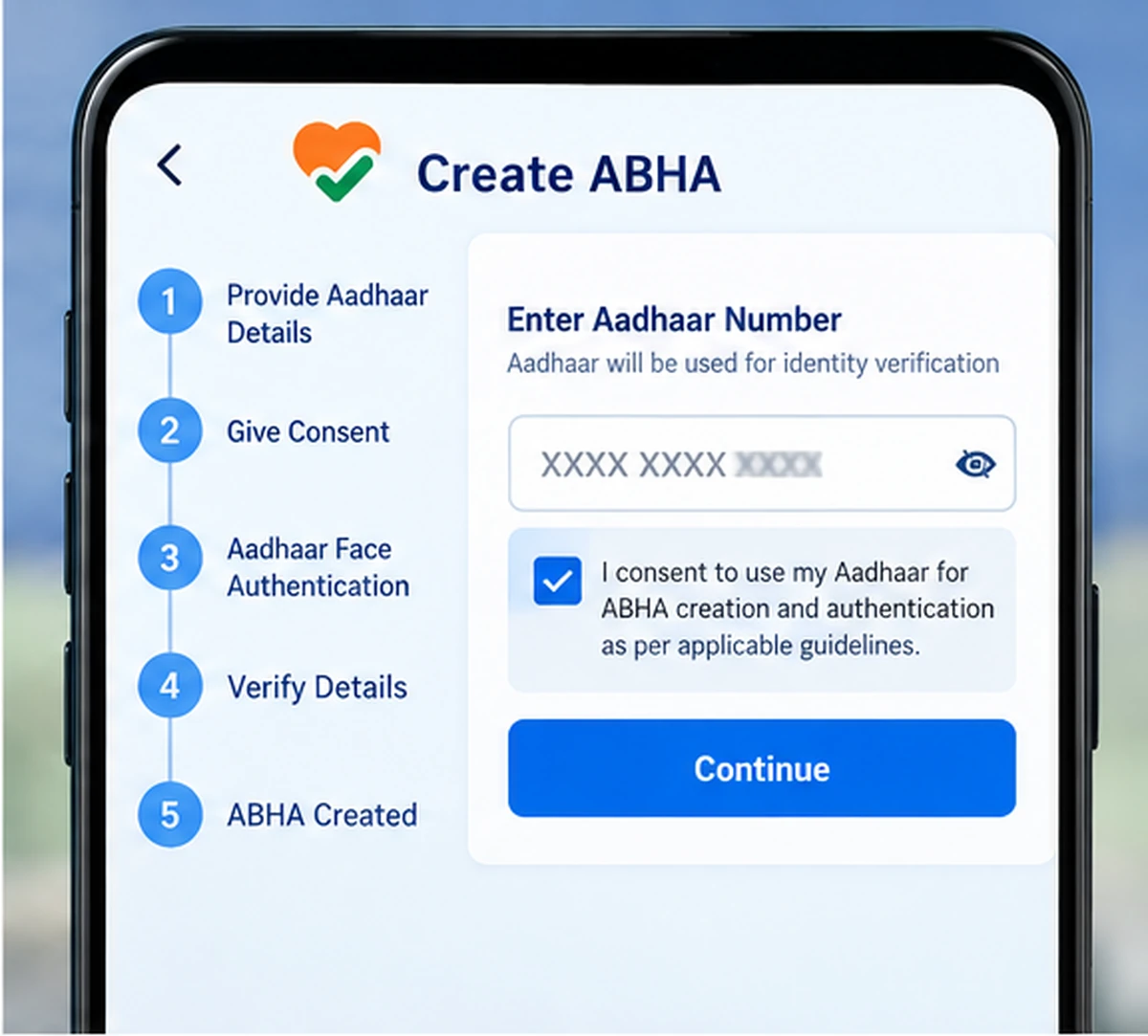
Follow these general steps.
Step 1: Install or Update Aarogya Setu
Android users can use the official Google Play listing:
https://play.google.com/store/apps/details?id=nic.goi.aarogyasetu
iPhone users can use:
https://apps.apple.com/in/app/aarogyasetu-2-0/id1505825357
Before installing, confirm that you are using the official application.
Avoid modified APK files or unofficial download websites.
Step 2: Open Aarogya Setu 2.0
Launch the application.
Complete the initial setup displayed on the screen.
The app may request permissions required for particular health services.
Grant only the permissions needed for the service you are using.
Step 3: Open the ABHA Section
Look for the ABHA option on the application dashboard or health-profile section.
Depending on the current app version, the option may appear as:
- ABHA
- Create ABHA
- ABHA Profile
- Login to ABHA
The exact wording can change after application updates.
Step 4: Select Create ABHA
If you have never created an ABHA, choose the option to create a new ABHA.
If you already have an ABHA, use the login or existing-account option instead.
Avoid intentionally creating duplicate ABHA profiles.
Step 5: Read the Consent Information
ABHA creation requires identity verification.
Read the consent information shown by the official application before continuing.
Do not approve authentication requests received through unknown websites or messaging applications.
Step 6: Enter the Requested Aadhaar Details
Enter the Aadhaar-related details requested by the official application.
Check the information carefully before submitting it.
Never send your Aadhaar details to an unknown person claiming that they can create an ABHA for you.
Step 7: Complete Aadhaar Face Authentication
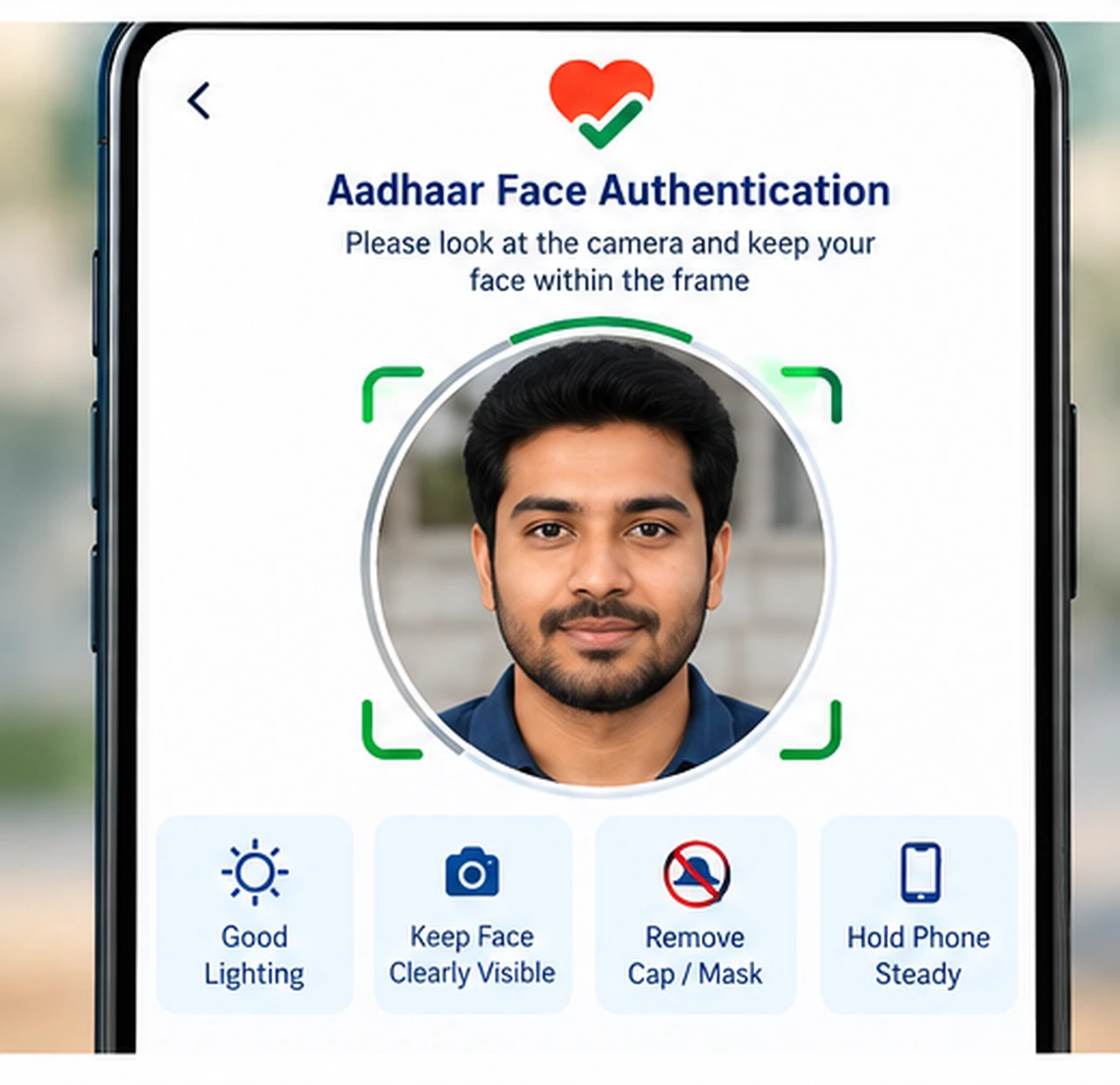
Aarogya Setu 2.0 supports Aadhaar-based face authentication for applicable ABHA services.
When requested:
- Allow camera access.
- Keep your face clearly visible.
- Use sufficient lighting.
- Keep the phone steady.
- Follow the instructions shown on the authentication screen.
For better results, clean the front camera and avoid strong backlighting.
Step 8: Verify Your Details
After successful authentication, review the personal information displayed.
Check details such as:
- Name
- Date of birth
- Gender
- Other available demographic information
If important information is incorrect because the underlying identity record is incorrect, use the appropriate official correction process.
Do not intentionally enter false details.
Step 9: Complete ABHA Creation
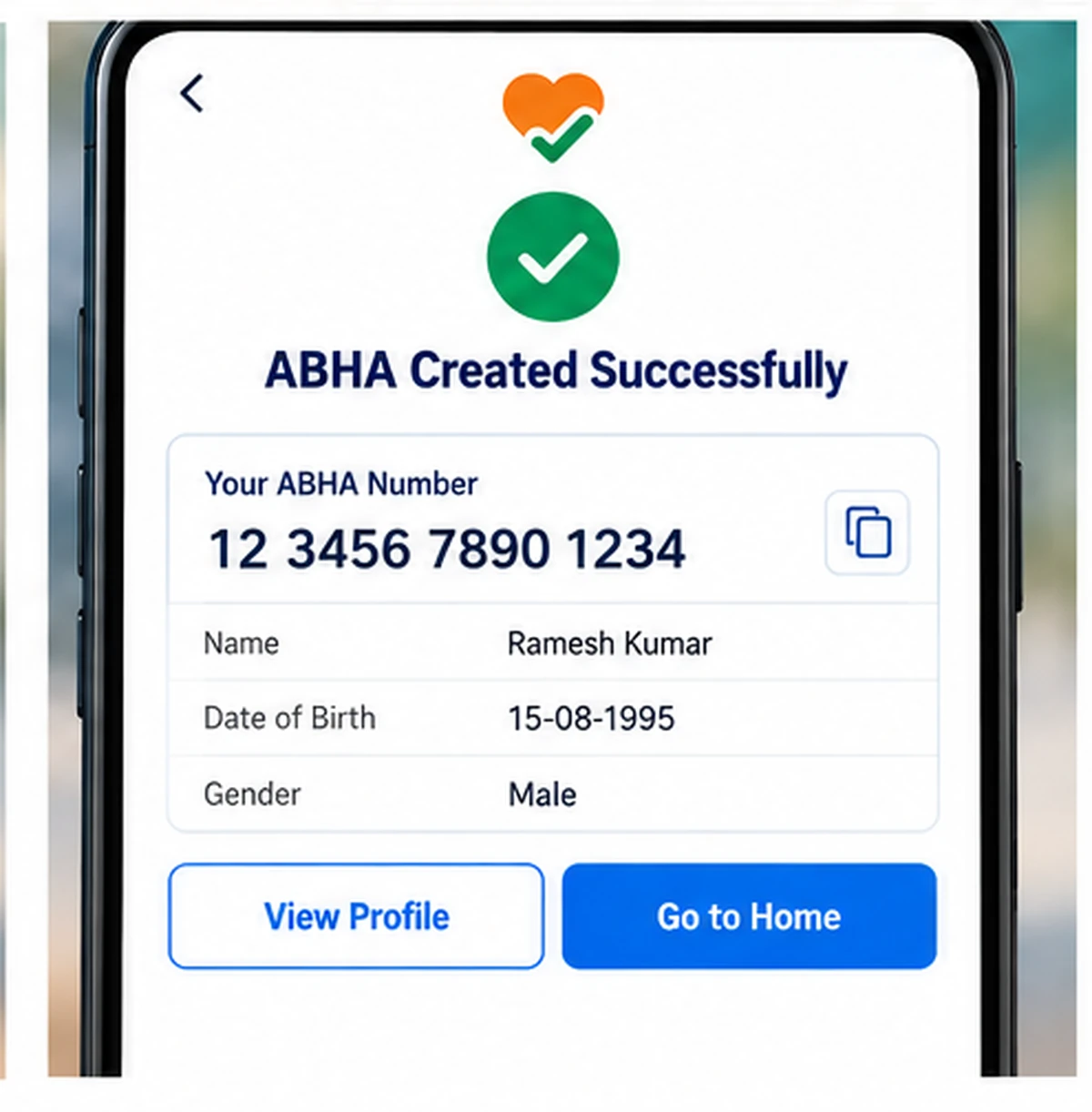
Follow the final confirmation shown in the application.
After successful registration, the ABHA Number and related profile information should become available through the supported app interface.
Keep your ABHA information secure.
How Many Digits Are in an ABHA Number?
An ABHA Number contains 14 digits.
It is a separate identifier and should not be confused with:
- Aadhaar Number
- Mobile number
- PAN
- Ayushman Card number
- Hospital registration number
- Insurance policy number
Each identifier serves a different purpose.
Already Have an ABHA?
If you previously created an ABHA through another authorised service, you generally do not need to create a new one just because you started using Aarogya Setu 2.0.
You may already have created ABHA through:
- An ABDM-enabled hospital
- Another authorised ABDM application
- A health facility
- Previous digital-health registration
Use the existing ABHA login or account-linking option provided by the application.
Can Existing ABHA Be Used in Aarogya Setu 2.0?
Yes.
Users with an existing ABHA can use the available ABHA login functionality rather than creating a new account.
After the correct account is connected, supported health information and ABDM services can be accessed subject to availability and user consent.
What Can You Do After Creating ABHA?
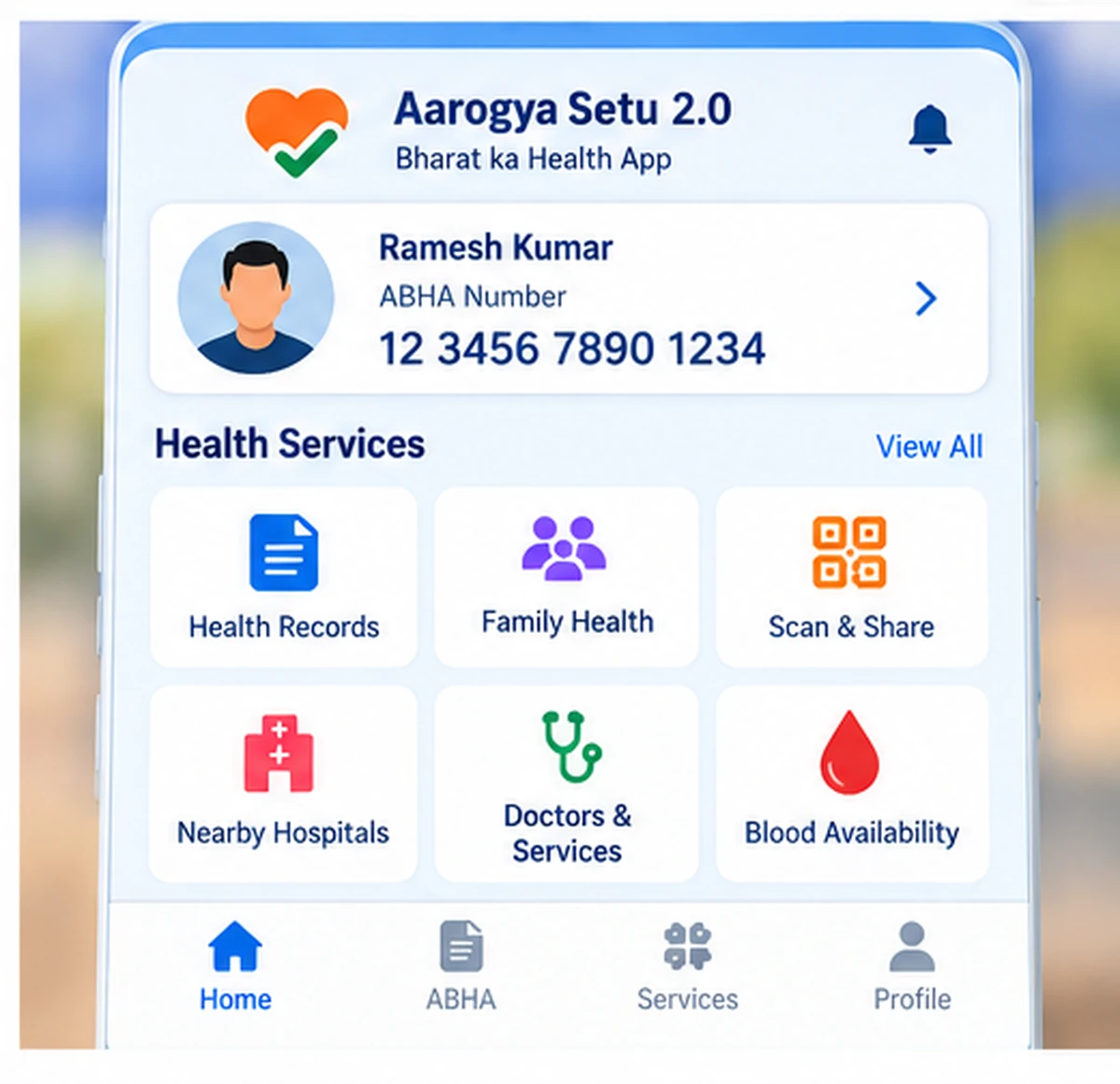
Creating an ABHA is only the first step.
Aarogya Setu 2.0 provides access to several health-related services depending on availability.
Access Health Records
Users may be able to access health records generated by participating ABDM-enabled healthcare facilities.
Availability depends on the healthcare provider, record linkage and consent.
Manage Personal Health Records
The application can support personal health-record management.
Users should carefully review any information before linking or sharing it.
Manage Family Health
Family-management features can help users organise supported health information for family members.
Scan & Share
At participating healthcare facilities, Scan & Share can help simplify OPD registration.
The user generally scans the supported QR code and shares the required profile information with consent.
Find Healthcare Services
The app may provide options to locate hospitals, doctors, laboratories and other healthcare services.
Blood Availability
Aarogya Setu 2.0 can also provide access to blood-bank and blood-availability information where supported.
What Is Aadhaar Face Authentication?
Aadhaar face authentication is an identity-verification method that uses facial matching through authorised Aadhaar authentication infrastructure.
For applicable ABHA services, the Aarogya Setu application can use face authentication to verify the identity of the person registering or logging in.
Use face authentication only through authorised applications and official services.
Aarogya Setu ABHA Face Authentication Not Working
Face authentication can fail for several reasons.
Try these troubleshooting steps.
Improve Lighting
Move to a well-lit location.
Avoid standing with a bright light directly behind your head.
Clean the Front Camera
A dirty camera lens can reduce image quality.
Clean it gently before retrying.
Check Camera Permission
Open your phone settings and confirm that Aarogya Setu has the required camera permission.
Keep Your Face Clearly Visible
Follow the framing instructions displayed by the authentication service.
Avoid covering your face.
Update Aarogya Setu
Check the Play Store or App Store for the latest official application version.
Check Internet Connection
A stable internet connection is important during identity authentication.
Switch between mobile data and Wi-Fi if necessary.
Retry Later
Temporary server or authentication issues can also cause failures.
Wait for some time before trying again.
ABHA Creation Option Not Showing
If you cannot find the ABHA creation option:
- Confirm that you are using the official Aarogya Setu application.
- Update the app.
- Close and reopen it.
- Check your internet connection.
- Restart your device if necessary.
- Check the current dashboard and health-profile sections.
Application layouts can change after updates.
Old screenshots found on third-party websites may no longer match the current interface.
ABHA Already Exists Error
If the application says an ABHA already exists, do not immediately create another profile.
Try the available ABHA login or account-recovery option.
You may already have an ABHA created through another authorised digital-health service.
Maintaining the correct existing ABHA can make health-record management easier.
Aadhaar Details Do Not Match
ABHA registration relies on verified identity information.
If the Aadhaar-linked name, date of birth or other information is incorrect, you may need to correct the source information using the appropriate Aadhaar process.
Do not provide false demographic information simply to bypass an authentication error.
Does ABHA Automatically Show All Medical Records?
No.
Creating an ABHA does not automatically make every old medical record appear in the application.
Record availability depends on factors such as:
- Whether the healthcare facility participates in ABDM
- Whether the record has been digitally created
- Whether it has been linked correctly
- Whether the required consent has been provided
Health-record availability can therefore vary between users and healthcare facilities.
Is ABHA the Same as Aadhaar?
No.
Aadhaar and ABHA are different identifiers.
Aadhaar is a national identity number issued through UIDAI.
ABHA is a digital-health identifier under the Ayushman Bharat Digital Mission.
Aadhaar can be used as part of identity verification for applicable ABHA creation processes, but the ABHA Number itself is different.
Is ABHA the Same as Ayushman Card?
No.
This is an important distinction.
ABHA primarily provides a digital-health identity.
An Ayushman Card is associated with eligible beneficiaries under the PM-JAY scheme.
Having an ABHA does not automatically confirm PM-JAY eligibility.
Is Aarogya Setu 2.0 an Official Government App?
Yes.
Aarogya Setu is an official digital-health application associated with India’s public-health ecosystem.
Always install it through an official app store and verify the application before entering identity or health information.
Is Aarogya Setu 2.0 Free?
The official application itself can be installed without paying a third-party website.
Do not pay an unknown person simply to install Aarogya Setu or create a basic ABHA profile.
Specific healthcare services used later may have their own applicable charges.
Aarogya Setu 2.0 ABHA Security Tips
Health and identity information is sensitive.
Follow these precautions:
- Use only the official Aarogya Setu app.
- Never share OTPs with unknown people.
- Do not share Aadhaar authentication information.
- Keep ABHA login information private.
- Do not publicly post medical records.
- Read consent screens before sharing records.
- Avoid unofficial ABHA registration websites.
- Do not install modified APK files.
- Logout or secure the phone if other people use the same device.
Official Aarogya Setu and ABDM Links
Aarogya Setu – Android:
https://play.google.com/store/apps/details?id=nic.goi.aarogyasetu
Aarogya Setu – iPhone:
https://apps.apple.com/in/app/aarogyasetu-2-0/id1505825357
Ayushman Bharat Digital Mission:
https://abdm.gov.in/
Use official sources for ABHA and digital-health services.
Aarogya Setu 2.0 ABHA Creation FAQs
Can I create ABHA through Aarogya Setu 2.0?
Yes. The application provides ABHA-related creation and login services using supported identity-verification methods.
What is the full form of ABHA?
ABHA stands for Ayushman Bharat Health Account.
How many digits are in an ABHA Number?
An ABHA Number contains 14 digits.
Does Aarogya Setu use Aadhaar face authentication?
Aadhaar-based face authentication is supported for applicable ABHA identity-verification processes in the current digital-health workflow.
Can I use Aarogya Setu if I already have an ABHA?
Yes. Use the available existing-ABHA login option instead of unnecessarily creating another ABHA.
Is ABHA the same as Ayushman Card?
No. ABHA is a digital-health identity, while the Ayushman Card relates to PM-JAY eligibility and benefits where applicable.
Why is Aadhaar face authentication failing?
Common reasons include poor lighting, camera permission issues, internet problems, outdated app versions or temporary authentication-service problems.
Can I access hospital records through Aarogya Setu?
Supported records from participating ABDM-enabled healthcare facilities may be accessible when properly linked and shared with the required consent.
Can I manage family members in Aarogya Setu?
The current digital-health features include support for family health management where available.
Does WayAlert create ABHA accounts?
No. WayAlert.in is an independent informational website. It cannot create ABHA accounts, perform Aadhaar authentication or access a user’s medical records.
Final Words
Aarogya Setu 2.0 ABHA Creation provides users with an official route to join India’s ABDM digital-health ecosystem.
Users can create or access their ABHA using the supported identity-verification process and then use eligible digital-health services such as health-record access, family management, Scan & Share and healthcare discovery.
Always use the official Aarogya Setu application, review consent requests carefully and never share Aadhaar, ABHA or medical information with unknown websites or individuals.