
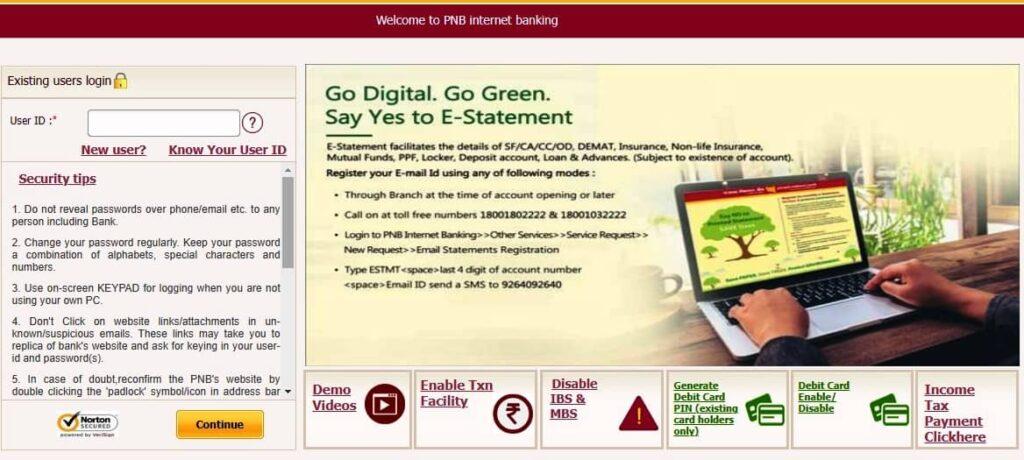
PNB Net Banking – Complete Guide
Punjab National Bank (PNB) is one of the largest public sector banks in India, serving millions of customers nationwide. With the PNB net banking facility, account holders can manage their accounts, transfer funds, pay bills, and use many other services online without stepping into a branch. This guide covers everything about PNB net banking registration, login, features, fund transfers, password reset, and FAQs.
PNB Net Banking – What It Is & Why It Matters
PNB net banking is an Internet-based banking platform designed for both individual and corporate customers. It allows you to access your account securely, anytime and anywhere. With net banking, you can:
- View balances and download account statements
- Transfer funds instantly or in batches
- Open and manage FDs and RDs
- Pay bills, recharge mobiles, and file taxes
- Place service requests for cheque books, cards, and more
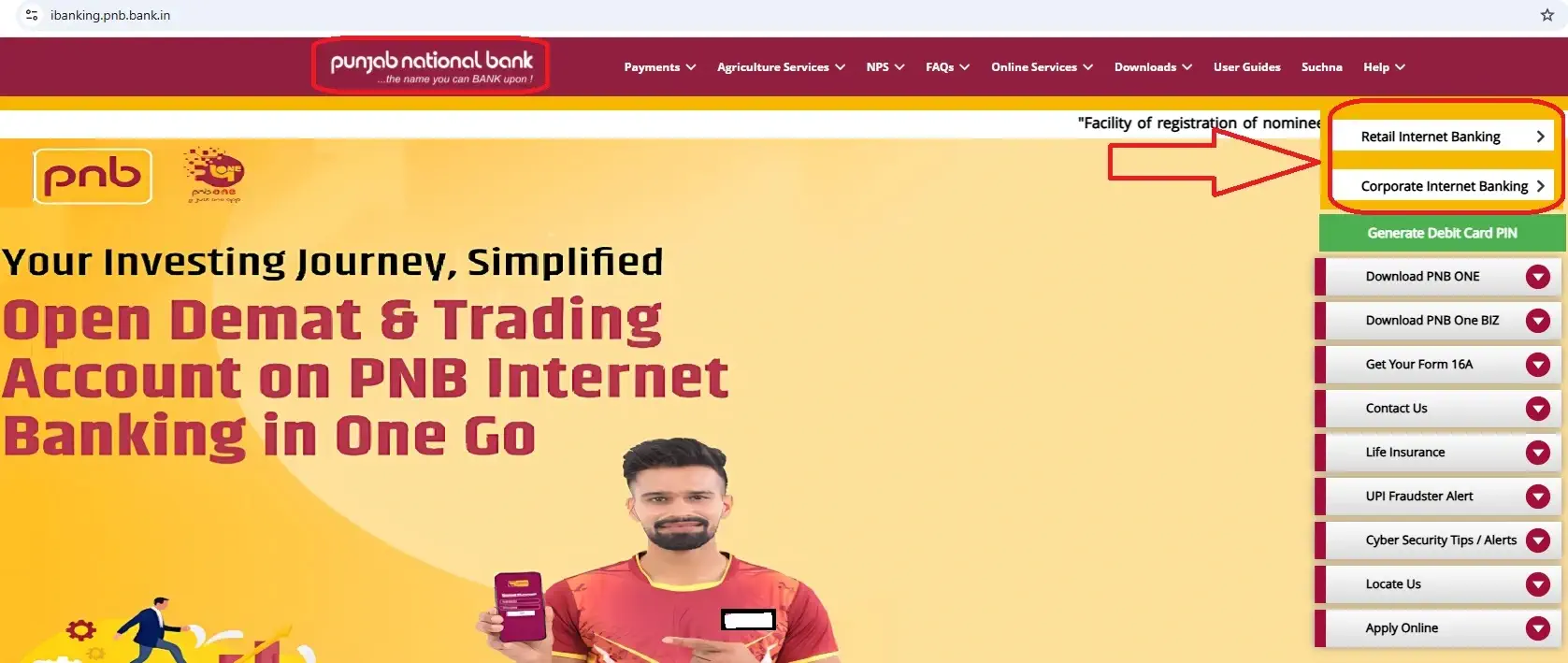
The official login domain for PNB Internet Banking is ibanking.pnb.bank.in. Always use only this verified URL.
PNB Net Banking Official Portals & Safe Login
PNB offers two distinct portals:
- Retail Internet Banking – for personal savings and current account holders
- Corporate Internet Banking – for businesses and institutions
Security tips for login:
- Always type the official URL manually
- Check for HTTPS and the padlock symbol
- Avoid third-party or search engine shortcut links
Eligibility for PNB Net Banking
All customers of PNB—whether holding a savings, current, or corporate account—are eligible. The requirements include:
- A registered mobile number linked to the account
- A valid debit card (for instant online registration)
- If no debit card, customers must register through their home branch
PNB Net Banking Registration Online (With Debit Card)
PNB allows you to sign up online in just a few steps if you have a debit card:
- Go to PNB Net Banking Registration
- Select New User option
- Enter account number, date of birth/PAN, and registered mobile number
- Choose between Internet Banking only or Internet + Mobile Banking
- Verify OTP sent to your phone
- Provide debit card details for validation
- Create login and transaction passwords
- Log in with the new credentials
👉 This method ensures instant activation for most users.
PNB Net Banking Registration Without Debit Card
If you don’t hold a debit card, you can still activate PNB Internet Banking through the offline process:
- Visit your home branch
- Fill out the Internet Banking application form
- Provide identity documents (like Aadhaar or PAN)
- Bank staff will process your request and issue credentials
PNB Net Banking Login & First-Time Setup
- Typically, your User ID is the same as your Customer ID (found in your passbook or account statement).
- Open ibanking.pnb.bank.in and log in.
- Accept the terms and conditions.
- Set new passwords and update your email ID.
Security Tips for PNB Net Banking
To ensure safe banking online:
- Use only the official portal and avoid shared links
- Prefer the on-screen keyboard when entering sensitive data
- Update passwords regularly
- Refrain from using public Wi-Fi for transactions
- Keep your login details private and never disclose OTPs
Features of PNB Net Banking
Some of the most useful features of PNB net banking include:
- Accessing account balances and statements
- Sending funds to PNB and non-PNB accounts
- Booking fixed deposits or recurring deposits online
- Paying electricity, gas, and mobile bills
- Filing taxes and repaying loans
- Ordering cheque books or managing debit cards
Adding a Beneficiary in PNB Net Banking
Before transferring funds to another account, you must register the recipient as a beneficiary:
- Log in and go to Transactions → Manage Beneficiary
- Choose Within PNB or Other Bank
- Enter beneficiary’s account details and IFSC code
- Confirm via OTP
- The new payee becomes active after a short cooling period
Fund Transfer Options in PNB Net Banking – NEFT, RTGS & IMPS
NEFT (National Electronic Funds Transfer)
- Available round the clock, including holidays
- Best for regular payments of any value
- No minimum or maximum limit
RTGS (Real-Time Gross Settlement)
- Operates all day, throughout the year
- Minimum transfer amount: ₹2 lakh
- Designed for large or urgent payments
IMPS (Immediate Payment Service)
- Provides instant fund transfer 24×7
- PNB allows up to ₹5 lakh per transaction
- Useful for urgent transfers requiring immediate confirmation
Bill Payments, Taxes & Other Services
Beyond transfers, PNB Internet Banking enables:
- Utility and mobile bill payments
- Loan EMI repayment
- Tax submissions (ITR/GST)
- Credit card bill settlement
- Updating nominee or KYC details
PNB Net Banking vs PNB One Mobile Banking
- Net Banking (Web Browser): Suitable for detailed tasks, statements, and business usage
- PNB One Mobile App: Best for quick transfers, UPI payments, and approvals on the go
Both platforms are linked—customers can use the same login credentials.
Resetting Forgotten PNB Net Banking User ID or Password
Forgotten User ID
In most cases, your User ID equals your Customer ID. If you can’t find it, request assistance from your branch.
Forgotten Password
- On the login page, click Forgot Password
- Provide account and debit card details
- Verify with OTP
- Reset login and transaction passwords instantly
PNB Corporate Net Banking
PNB also offers a dedicated Corporate Internet Banking platform. Key features include:
- Assigning multiple users with roles like Admin, Maker, Checker, and Authorizer
- Bulk transaction approvals
- Workflow-based transaction control
- Access via the Corporate Login portal
PNB Net Banking Charges & Limits
- Registration: Free
- NEFT/RTGS: Nominal service fees (check the latest on the PNB Fees & Services page)
- IMPS: Free or minimal charges
- Transaction limits: Vary depending on user profile and channel
Troubleshooting & Support
Common issues and fixes:
- Inactive User ID: Contact your branch for reactivation
- No OTP received: Check registered mobile number and SMS network
- Expired password: Use Forgot Password option to reset
PNB customer support:
- Toll-Free: 1800 1800 / 1800 180 2222
- Email: care@pnb.co.in
FAQs on PNB Net Banking
1. How do I activate PNB net banking online?
By registering through the official website using your debit card details.
2. Can I register without a debit card?
Yes, but only through your branch.
3. What is my User ID?
It is usually your Customer ID printed on your passbook.
4. How do I reset my password?
Use the Forgot Password link on the login page.
5. Is NEFT available all day?
Yes, it runs 24×7 including holidays.
6. What’s the minimum RTGS amount?
₹2 lakh per transaction.
7. What is the IMPS limit?
₹5 lakh per transaction in PNB net banking.
8. Where can I check charges?
On the official PNB Fees & Services page.
9. Is PNB One the same as net banking?
No, one is an app and the other is browser-based.
10. How do I add a beneficiary?
Through the Manage Beneficiary section after OTP confirmation.
Useful Links
- PNB Internet Banking Login (Official)
- RBI NEFT 24×7 Guidelines (Official FAQ)
- NPCI IMPS Overview (Official)
Final Words
PNB net banking provides a fast, secure, and reliable way to manage your finances online. From checking balances to making high-value transfers, almost every banking service is available at your fingertips. Whether you are an individual or a business, activating and using PNB net banking can save time, simplify banking, and keep you in full control of your account.