
AP NIDHI Login is the official Human Resource Management System (HRMS) access point used for Andhra Pradesh Government employee services. Through the NIDHI ecosystem, eligible employees can access services related to salary, payslips, increments, transfers, promotions, leave balances and other employee records.
This updated 2026 guide explains the official NIDHI Portal, login process, CFMS ID, employee payslip, mobile app, forgot password, registered mobile number issues, APGLI services, loans and the difference between NIDHI and CFMS.
Official AP NIDHI Portal:
https://nidhi.apcfss.in/
AP NIDHI Login 2026 – Quick Answer
To access AP NIDHI:
- Open the official NIDHI Portal.
- Enter your employee username or CFMS ID as required by the current login screen.
- Enter your password.
- Complete any verification shown by the portal.
- Sign in to access the services available for your employee profile.
For the official NIDHI mobile app, APCFSS instructions state that employees login using CFMS ID and password, followed by an OTP sent to the registered mobile number.
The NIDHI system is intended for authorised Andhra Pradesh Government employees. Do not enter CFMS credentials on unofficial websites.
What Is AP NIDHI Portal?
NIDHI is the Human Resource Management System used for Andhra Pradesh Government employee-service management.
The Andhra Pradesh Treasuries and Accounts Department currently identifies the NIDHI Portal – HRMS as the system used for employee services such as:
- Salaries
- Increments
- Transfers
- Promotions
- Leave balances
The system is part of the Andhra Pradesh Government’s digital employee-service environment and is supported through APCFSS.
AP NIDHI Official Website
The official NIDHI Portal is:
Users should confirm that the website is on the official apcfss.in domain before entering employee credentials.
Avoid websites that copy the NIDHI name but ask for CFMS ID, password or OTP on an unrelated domain.
How to Login to AP NIDHI Portal
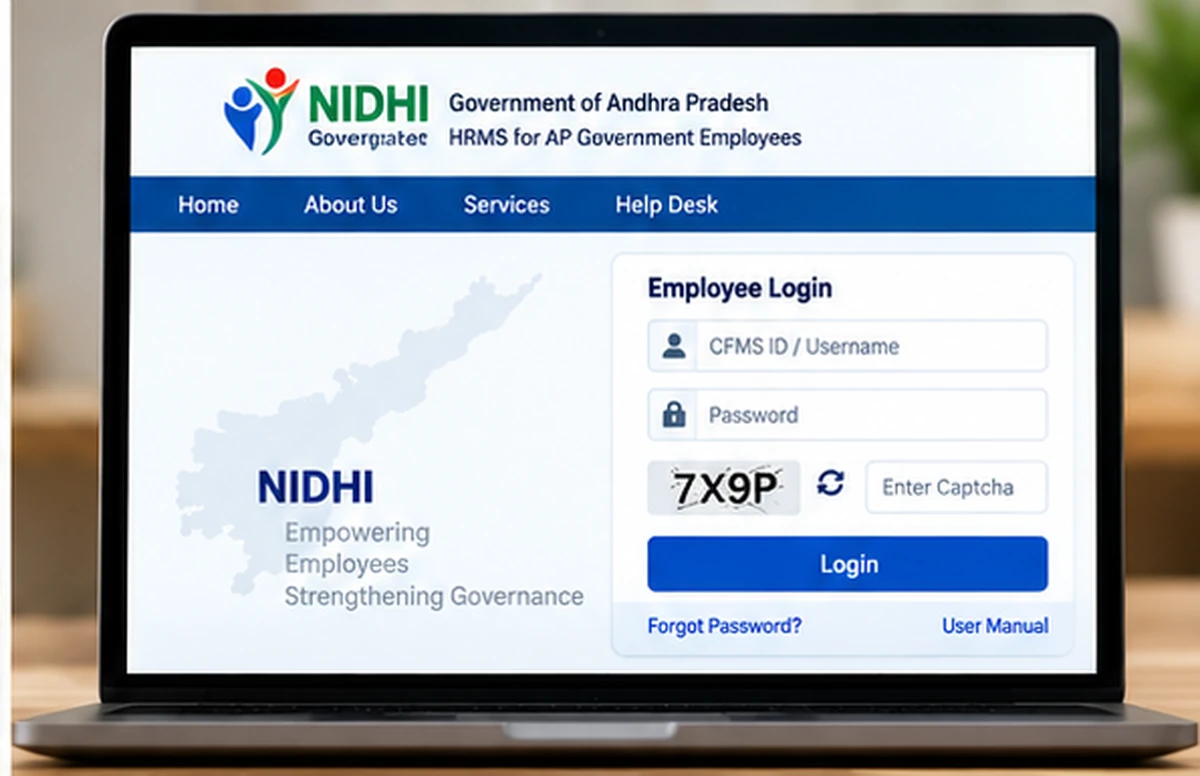
The general AP NIDHI Login process is:
- Visit the official NIDHI Portal.
- Open the Login section.
- Enter the username or employee ID requested on the current screen.
- Enter the password.
- Complete any additional authentication shown by the portal.
- Select Sign In.
- After successful login, use only the services enabled for your employee account.
The exact options displayed after login can depend on department, employee type and role.
AP NIDHI Mobile App Login
APCFSS also provides the NIDHI employee-service app ecosystem.
Official NIDHI app documentation states that employees login using:
- CFMS ID
- Password
After entering the credentials, an OTP is sent to the employee’s registered mobile number. The employee must enter that OTP to continue.
This adds an extra verification step for employee account security.
Official APCFSS App Store:
https://appstore.nidhi.apcfss.in/
What Is a CFMS ID?
A CFMS ID is an employee identifier used across several Andhra Pradesh Government financial and employee-service systems.
The official Andhra Pradesh e-Service Book currently describes the employee CFMS ID as an 8-digit ID.
A CFMS ID may be used for services such as:
- NIDHI employee access
- e-Service Book
- Certain CFMS employee services
- Other authorised departmental applications
Do not confuse a CFMS ID with a treasury bill number, challan number or transaction ID.
Know Your CFMS ID
If you do not remember your CFMS ID, current Andhra Pradesh employee-service interfaces provide a Know Your CFMS ID option.
Official APCFSS documentation shows CFMS ID lookup being connected with employee verification using the registered mobile number and OTP where applicable.
Use only the official NIDHI/CFMS employee-service route shown by the current government system.
Do not enter Aadhaar, mobile number or employee details into random websites claiming to find a CFMS ID.
AP NIDHI Employee Payslip
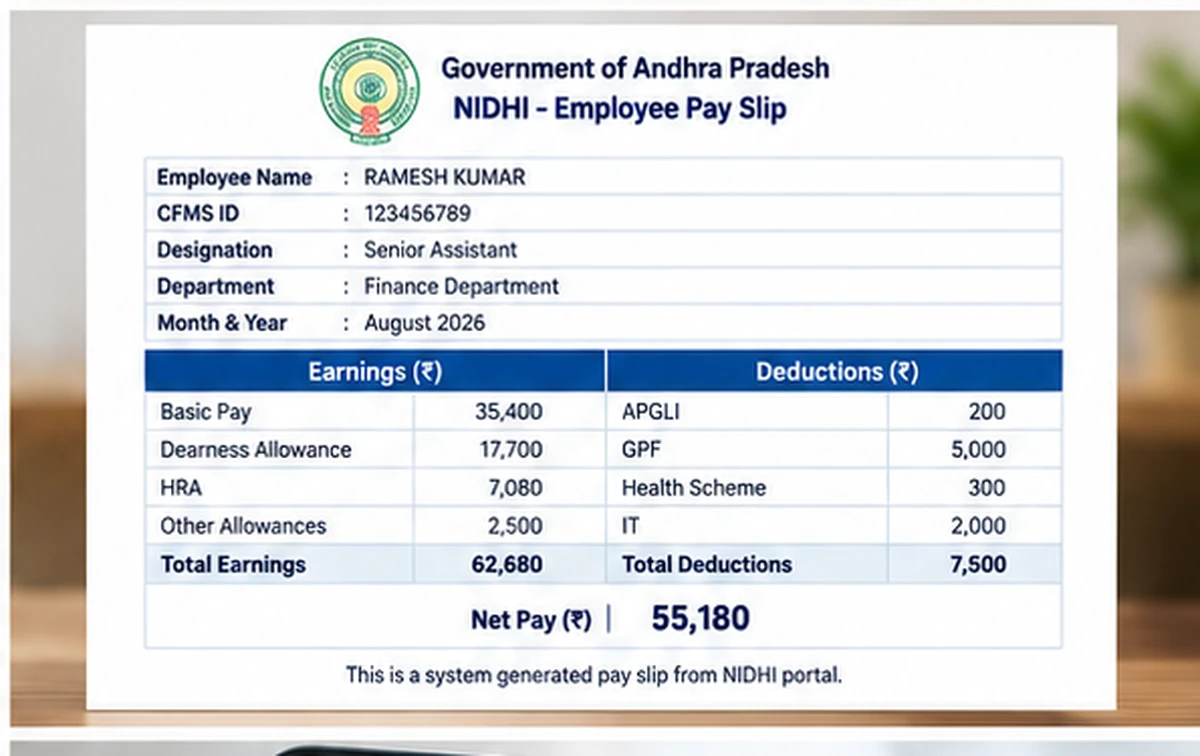
One of the most useful NIDHI employee services is the Employee Payslip facility.
Official NIDHI app documentation confirms that employees can download individual payslips through the service.
Depending on the current interface and employee account, a payslip may show salary-related information such as:
- Pay details
- Allowances
- Applicable deductions
- Net salary
- Month and year of the payslip
The exact fields can vary according to employee category and payroll rules.
How to Download AP NIDHI Payslip
The general process is:
- Login to the official NIDHI service.
- Open the employee-services or payslip section.
- Select the required month or pay period if the option is provided.
- Open the payslip.
- Review the salary details.
- Download or save the payslip using the option provided by the current portal or app.
If a payslip is not yet available for the latest month, wait for payroll processing to complete before assuming there is an error.
AP NIDHI Employee Services
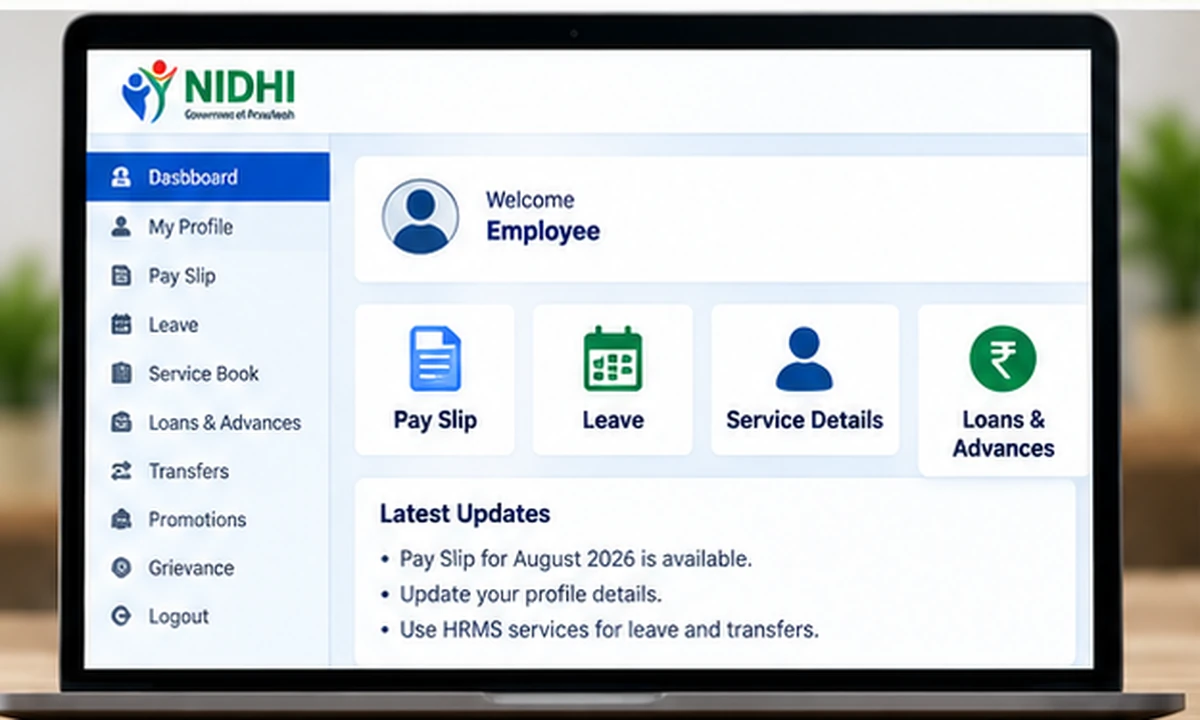
NIDHI is not only a payslip portal.
Current Andhra Pradesh Government information identifies it as an HRMS platform for employee-service management.
Depending on the employee profile and department, services can relate to:
- Salary
- Increments
- Transfers
- Promotions
- Leave balances
- Employee records
- Payslips
- Other HRMS-related functions
Some services can be role-based, so every employee may not see exactly the same menu.
APGLI Services in NIDHI
Official NIDHI mobile-app documentation also lists APGLI services.
Available employee information can include areas such as:
- Loan status
- Refund status
- Proposal status
- Enhancement-related status
The exact service shown to an employee depends on the current NIDHI application and the employee’s records.
Loans and Policies
NIDHI app documentation also states that employees can view information relating to their loans and policies.
This can make the employee portal useful for reviewing service-related financial records without relying on unofficial third-party applications.
Always verify important loan or policy information against the current official employee record.
AP NIDHI Forgot Password
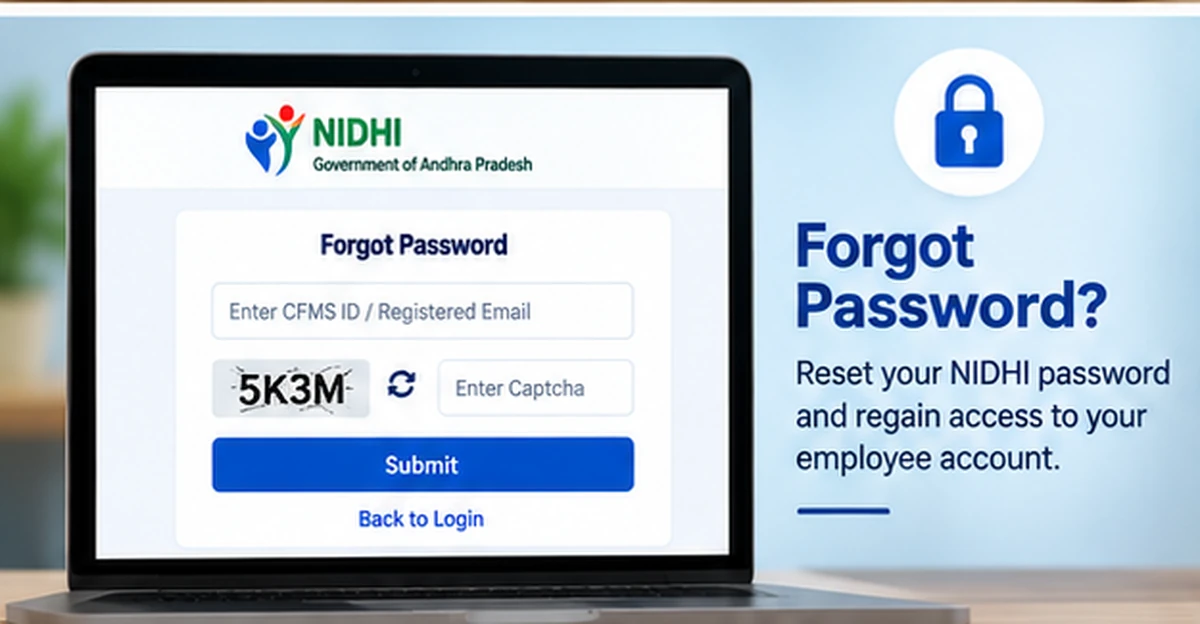
If you cannot remember your NIDHI password, use the Forgot Password option available on the official NIDHI login interface.
Do not repeatedly try random passwords.
The recovery process can require employee verification and access to the registered mobile number or other details maintained in the official employee record.
Follow the instructions displayed on the current official NIDHI page.
NIDHI OTP Not Received
For login flows that use OTP, the OTP is sent to the registered employee mobile number.
If you do not receive it:
- Confirm that the registered mobile SIM is active.
- Check network availability.
- Wait before requesting another OTP.
- Avoid pressing the resend option repeatedly.
- Confirm that your official employee record contains the correct mobile number.
If the registered number is old or incorrect, contact your DDO or concerned department for the official mobile-number update process.
How to Update Registered Mobile Number
The registered mobile number is important for employee authentication.
Current Andhra Pradesh employee-service documentation shows that employee mobile-number updates can be handled through the DDO/master-data process.
If your old mobile number is still linked:
- Contact your DDO or concerned office.
- Ask for the employee mobile number to be verified in the official master data.
- Complete any department-required verification.
- Wait for the update to reflect in the employee system.
- Try NIDHI login or password recovery again.
Do not pay an unofficial agent to change your registered employee mobile number.
AP NIDHI Login Not Working
If the NIDHI Portal is not allowing login, check these common issues.
Incorrect CFMS ID or Username
Confirm the employee ID shown in your official records.
Do not add extra spaces while entering it.
Wrong Password
Passwords are case-sensitive.
Use Forgot Password if you are unsure rather than repeatedly guessing.
OTP Problem
If OTP authentication is required, confirm that you still have access to the registered mobile number.
Portal Is Loading Slowly
Government portals can occasionally be slow because of maintenance or high traffic.
Wait and try again after some time.
Browser Problem
Try an updated version of:
- Chrome
- Edge
- Firefox
You can also clear an outdated browser cache and start a fresh session.
AP NIDHI vs AP CFMS – What Is the Difference?
NIDHI and CFMS are related Andhra Pradesh Government systems, but they serve different primary purposes.
AP NIDHI
NIDHI mainly functions as the HRMS / employee-service system.
It handles areas such as:
- Salaries
- Increments
- Transfers
- Promotions
- Leave balances
- Other employee-service functions
AP CFMS
CFMS is the Comprehensive Financial Management System used for broader government financial and treasury-related functions.
It is associated with areas such as:
- Government financial transactions
- Bills
- Challans
- Treasury processes
- Employee financial services
- Pension-related financial services
For a complete overview, see our AP CFMS Portal guide:
AP NIDHI vs e-Service Book
The e-Service Book is another Andhra Pradesh employee system.
It focuses on employee service-record information.
The official e-Service Book login currently uses:
- 8-digit CFMS ID
- Password
NIDHI, on the other hand, is the broader current HRMS environment for employee-service management.
These systems can share CFMS-based employee identification, but they should not be treated as identical portals.
NIDHI Payslip Not Showing
If the required payslip does not appear:
- Check whether the correct month is selected.
- Wait for salary processing to complete.
- Confirm that the employee record is active.
- Logout and login again.
- Try the portal after some time.
- Contact the DDO/payroll section if the issue continues.
Do not assume that a missing payslip means the salary record has been deleted.
Employee Details Are Incorrect in NIDHI
Employee data can depend on department master records.
If information such as:
- Name
- Designation
- Department
- Mobile number
- Service details
is incorrect, contact the DDO or concerned administrative office.
Do not try to correct official employee master data through an unofficial website.
Is AP NIDHI for the General Public?
No.
NIDHI is primarily an employee HRMS platform.
Citizens looking for government challans or public financial services should use the appropriate CFMS or department-specific service instead.
A normal citizen does not need an employee NIDHI login.
Is There an AP NIDHI App?
Yes. APCFSS maintains official NIDHI application resources through its enterprise app-store environment.
The app documentation currently includes services such as:
- NIDHI login
- Employee payslip
- APGLI services
- Loan and policy information
Download employee applications only through official APCFSS or trusted app-store links referenced by government sources.
Avoid APK files from unknown websites.
AP NIDHI Login Security Tips
Government employee accounts can contain sensitive service and salary information.
Follow these precautions:
- Use only the official
apcfss.inportal. - Never share your CFMS ID password.
- Never share OTP with another person.
- Avoid logging in from public computers.
- Do not save passwords on shared devices.
- Logout after completing employee-service work.
- Do not install unofficial NIDHI APK files.
- Contact the DDO for employee-record problems rather than unknown agents.
AP NIDHI Official Links
AP NIDHI Portal:
https://nidhi.apcfss.in/
Official APCFSS App Store:
https://appstore.nidhi.apcfss.in/
These official resources are sufficient for the main NIDHI login and mobile-service information covered in this guide.
AP NIDHI Login FAQs
What is AP NIDHI?
AP NIDHI is the Andhra Pradesh Government HRMS platform used for employee-service management, including salary, increments, transfers, promotions and leave-related services.
What is the official AP NIDHI website?
The official portal is:
What is required for NIDHI login?
The NIDHI web portal requires the employee login credentials requested on the current screen. The official mobile-app documentation specifically uses CFMS ID and password followed by OTP verification.
What is a CFMS ID?
It is an employee identifier used across Andhra Pradesh Government financial and employee-service systems. The official e-Service Book identifies it as an 8-digit employee ID.
Can I find my CFMS ID online?
Use the official Know Your CFMS ID facility provided through the current Andhra Pradesh employee-service ecosystem.
Can I download my salary payslip through NIDHI?
Yes. Official NIDHI app documentation confirms that employees can download individual payslips.
Why am I not receiving NIDHI OTP?
The registered employee mobile number may be outdated, inactive or temporarily unable to receive OTP. Contact your DDO if the official employee record needs to be updated.
Can I reset the NIDHI password?
Use the Forgot Password option shown on the official NIDHI login page and follow the current verification instructions.
What services are available through NIDHI?
Current government information associates NIDHI with salaries, increments, transfers, promotions and leave balances. Official app documentation also includes payslip, APGLI and loan-related services.
Is NIDHI the same as CFMS?
No. NIDHI mainly serves as the HRMS/employee-service system, while CFMS covers broader government financial and treasury-related functions.
Is WayAlert the official NIDHI website?
No. WayAlert.in is an independent informational website. It cannot access employee salary records, CFMS IDs, passwords or government HRMS databases.
Related AP Employee Guides
Relevant support guides can later include:
- Know Your CFMS ID
- AP Employee Payslip
- AP NIDHI Forgot Password
- AP e-Service Book Login
- AP CFMS Portal
These pages should link naturally to each other without repeating the same full content.
Final Words
AP NIDHI Login gives authorised Andhra Pradesh Government employees access to the state’s HRMS and employee-service environment.
In 2026, NIDHI continues to support important employee functions such as salaries, increments, transfers, promotions and leave balances, while official NIDHI app resources also provide payslip, APGLI and loan-related services.
Use only the official NIDHI/APCFSS websites, keep your CFMS ID password and OTP private, and contact your DDO when an employee master-data or registered-mobile issue cannot be resolved through the portal.