
Know Your CFMS ID is an official Andhra Pradesh employee-service facility that helps government employees identify their CFMS ID using the verification method provided by the current NIDHI/APCFSS system.
A CFMS ID is an 8-digit employee identifier used across Andhra Pradesh Government financial and employee-service systems such as NIDHI, CFMS and e-Service Book.
This 2026 guide explains how to find your CFMS ID online, how registered-mobile OTP verification works, what to do if your mobile number is old, and whether Aadhaar, HRMS ID, Treasury ID or Employee ID can be used to retrieve a CFMS ID.
Official AP NIDHI Portal:
https://nidhi.apcfss.in/
Know Your CFMS ID 2026 – Quick Answer
To find your CFMS ID:
- Open the official AP NIDHI employee-service portal.
- Select Know Your CFMS ID.
- Enter the mobile number registered in your employee record.
- Select Generate OTP.
- Enter the OTP received on the registered mobile number.
- Complete the verification shown by the official system.
- View your CFMS ID when the employee record is successfully matched.
Official APCFSS documentation specifically shows the registered mobile number + OTP route for viewing the CFMS ID.
If your registered mobile number is old or incorrect, contact your DDO for employee master-data updation.
What Is a CFMS ID?
CFMS ID is a unique employee identifier used in Andhra Pradesh Government financial and employee-service systems.
The official Government of Andhra Pradesh e-Service Book describes it as an:
8-digit CFMS ID
Employees may use the CFMS ID for services such as:
- NIDHI employee login
- e-Service Book
- Employee payslip
- Salary-related services
- Other authenticated employee services
- Applicable CFMS employee functions
A CFMS ID is not the same as a challan number, bill number or CFMS transaction number.
What Does CFMS Stand For?
CFMS stands for:
Comprehensive Financial Management System
CFMS is used by the Government of Andhra Pradesh for financial and treasury-related processes.
NIDHI, on the other hand, is the current HRMS platform for employee-service management.
Both systems can use the CFMS ID as part of the employee identity ecosystem.
Know Your CFMS ID Official Website
The safest starting point is the official NIDHI portal:
The current NIDHI interface includes a Know Your CFMS ID option.
Always confirm that the service belongs to an official Andhra Pradesh Government or APCFSS domain before entering a mobile number or OTP.
Do not use unknown websites that advertise themselves as a “CFMS ID finder.”
How to Know Your CFMS ID Online
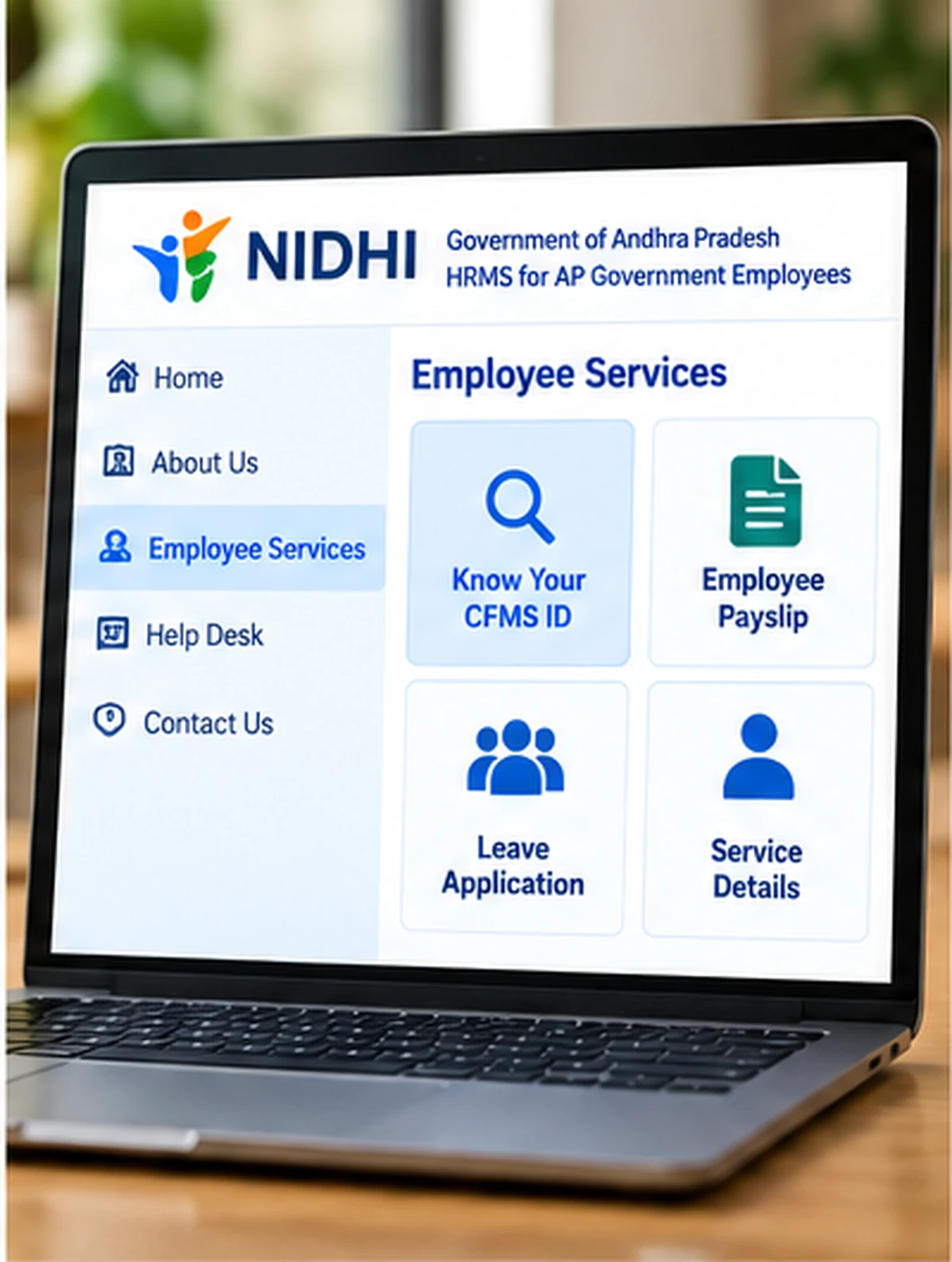
The official APCFSS user documentation shows the following basic process.
Step 1: Open the Official NIDHI Service
Go to:
Look for the Know Your CFMS ID option.
Step 2: Enter Registered Mobile Number
Enter the mobile number that is already available in your government employee record.
The system uses this number to identify and verify the employee.
Step 3: Generate OTP
Select Generate OTP.
An OTP is sent to the registered mobile number.
Step 4: Enter OTP
Enter the OTP received on your mobile.
Do not share the OTP with another person.
Step 5: Complete Verification
Follow the verification instructions displayed by the official service.
Step 6: View CFMS ID
After successful verification, the system can display the CFMS ID associated with the employee record.
Save the ID securely for future official employee-service use.
Know Your CFMS ID with Mobile Number
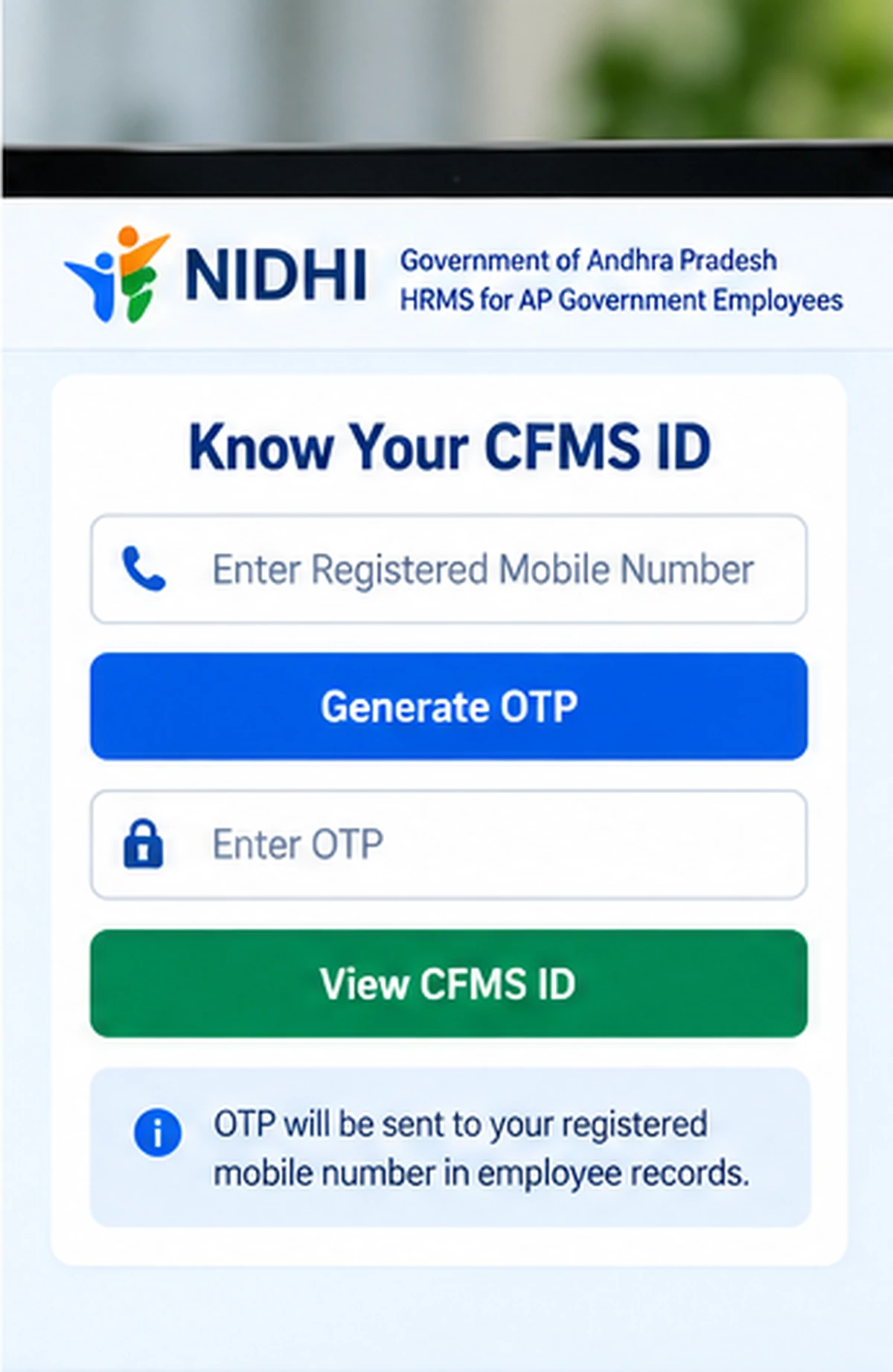
The registered mobile number is important in the current official CFMS-ID lookup process.
Official APCFSS documentation shows that employees can enter the registered mobile number, receive an OTP and then view the CFMS ID.
This means the mobile number should already match the employee record.
If a random mobile number is entered, the system should not be expected to return another employee’s CFMS ID.
Know Your CFMS ID with Aadhaar
Google users commonly search for:
Know Your CFMS ID with Aadhaar
and:
Know Your CFMS ID by Aadhaar Number
However, the current official CFMS-ID lookup documentation we verified specifically describes a registered mobile number + OTP workflow.
Therefore, do not assume that Aadhaar number alone is the current official method for retrieving the CFMS ID.
If the current NIDHI portal itself asks for Aadhaar as part of a future verification flow, follow only the fields displayed on the official portal.
Avoid third-party websites that ask you to enter Aadhaar merely to “find CFMS ID.”
Know Your CFMS ID with HRMS ID
Another common search is:
Know Your CFMS ID with HRMS ID
NIDHI is the Andhra Pradesh HRMS system, but HRMS terminology and CFMS ID should not automatically be treated as interchangeable identifiers.
The current official lookup method we verified uses the registered mobile-number verification route.
If an HRMS or employee identifier is requested by the official portal, enter it only on the current official service.
Know Your CFMS ID Through Treasury ID
Users also search for:
Know Your CFMS ID through Treasury ID
Older Andhra Pradesh employee systems may have used treasury-related identifiers in different contexts.
However, the current official CFMS-ID lookup documentation we checked does not require users to rely on an unofficial Treasury-ID lookup website.
Use the current NIDHI Know Your CFMS ID facility first.
If your employee record is not found, contact your DDO or Treasury/department office rather than trying random online conversion tools.
Know Your CFMS ID with Employee ID
Some employees may already know an older or department-specific Employee ID.
That does not necessarily mean the number is identical to the CFMS ID.
The safest approach is to retrieve or confirm the CFMS ID through the official employee-service system.
This avoids confusion between:
- CFMS ID
- Employee ID
- HRMS-related identifier
- Treasury-related identifier
- Department-specific ID
Is CFMS ID 8 Digits?
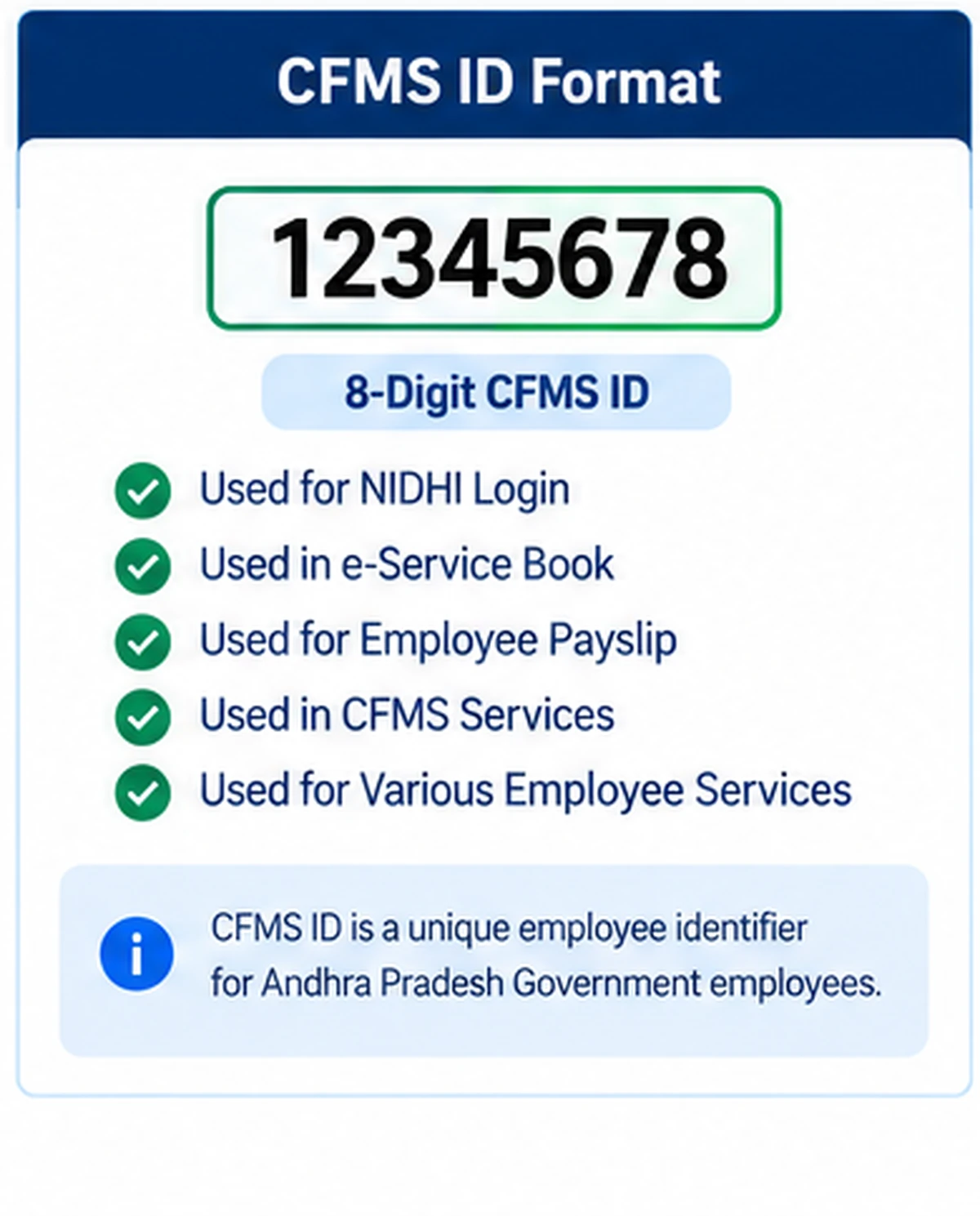
Yes.
The official Government of Andhra Pradesh e-Service Book currently instructs employees to enter an 8-digit CFMS ID.
If you have a number with a different length and are unsure whether it is your CFMS ID, confirm it using the official employee-service system.
Where Is CFMS ID Used?
CFMS ID can be used across multiple authorised Andhra Pradesh employee services.
Examples include:
NIDHI
NIDHI is the current HRMS environment for employee-service management.
e-Service Book
The official e-Service Book login uses an 8-digit CFMS ID.
Employee Payslip
CFMS ID is used as part of authenticated employee-service access for salary-related functions.
Other Employee Applications
Some Andhra Pradesh Government applications can use CFMS ID as the employee identifier.
The exact requirement depends on the service.
CFMS ID and AP NIDHI Login
Employees using NIDHI may need CFMS-based credentials for employee access.
Official NIDHI mobile-app documentation uses CFMS ID and password as part of the login flow.
If you already know your CFMS ID but need help signing in to NIDHI, see:
AP NIDHI Login:
https://wayalert.in/ap-nidhi-login/
CFMS ID and AP Employee Payslip
CFMS ID is also relevant to Andhra Pradesh employee salary-service access.
Employees looking specifically for salary-slip information can use our detailed guide:
AP Employee Payslip:
https://wayalert.in/ap-employee-payslip/
Do not share your CFMS ID password or OTP with another website simply to retrieve a payslip.
CFMS ID and AP CFMS Portal
CFMS ID belongs to the broader Andhra Pradesh CFMS employee ecosystem.
For challans, bills, employee financial services and other CFMS-related information, see:
AP CFMS Portal:
https://wayalert.in/ap-cfms/
Registered Mobile Number Is Not Correct
The CFMS-ID lookup process depends on the mobile number recorded in the employee system.
If your mobile number has changed, the OTP may go to the old number.
The official e-Service Book currently states that an employee’s mobile number is updated by the DDO through the Master Data Updation service.
So if your number is wrong:
- Contact your DDO.
- Ask for the employee mobile number in master data to be verified.
- Provide any official verification required by your department.
- Wait for the update to reflect in the system.
- Try the Know Your CFMS ID service again.
Do not pay an outside agent to change official employee master data.
CFMS ID OTP Not Received
If the OTP is not received:
- Check that the registered mobile SIM is active.
- Make sure you have network coverage.
- Wait before requesting another OTP.
- Verify that you entered the correct registered number.
- Avoid repeated OTP requests within a short period.
If the number in the employee record is no longer yours, contact the DDO.
Know Your CFMS ID Not Working
If the service does not return your CFMS ID, possible reasons can include:
- Registered mobile number mismatch
- Old employee master data
- Temporary portal issue
- Incorrect mobile number entered
- Employee record not yet updated
- Service temporarily unavailable
Try again after confirming the registered mobile number.
If the issue continues, contact the concerned DDO or official employee-support channel.
NIDHI Portal Is Not Opening
If the NIDHI website is unavailable:
- Confirm the URL belongs to
apcfss.in. - Refresh after a few minutes.
- Try Chrome, Edge or Firefox.
- Clear an outdated browser cache.
- Try another internet connection.
- Retry later if the government system is under maintenance.
Do not switch to an unofficial website simply because the official portal is temporarily unavailable.
CFMS ID vs CFMS Transaction ID
These two should not be confused.
CFMS ID
An employee identifier.
CFMS Transaction ID
A reference number associated with a financial transaction or challan.
An employee cannot use a challan transaction number as a substitute for an 8-digit employee CFMS ID.
CFMS ID vs UAN
CFMS ID is not the same as UAN.
And CFMS ID is associated with Andhra Pradesh Government employee services.
UAN is the Universal Account Number used in the EPFO provident-fund system.
They belong to different systems and should not be mixed.
CFMS ID vs Aadhaar Number
CFMS ID and Aadhaar are separate identifiers.
Aadhaar is a national identity number.
CFMS ID is an employee identifier used within Andhra Pradesh Government financial and HRMS systems.
Never publish either identifier openly.
Can I Find Another Employee’s CFMS ID?
The CFMS-ID lookup facility is intended for legitimate employee-service use.
Do not attempt to retrieve another person’s employee identifier using their mobile number or personal information.
Use the service only for your own authorised employee account or official administrative work.
CFMS ID Security Tips
Follow these precautions:
- Use only official Andhra Pradesh Government or APCFSS services.
- Never share OTP.
- Do not share your employee password.
- Avoid unofficial CFMS ID finder websites.
- Do not publish CFMS ID screenshots publicly.
- Never provide Aadhaar merely because a random website asks for it.
- Contact your DDO for official employee-record corrections.
Official CFMS ID Links
AP NIDHI Portal:
https://nidhi.apcfss.in/
AP CFMS Portal:
https://cfms.ap.gov.in/
These official portals are sufficient for the main CFMS ID and employee-service information covered here.
Know Your CFMS ID FAQs
What is CFMS ID?
CFMS ID is an employee identifier used in Andhra Pradesh Government financial and employee-service systems.
How many digits are in CFMS ID?
The official e-Service Book currently identifies the CFMS ID as an 8-digit ID.
How can I know my CFMS ID online?
Use the official NIDHI Know Your CFMS ID facility and complete the verification requested by the system.
Can I find CFMS ID using mobile number?
The official APCFSS documentation we verified uses the registered employee mobile number and OTP for CFMS-ID lookup.
Can I know CFMS ID using Aadhaar?
The current official lookup documentation we verified specifically shows mobile-number OTP verification. Do not assume Aadhaar alone is the official lookup method unless the current government portal asks for it.
Can I know CFMS ID using HRMS ID?
Use the official NIDHI lookup facility. Do not rely on unofficial HRMS-to-CFMS conversion websites.
Can I find CFMS ID through Treasury ID?
Use the current NIDHI/employee-service route first. If the employee record cannot be located, contact your DDO or concerned department.
What if my registered mobile number is old?
Contact the DDO for employee master-data updation.
Why am I not receiving OTP?
The mobile number in the employee record may be outdated, the SIM may be inactive or there may be a temporary network/service issue.
Is CFMS ID the same as Employee ID?
Not always. Departments can use different identifiers. Confirm the CFMS ID through the official system.
Is CFMS ID the same as UAN?
No. UAN belongs to EPFO, while CFMS ID belongs to the Andhra Pradesh Government employee-service ecosystem.
Where is CFMS ID used?
It is used in services such as NIDHI, e-Service Book and other authorised Andhra Pradesh employee systems.
Is WayAlert an official CFMS website?
No. WayAlert.in is an independent informational website. It cannot access employee records, CFMS IDs, passwords or government HRMS databases.
Related AP Employee Guides
Useful related guides include:
- AP NIDHI Login
- AP Employee Payslip
- AP CFMS Portal
- AP e-Service Book Login
These guides should be linked only where relevant rather than repeating the same content on multiple pages.
Final Words
Know Your CFMS ID is an important employee-service function for Andhra Pradesh Government employees who need their CFMS identifier for NIDHI, e-Service Book and other authorised employee systems.
The current official documentation supports a registered mobile number + OTP lookup process, while the e-Service Book confirms that the CFMS ID is an 8-digit employee identifier.
If your registered mobile number is outdated, contact your DDO for official master-data updation instead of using unofficial CFMS-ID lookup websites.