
Ultimatix Login – Complete Guide for TCS Employees (2025) at auth.ultimatix.net
What is Ultimatix Login and Who Can Use It?
Ultimatix is Tata Consultancy Services’ (TCS) official digital platform for employees. It serves as a single gateway to access HR services, timesheets, salary slips, leave requests, project management tools, and internal applications.
The Ultimatix login process is restricted to current TCS associates, contractors, and authorized personnel only. Every employee is provided with a unique personalized username and secure authentication methods to access the portal.
Ultimatix Login Methods at a Glance
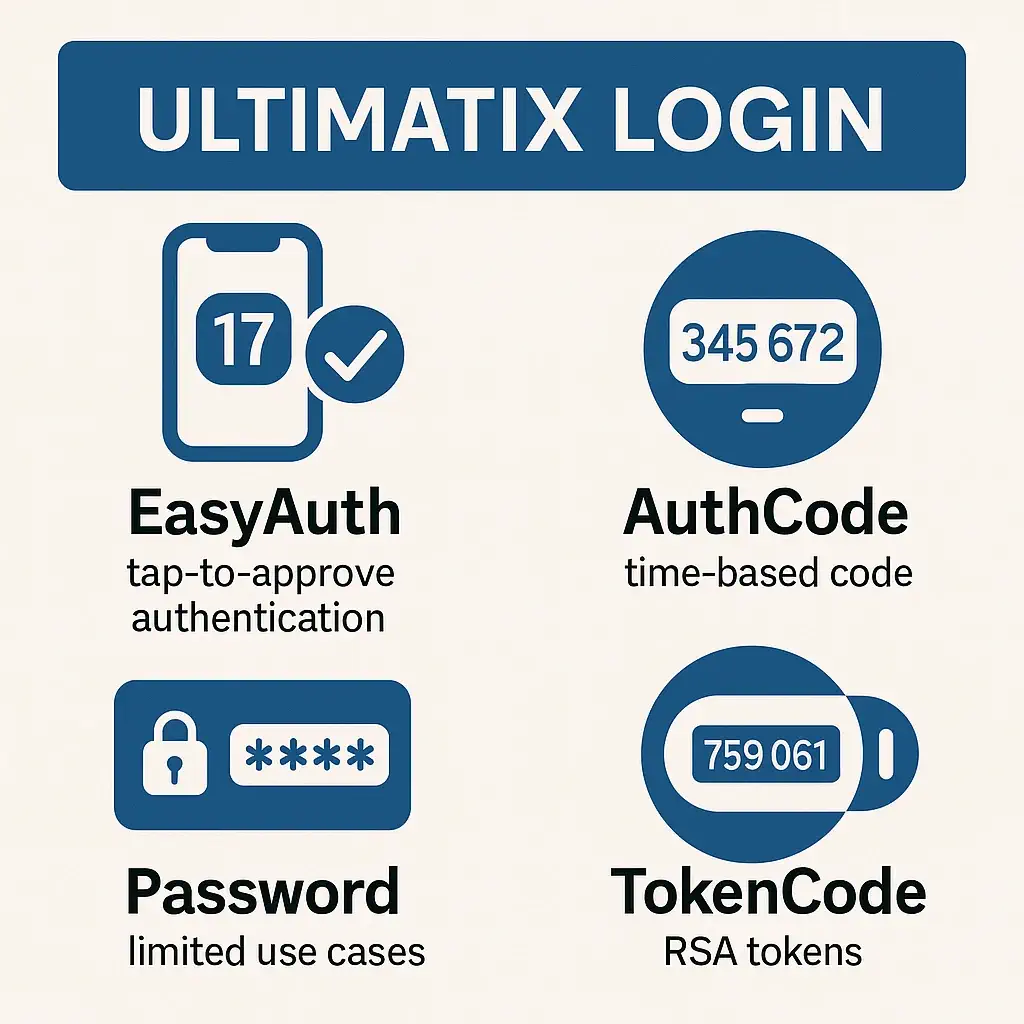
TCS mandates multi-factor authentication (MFA) for Ultimatixlogin. Employees can choose from several approved login methods:
- EasyAuth – tap-to-approve authentication via the Ultimatix Authenticator app.
- AuthCode – time-based numeric code generated by the app.
- Password – limited use cases, such as Help Desk or temporarily via RFC approval.
- TokenCode – RSA soft/hard token for employees working in restricted environments.
Ultimatix Login Prerequisites
Before logging in, employees must ensure:
- Personalized Username – set up through the “Get Personalized Username” option.
- Registered Email/Mobile Number – required for OTP and recovery.
- Ultimatix Authenticator App – installed and configured via Ux Apps.
Without these, access may fail, and recovery steps will be needed.
One-Time Setup: Install Ux Apps & Ultimatix Authenticator
To start using Ultimatix login:
- Download Ux Apps from the official Ultimatix portal.
- Sign in with your employee credentials.
- From Ux Apps, install Ultimatix Authenticator.
- Set a PIN to protect the app.
- Verify your account and link the device.
This setup enables EasyAuth and AuthCode login methods.
Ultimatix Login with EasyAuth (Tap-to-Approve)
EasyAuth is the default and most secure login method.
Steps:
- Visit the official Ultimatixlogin portal.
- Enter your username.
- On your phone, open the Ultimatix Authenticator app.
- Tap the number displayed to approve the login request.
It requires a stable internet connection on your mobile device.
Ultimatix Login with AuthCode (Time-Based Code)
If EasyAuth is unavailable:
- Open the Ultimatix Authenticator app.
- Note the 6-digit AuthCode.
- Enter this code in the Ultimatix TCS login screen.
This works even if push notifications fail, provided the app is synced.
Ultimatix Login UX: Where to Start
The main entry point is the Ultimatix Login Page.
Here, employees find:
- Forgot Account Details? (reset password, unlock account, get username).
- Trouble Logging In? support resources.
- Terms of use and security policies.
Ultimatix Login with Password (Where It’s Enabled)
Password login is generally disabled for security, but enabled in two cases:
- Global Help Desk portal.
- Ux Apps authentication.
If password login is required for UltimatixTCS, employees must raise an RFC:
- Navigate to Ultimatix → Enable Password Based Logon Temporarily.
- Approvals needed; valid for ~7 days.
Ultimatix Login with TokenCode (RSA Tokens)
For employees in restricted zones (e.g., ODCs where phones aren’t allowed):
- Soft Token or Hard Token (RSA) is issued.
- Request via RFC: IS Security → Ultimatix Token Code Authentication.
- Enter TokenCode displayed on the RSA device during login.
Forgot Password / Username / Account Locked – Recovery
The Forgot Account Details section covers:
- Reset Password – via SMS OTP, AuthCode, or secret questions.
- Unlock Account – if locked due to failed attempts.
- Retrieve Username – by entering registered email or employee ID.
Employees must keep recovery details updated for smooth login.
Common Ultimatix Login Issues & Quick Fixes
- EasyAuth prompt not showing → Ensure mobile internet is active, reopen app.
- ODC/No-phone policy → Use TokenCode (RSA).
- Need password temporarily → Raise RFC for password-based login.
- Account locked → Use recovery portal to unlock/reset credentials.
Security Best Practices for Ultimatix Login
- Prefer EasyAuth or AuthCode over passwords.
- Keep Authenticator PIN secret.
- Update recovery details (phone, email).
- Avoid multiple failed login attempts.
- Use only official portals—never third-party links.
Mobile vs. Desktop, Browser Tips & VPN Notes
- Ultimatixlogin portal is accessible via internet browsers (Chrome, Edge, Firefox).
- Internal TCS applications (e.g., email) may require Cisco AnyConnect VPN.
- Ensure browser is update, cache clear, and pop-ups allow.
Ultimatix Login for Former Employees (TCS Alumni)
Ex-employees cannot log in via Ultimatix. They must use the TCS Alumni Portal for employment verification, PF, and related services.
FAQs
Request TokenCode (RSA) via RFC.
Yes, temporarily via RFC (Enable Password Based Login Temporarily). Valid for ~7 days after approvals.
Install Ux Apps → then install Ultimatix Authenticator.
Use Forgot Account Details → Reset Password → via OTP/AuthCode/secret questions.
Use the same recovery page to unlock with OTP or email.
Select Get Personalized Username on the recovery portal.
EasyAuth: tap-to-approve notification.
AuthCode: time-based numeric code.
No, but some apps inside Ultimatix (like mail) may require VPN.
Conclusion
The Ultimatix login process is a secure gateway to TCS’s employee services. By using EasyAuth, AuthCode, or TokenCode, employees can ensure safe access. Always use official portals, update recovery details, and contact ultimatix.helpdesk@tcs.com for assistance.