
CIL Salary Slip 2026: Coal India Limited employees can access the official salary statement service at salary.coalindia.in/salary/. The portal asks for an Employee Code (EIS/PIS) and uses an OTP sent to the mobile number registered in the SAP system.
This guide explains how to access the Coal India salary statement portal, complete OTP verification, save an available payslip, understand salary details, and resolve common access problems.
CIL Salary Slip 2026 – Quick Overview
| Particular | Details |
|---|---|
| Organisation | Coal India Limited (CIL) |
| Service | Employee Salary Statement |
| Official Portal | https://salary.coalindia.in/salary/ |
| Employee Identifier | EIS/PIS Employee Code |
| Verification | OTP to SAP-registered mobile number |
| Document | Salary Statement / Payslip |
| Access | Authorised employees |
| Login Assistance | Respective HR, Payroll or IT Department |
Important: WayAlert is an independent informational website. We do not provide salary statements or collect employee login credentials.
What Is a CIL Salary Slip?
A CIL salary slip is a salary statement associated with an employee of Coal India Limited or an applicable subsidiary.
A payslip generally records the employee’s earnings and deductions for a particular pay period.
Depending on the employee’s payroll system and salary structure, the statement may contain:
- Employee name and identification number
- Department or place of posting
- Salary month and year
- Basic pay
- Dearness Allowance (DA)
- House Rent Allowance (HRA), where applicable
- Other allowances and adjustments
- Provident fund or applicable retirement-related deductions
- Income tax deducted at source (TDS)
- Loan or advance recoveries
- Gross earnings and net pay
The exact fields and allowances can differ by employee category, subsidiary and payroll rules.
A salary slip may be useful for verifying monthly earnings, reconciling payroll deductions, maintaining employment records, and supporting income-verification requirements.
Official Coal India Salary Statement Portal
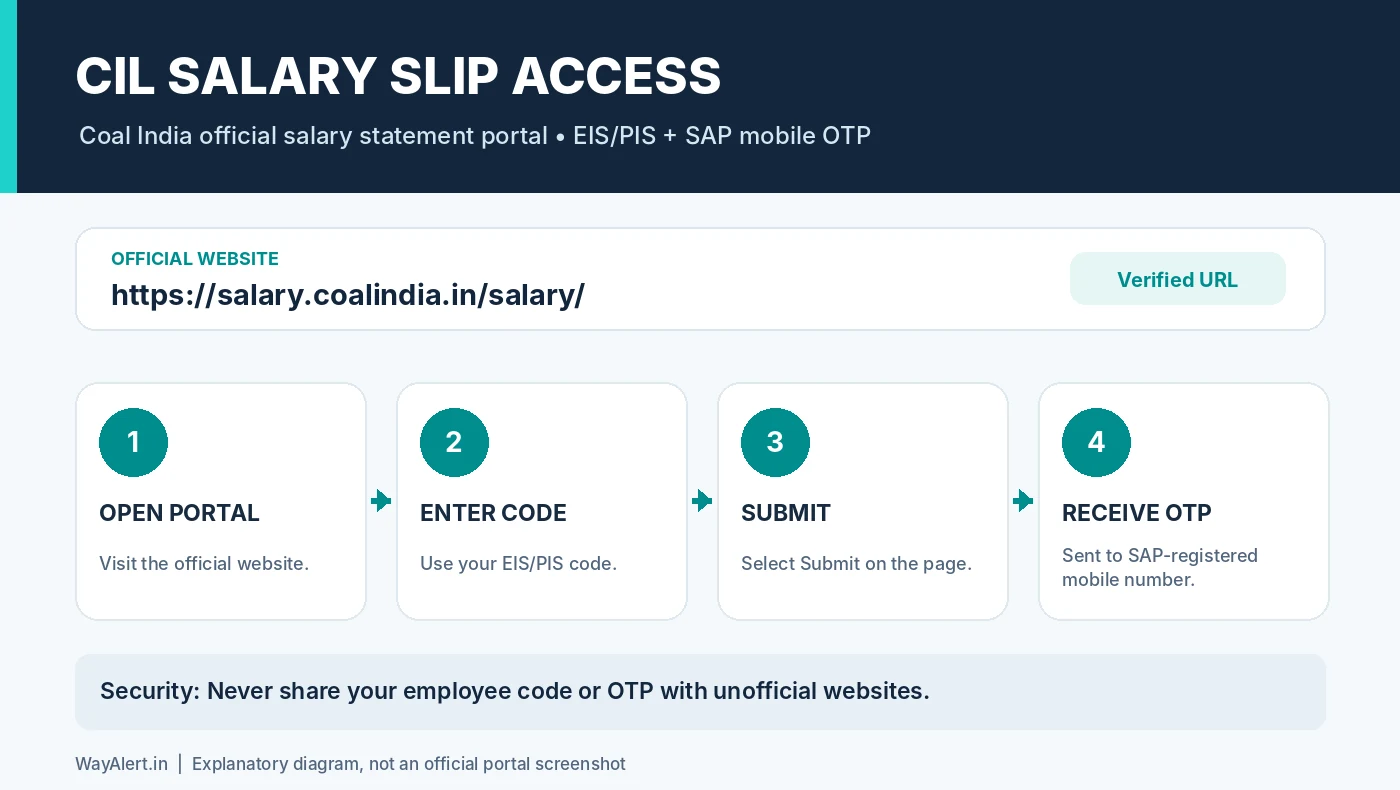
The official Coal India salary statement page is:
https://salary.coalindia.in/salary
The public login screen displays the heading View Salary Statement.
It includes an Employee Code field labelled EIS/PIS and a Submit button.
The page also states that an OTP will be sent to the mobile number registered in SAP.
Always verify that the address belongs to the coalindia.in domain before entering employee information.
How to Access CIL Salary Slip Online
Follow these steps to begin accessing your Coal India salary statement.
Step 1: Open the Official Portal
Open a web browser on your mobile phone or computer.
Visit:
https://salary.coalindia.in/salary
Check the website address carefully to avoid unofficial or misleading login pages.
Step 2: Enter Your Employee Code
On the official salary statement page, locate the field marked:
Please Enter Employee Code
The input is labelled EIS/PIS.
Enter the employee code associated with your authorised Coal India payroll record.
If you do not know which number to use, check your available employment records or contact your HR/payroll section.
Do not repeatedly guess employee identifiers.
Step 3: Submit Your Employee Code
After entering the correct employee code, select Submit.
The official page indicates that an OTP will be sent to the mobile number registered in the SAP system.
Step 4: Complete OTP Verification
Follow the verification instructions displayed by the official portal.
Use the OTP received on your SAP-registered mobile number.
Never disclose your OTP to another person or an unofficial website.
If you no longer have access to the registered number, contact your organisation’s HR or payroll section for the authorised update procedure.
Step 5: View Your Available Salary Statement
After successful authentication, follow the options available to your employee account.
If a salary statement is displayed, review the employee details, relevant pay period, earnings, deductions and net pay.
The exact post-login options could not be independently verified because they require authorised employee access.
Step 6: Save or Print the Statement
If a PDF download or print option is available, use it to save the statement for your records.
If the authorised portal provides a browser-printable statement, the browser’s Print function may allow you to save it as a PDF.
The available functions depend on the portal and employee account.
If a download option is missing, ask your payroll section how to obtain the required statement.
What Are EIS and PIS Employee Codes?
The official Coal India salary portal identifies its Employee Code field as EIS/PIS.
These are employee-identification references used for salary-service access.
Employees should use the identifier assigned to them for the relevant system.
Do not assume that a Man Number, older employee number, HRMS username and salary-portal code are interchangeable.
If you are unsure which identifier applies to your account:
- Check an earlier authorised salary statement or employment record.
- Refer to employee-service instructions issued by your organisation.
- Contact the HR or payroll section.
- Enter only the verified identifier on the official portal.
CIL Salary Statement vs Subsidiary Payslip Portals
Coal India Limited operates through multiple subsidiary companies, including Bharat Coking Coal Limited (BCCL), Central Coalfields Limited (CCL), Eastern Coalfields Limited (ECL), Mahanadi Coalfields Limited (MCL), Northern Coalfields Limited (NCL), South Eastern Coalfields Limited (SECL), and Western Coalfields Limited (WCL).
Employees may encounter different employee-service arrangements depending on their subsidiary, payroll administration and employee category.
The Coal India salary statement portal provides an EIS/PIS Employee Code entry screen with SAP-mobile OTP verification.
However, subsidiary employee portals may use different credentials or authentication procedures.
| Employee situation | Recommended action |
|---|---|
| You have a valid EIS/PIS code | Try the official CIL salary statement portal |
| Your subsidiary provides a separate employee portal | Follow the access instructions issued by your subsidiary |
| You are unsure which portal applies | Ask your HR or payroll section |
| Your employee code is not recognised | Confirm the identifier before trying again |
| You no longer have access to the registered mobile number | Request assistance through your HR/payroll department |
Do not use an unverified default password or date-of-birth password combination found on third-party websites.
For more subsidiary-specific information, read our BCCL Payslip Guide. Always verify the current login procedure with the relevant official system.
What Information Does a Coal India Payslip Contain?
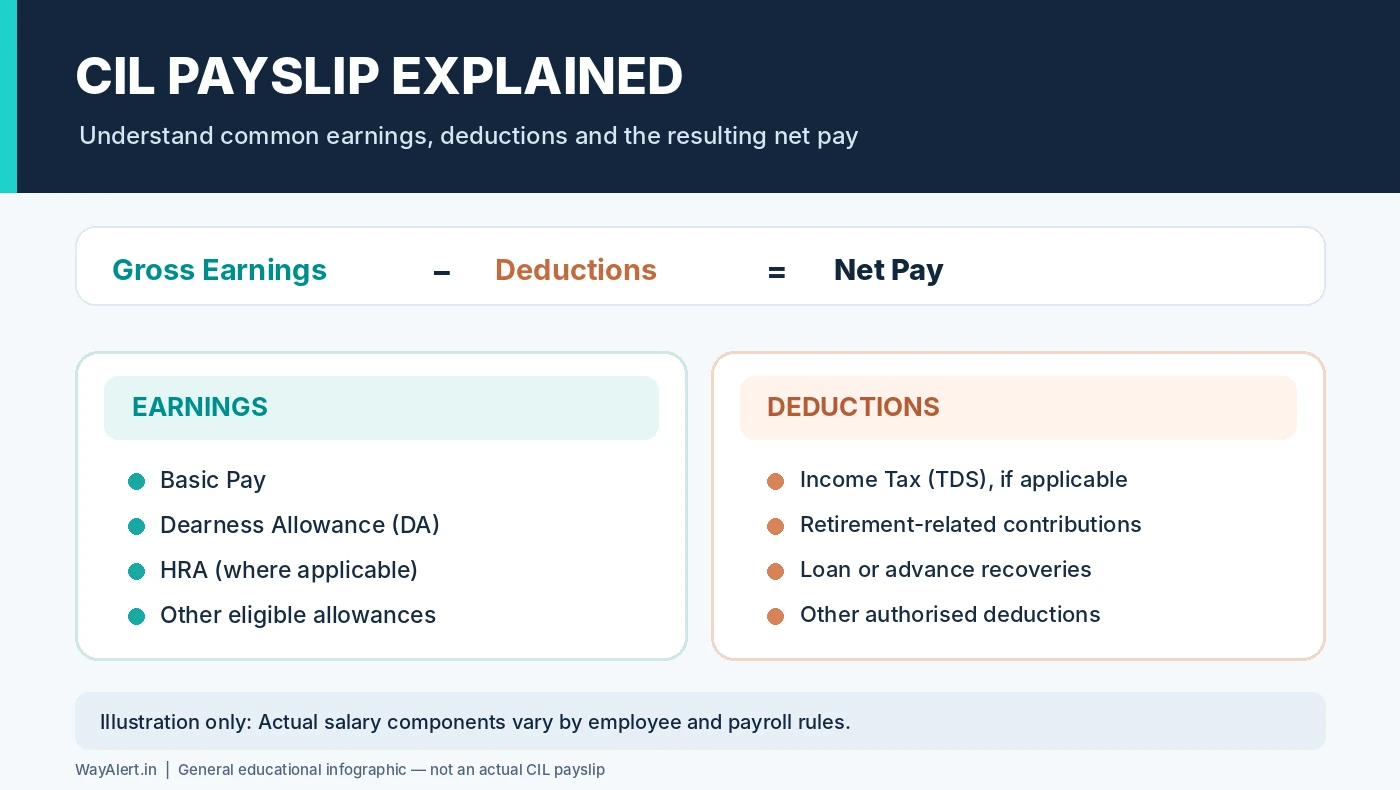
A payslip typically separates salary information into earnings, deductions and net pay.
Earnings
Basic Pay: The basic salary component associated with an employee’s grade or applicable pay arrangement.
Dearness Allowance (DA): An allowance calculated according to the applicable pay rules and revisions.
House Rent Allowance (HRA): May apply depending on accommodation eligibility and employment conditions.
Other Allowances: Depending on employee eligibility, a salary statement may include relevant duty allowances, reimbursements, incentives or other payroll adjustments.
Deductions
Depending on the applicable payroll arrangement, deductions may include:
- Coal Mines Provident Fund (CMPF) or other applicable retirement-related contributions
- Income tax deducted at source
- Professional tax, where applicable
- Loan and advance recoveries
- Other authorised deductions or adjustments
Not every employee will have the same deduction categories.
Gross Salary and Net Pay
Gross earnings represent the total earnings recorded before deductions.
Net pay generally represents the payable amount after applicable deductions and adjustments.
If your net salary does not match the amount deposited into your bank account, compare the relevant salary period, recoveries and payment records before contacting payroll.
CIL Salary Slip OTP Not Received – What to Do?
The official salary statement page says OTP verification uses the SAP-registered mobile number.
If the OTP does not arrive:
- Check whether your phone can receive SMS messages.
- Confirm that the number associated with your employment record is still active.
- Follow any retry instructions displayed by the official portal.
- Avoid repeatedly submitting requests unnecessarily.
- Contact your HR or payroll department if the registered mobile number is incorrect or outdated.
WayAlert cannot update SAP mobile numbers or resend Coal India login OTPs.
CIL Salary Slip Login Problems and Solutions
| Problem | What you can do |
|---|---|
| Employee Code not accepted | Verify the EIS/PIS code with your payroll section |
| OTP not received | Check your registered mobile number and network |
| Portal not loading | Check the official URL, internet connection and browser |
| Session expired | Restart the login process through the official page |
| Salary statement not visible | Check your access permissions with payroll/HR |
| Latest salary month missing | Confirm whether that payroll period has been processed and made available |
| PDF not downloading | Check browser download permissions and available print options |
| Wrong salary amount | Compare the statement with payroll records and contact your payroll section |
Website Not Opening?
If the portal fails to load, check your internet connection and confirm that you are using the correct HTTPS address.
You may also try another updated browser or reload the page.
If the official service is temporarily unavailable, try again later. Do not enter your credentials on a lookalike website.
Salary Statement Not Available?
A missing statement does not necessarily mean that salary payment has failed.
Possible explanations include payroll processing, access restrictions, the selected pay period, or account-specific issues.
Contact your payroll department to confirm the status instead of assuming a fixed publication date.
Incorrect Earnings or Deductions?
If the statement contains an unexpected deduction or missing allowance, note the salary month and the specific entry.
Compare it with your employment and payroll records, then request clarification through your authorised HR/payroll channel.
Is a CIL Salary Slip the Same as Form 16?
No. A monthly payslip and Form 16 serve different purposes.
A salary slip usually presents salary components, deductions and net pay for a particular payroll period.
Form 16 is an annual tax-related certificate issued where applicable, containing information about salary income and tax deducted at source.
Employees should not treat a single monthly payslip as a substitute for their annual tax documentation.
For tax filing or income-related decisions, refer to applicable current Income Tax Department guidance and official employer records.
How to Keep Your CIL Salary Slip Secure
Salary slips may contain sensitive personal, employment and financial information.
To protect your records:
- Use only official Coal India or authorised subsidiary services.
- Never share OTPs or passwords.
- Avoid entering employee details on unofficial salary-download websites.
- Store downloaded documents securely.
- Log out after using an employee portal.
- Avoid saving salary records on public computers.
- Share payslips only with trusted parties when necessary.
- Redact unnecessary sensitive information if the receiving organisation permits it.
Frequently Asked Questions
1. What is the official website for CIL Salary Slip?
The official Coal India salary statement portal is https://salary.coalindia.in/salary/. Its public page asks for an EIS/PIS Employee Code and states that OTPs are sent to SAP-registered mobile numbers.
2. How can I access my Coal India salary statement?
Open the official portal, enter your assigned EIS/PIS Employee Code, select Submit and follow the OTP verification process. After authentication, use the salary-statement options available to your account.
3. Can I access a CIL salary slip without an OTP?
The publicly accessible Coal India salary statement page specifies OTP verification. Employees who cannot receive an OTP should contact their HR or payroll section for an authorised access solution.
4. What should I do if I forget my EIS/PIS number?
Check available employment records or contact your HR/payroll section to confirm the correct employee code.
5. Why am I not receiving the Coal India salary portal OTP?
The mobile number recorded in SAP may be outdated, inaccessible or unable to receive the message. Check your phone and contact HR if the number needs verification or correction.
6. Can employees of Coal India subsidiaries use the same salary portal?
Access depends on the employee’s account and the payroll arrangements used by their organisation. Employees should follow the relevant official portal instructions or confirm the correct service with their subsidiary HR department.
Official Source
Coal India Limited – Salary Statement Portal
https://salary.coalindia.in/salary
Disclaimer: WayAlert.in is an independent informational website and is not affiliated with Coal India Limited or its subsidiaries. This guide provides general information about accessing salary statements. For account-related questions, payroll corrections and credential issues, contact the appropriate official HR or payroll department.