
CCL Payment Slip Online 2026: Central Coalfields Limited (CCL) employees who have access to the Coal India Salary Statement service can visit salary.coalindia.in/salary/, enter their assigned EIS/PIS Employee Code, and follow the OTP verification process using their SAP-registered mobile number.
Employees may also have access to company-specific employee self-service systems, depending on their account permissions and payroll arrangements.
This guide explains the official CCL and Coal India websites, salary statement login steps, employee code requirements, payslip download options, and solutions for common problems.
CCL Payment Slip Online 2026 – Quick Overview
| Particular | Details |
|---|---|
| Company | Central Coalfields Limited (CCL) |
| Parent Company | Coal India Limited (CIL) |
| Service | Employee Salary Statement / Payslip |
| Official CCL Website | https://www.centralcoalfields.in/ |
| Coal India Salary Portal | https://salary.coalindia.in/salary/ |
| Salary Portal Employee Code | EIS/PIS |
| Verification Method | OTP to SAP-registered mobile number |
| Other Employee Services | CCL/Coal India ESS or MSS, where authorised |
| Intended Users | Authorised employees |
| Account Assistance | Respective HR, Payroll or IT Department |
Important: WayAlert.in is an independent informational website. We do not issue CCL payment slips, manage employee accounts, or collect employee passwords and OTPs.
What Is a CCL Payment Slip?
A CCL payment slip is a salary statement associated with an employee of Central Coalfields Limited, a subsidiary of Coal India Limited.
Employees may also refer to this document as a CCL payslip, CCL salary slip, or monthly salary statement.
The statement generally records the employee’s earnings, allowances, payroll deductions, and net payable salary for a particular period.
Depending on the applicable payroll arrangement, a statement may contain:
- Employee name and identification number
- Department or work location
- Salary month and year
- Basic pay
- Dearness Allowance (DA)
- House Rent Allowance (HRA), where applicable
- Other eligible allowances
- Provident fund and applicable deductions
- Income tax deducted at source
- Loan or advance recoveries
- Gross earnings and net pay
The exact components may differ according to an employee’s category, grade, salary structure, and applicable company rules.
Employees commonly use salary statements to verify monthly payments, understand deductions, maintain financial records, and provide income documentation when required.
Official CCL and Coal India Salary Portals
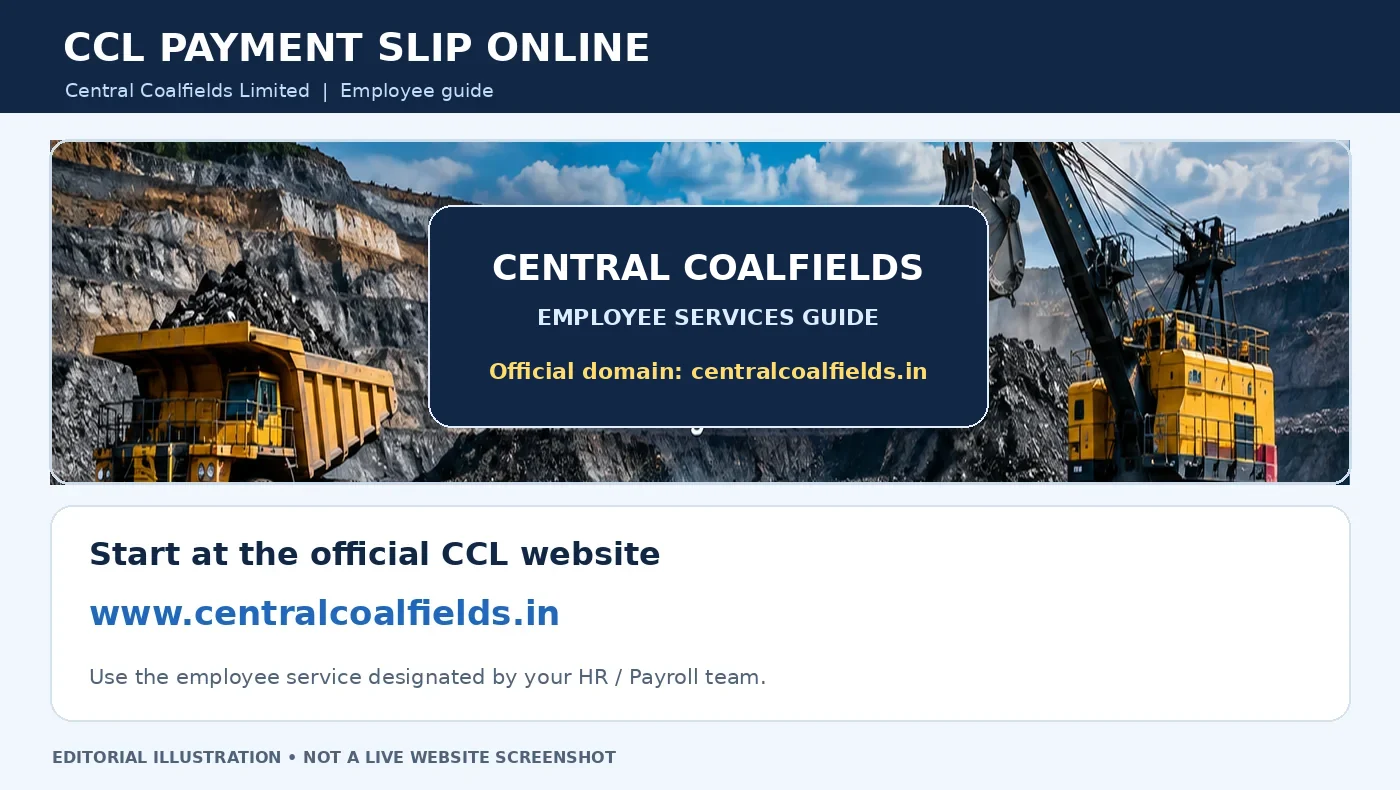
Before accessing your salary information, identify the correct official website.
1. Central Coalfields Limited Official Website
Official Website: https://www.centralcoalfields.in/
The Government of India’s Ministry of Coal lists this as the official website of Central Coalfields Limited.
Employees should use the company’s official website and the current access instructions issued by their HR, payroll, or IT department.
CCL employees may be directed to an authorised employee self-service platform for specific functions.
However, the exact availability of salary-related menus depends on the employee system and assigned permissions.
2. Coal India Salary Statement Portal
Official Salary Portal: https://salary.coalindia.in/salary/
Coal India Limited provides a salary statement service through this official portal.
The publicly accessible page displays:
- View Salary Statement
- Employee Code (EIS/PIS) field
- Submit button
- A notice about OTP verification through the SAP-registered mobile number
This is the publicly verifiable salary-statement login route.
Not every CCL employee account is necessarily enabled for the same services. Employees should confirm their account eligibility if the portal does not accept their details.
How to Access CCL Payment Slip Online
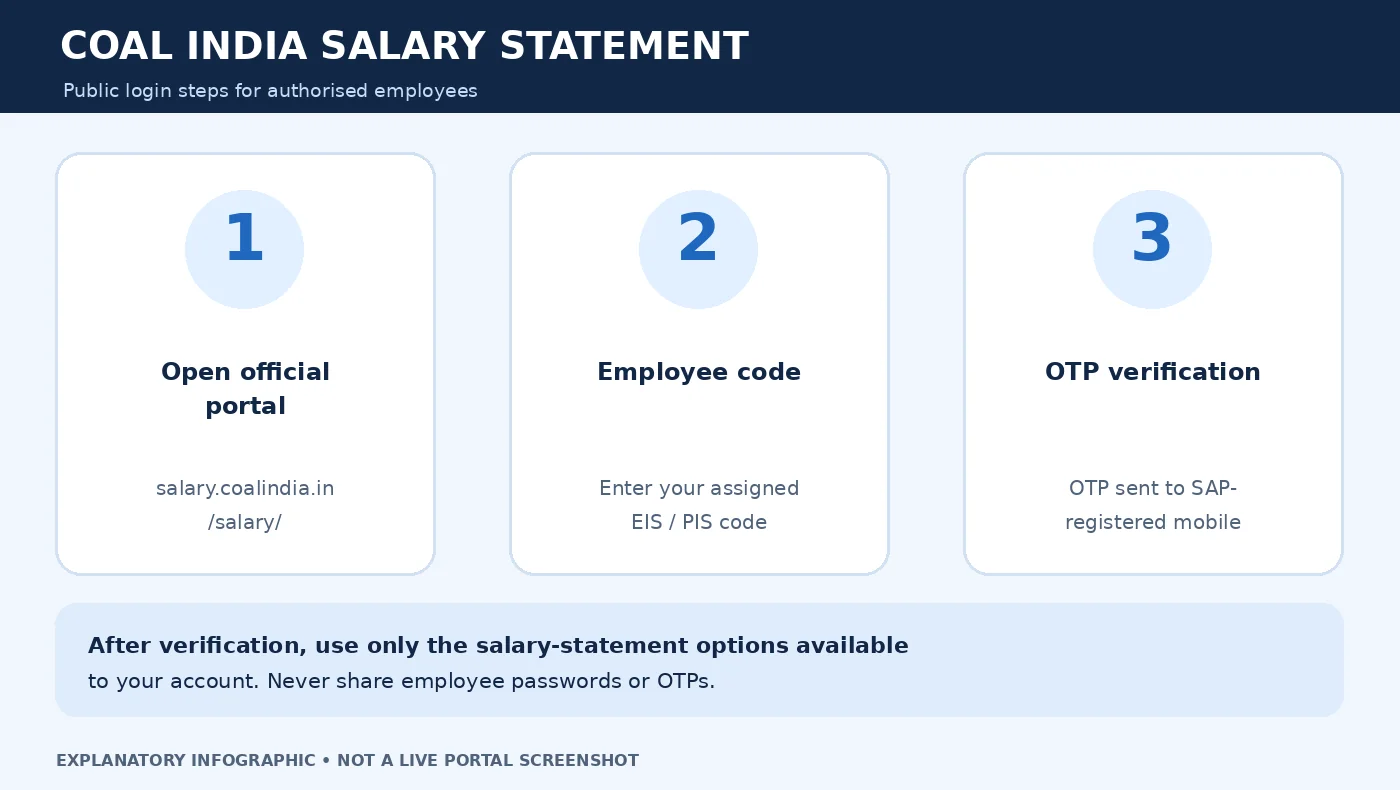
Employees authorised to use the Coal India Salary Statement system can follow these steps.
Step 1: Open the Official Salary Portal
Open a browser on your mobile phone or computer.
Visit:
https://salary.coalindia.in/salary
Check that the website uses HTTPS and belongs to the official coalindia.in domain.
Avoid unfamiliar websites claiming to provide instant CCL payslip downloads.
Step 2: Enter Your Employee Code
On the salary statement page, locate the field labelled:
Please Enter Employee Code
The field identifies the required employee code as EIS/PIS.
Enter the code assigned to you for the relevant Coal India employee system.
Do not assume that an older employee number, Man Number, HRMS username, or another company identifier will automatically work.
If you do not know your EIS/PIS code, contact your HR or payroll section.
Step 3: Select Submit
After entering the employee code, select Submit.
The official page states that an OTP will be sent to the mobile number registered in the SAP system.
Use the mobile number associated with your own authorised employee record.
Step 4: Complete OTP Verification
Follow the instructions displayed by the official portal.
Enter the OTP received on your SAP-registered mobile number.
Never share your OTP with another person, including anyone claiming to offer salary slip assistance.
If you no longer have access to the registered mobile number, contact your HR or payroll department for the authorised correction procedure.
Step 5: Access Your Available Salary Statement
After successful verification, follow the options available to your account.
If a salary statement is available, review the displayed employee information and relevant salary period.
The exact post-login dashboard, month-selection controls, and download buttons require authorised employee access and have not been independently confirmed.
Step 6: Save the Statement if Available
If the official service provides a download or print option, use it to save your salary statement securely.
If a printable statement is displayed, your browser’s Print function may allow you to save a copy as a PDF.
Available options depend on the portal and employee account.
If the statement cannot be downloaded, contact your payroll section for the correct procedure.
CCL ESS/MSS vs Coal India Salary Statement
Some employees may encounter the terms ESS and MSS when using Coal India or company-related employee systems.
ESS commonly refers to Employee Self-Service, while MSS commonly refers to Manager Self-Service.
These systems may provide employee-related functions according to the organisation’s implementation and account permissions.
However, an ESS/MSS service should not automatically be treated as identical to the Coal India Salary Statement portal.
| Feature | CCL / Coal India ESS-MSS | Coal India Salary Statement |
|---|---|---|
| Primary purpose | Employee or managerial self-service functions | Salary statement access |
| Access method | Depends on the assigned system | EIS/PIS Employee Code |
| OTP requirement | Depends on current authentication setup | SAP-registered mobile OTP |
| Payslip availability | Must be confirmed for the account | Subject to authorised salary-statement access |
| Official guidance | CCL HR/IT and issued employee instructions | Coal India salary portal |
If your office has issued an ESS/MSS login, use the official link supplied by your organisation.
Do not enter employee credentials on an unofficial website simply because its page is labelled CCL ESS or CCL Payslip.
Which Employee Code Is Required for CCL Payslip?
The Coal India salary statement portal publicly identifies the required code as EIS/PIS Employee Code.
Employees may have different identification numbers for payroll, attendance, departmental services, and employee records.
Examples include:
- EIS/PIS Employee Code
- Company employee number
- Man Number
- HRMS or ESS username
- Other department-specific references
These identifiers should not be assumed to be interchangeable.
How to Confirm Your Employee Code
If you are unsure which code to enter:
- Check an earlier authorised salary statement or employment record.
- Review the employee-service instructions issued by CCL.
- Contact your HR or payroll section.
- Confirm the identifier required for the salary system.
- Enter the verified code only on the official portal.
Do not repeatedly guess employee numbers.
How to Download or Print a CCL Payslip
After successful authentication, the available options depend on your salary-statement system.
If a salary statement is accessible:
- Open the available salary statement.
- Check the employee name and salary period.
- Review the earnings, deductions, and net pay.
- Use an official PDF, Download, or Print control if one is provided.
- If permitted, use your browser’s Print feature to save a PDF.
- Check that the saved file contains the correct statement.
- Store the document securely.
Note: This is general document-saving guidance, not a claim that every CCL dashboard contains a particular Download PDF button.
If your employee account does not provide the required statement or download option, ask your payroll department for an authorised copy.
What Information Does a CCL Salary Slip Contain?
Salary statements usually separate earnings, deductions, and the amount payable to the employee.
Earnings
Basic Pay: The basic salary amount determined by the employee’s applicable pay arrangement.
Dearness Allowance (DA): A salary allowance calculated according to applicable company pay rules.
House Rent Allowance (HRA): May apply depending on the employee’s eligibility and accommodation arrangements.
Other Allowances: Eligible employees may receive allowances or payroll adjustments according to their grade, role, and applicable policies.
Deductions
Depending on the applicable payroll arrangement, deductions may include:
- Coal Mines Provident Fund (CMPF) or another applicable retirement-related contribution
- Income tax deducted at source (TDS)
- Loan or advance recoveries
- Authorised payroll adjustments
- Other applicable deductions
Not every employee’s statement will contain identical categories.
Gross Salary and Net Pay
Gross earnings generally represent total recorded earnings before deductions.
Net pay is the amount payable after applicable deductions and adjustments.
If the bank credit differs from the payslip amount, compare the salary period, payroll entries, and bank transaction records before requesting clarification.
CCL Payslip Login Problems and Solutions
Employees may face problems while accessing their salary information.
The following table explains common issues and practical next steps.
| Problem | Recommended Solution |
|---|---|
| Employee Code not accepted | Confirm your EIS/PIS code with HR/payroll |
| OTP not received | Check the SAP-registered mobile number |
| Registered mobile number changed | Request an authorised employee-record update |
| Salary portal not loading | Verify the official URL and internet connection |
| Session expired | Restart the login through the official page |
| Payslip not visible | Confirm account access and payroll availability |
| Latest salary statement missing | Ask payroll whether the period is available |
| PDF not downloading | Check browser permissions and available print options |
| Wrong earnings or deductions | Contact payroll with the relevant salary details |
CCL Salary Slip OTP Not Received
The official Coal India salary statement page uses the mobile number registered in SAP for OTP verification.
If the OTP does not arrive:
- Check whether your registered mobile SIM is active.
- Confirm that your phone can receive SMS messages.
- Check your mobile network connection.
- Follow any resend instructions provided by the portal.
- Avoid requesting OTPs repeatedly within a short period.
- Contact HR if the SAP-registered number is incorrect or inaccessible.
WayAlert cannot resend OTPs or update CCL employee mobile numbers.
CCL Employee Code Not Working
If your employee code is rejected, confirm that you are using the correct identifier.
An older company number or another HRMS-related ID may not be accepted by the salary statement service.
Contact the appropriate office rather than trying several unverified numbers.
Latest CCL Salary Slip Not Available
A missing salary statement does not automatically mean salary has not been paid.
Possible reasons may include:
- The relevant payroll period is not yet available.
- The account does not have the necessary access.
- The requested statement is not provided through that particular system.
- A temporary technical problem is affecting the service.
Confirm the actual reason with your HR or payroll department.
CCL Salary Statement Website Not Opening
If the official portal is not responding:
- Confirm the exact website address.
- Check your internet connection.
- Refresh the page after a short interval.
- Try another updated browser.
- Restart the login process if your session has expired.
- Contact the authorised support team if the problem continues.
Do not use an unfamiliar third-party website to bypass an official portal issue.
CCL Payslip Shows an Incorrect Amount
If you notice an unexpected deduction or a missing allowance:
- Note the affected salary month.
- Identify the relevant earnings or deduction entry.
- Compare it with previous statements when appropriate.
- Check applicable payroll notices or employment records.
- Contact the designated payroll office for clarification.
Avoid uploading complete salary slips to public websites or sharing sensitive details in online comments.
CCL Salary Slip and Coal India Salary Slip – Are They Different?
A CCL salary slip refers specifically to the payroll record of an employee of Central Coalfields Limited.
Coal India Limited is CCL’s parent company, and its salary statement service may be available to authorised employees through the relevant payroll arrangements.
However, employee access may differ across subsidiaries and systems.
For a broader explanation of Coal India’s salary statement service, including EIS/PIS Employee Code and SAP mobile OTP verification, read our CIL Salary Slip 2026 Guide.
Employees looking for a different Coal India subsidiary’s payslip can also refer to our BCCL Payslip Guide.
These guides cover related employee services, but login eligibility and authentication requirements should always be confirmed with the respective company.
Safety Tips for CCL Employees
Salary statements contain personal employment and financial information.
To protect your account and documents:
- Use only verified official CCL and Coal India websites.
- Never disclose your OTP or account password.
- Avoid websites offering unofficial employee code lookup services.
- Do not upload payslips to unknown PDF-conversion websites.
- Avoid accessing salary records on shared computers.
- Sign out after completing official employee-service work.
- Store downloaded salary statements securely.
- Do not share complete salary slips in public groups.
- Contact HR or payroll for account corrections.
Frequently Asked Questions
1. What is the official website for CCL Payment Slip Online?
The official Central Coalfields Limited website is https://www.centralcoalfields.in/. Coal India also operates a salary statement portal at https://salary.coalindia.in/salary/ for employees with authorised access.
2. How can I access my CCL salary slip online?
Employees who have access to the Coal India Salary Statement system can enter their assigned EIS/PIS Employee Code and complete OTP verification using the SAP-registered mobile number. Available salary-statement functions depend on their account.
3. Is an OTP required for CCL payment slip access?
The official Coal India Salary Statement service specifies OTP verification through the SAP-registered mobile number. Other authorised employee systems may have different login requirements.
4. What if I do not know my EIS/PIS Employee Code?
Check your employment records or contact your CCL HR or payroll department to confirm the correct identifier.
5. Can I download the CCL payslip as a PDF?
If your authorised employee service provides a PDF, Download, or Print function, you can use the available option. If it does not, contact payroll for the proper method of obtaining the statement.
6. Why is my CCL salary slip not showing?
It may be related to payroll availability, account permissions, the selected system, or a temporary technical problem. The relevant payroll department can confirm the specific reason.
7. Is the CCL ESS/MSS portal the same as the Coal India Salary Statement portal?
Not necessarily. ESS/MSS refers to employee or managerial self-service functions, while the Coal India Salary Statement page is specifically identified as a salary-statement service. Employees should use the system assigned by their organisation.
Official Sources
Central Coalfields Limited – Official Website
https://www.centralcoalfields.in
Coal India Limited – Official Salary Statement Portal
https://salary.coalindia.in/salary
Ministry of Coal – Organisations Directory
https://coal.gov.in/organisations
Disclaimer: WayAlert.in is an independent informational website and is not affiliated with Central Coalfields Limited, Coal India Limited, or the Ministry of Coal. This article provides general guidance on employee salary statement access. For official login credentials, salary corrections, mobile-number updates, or employee-specific assistance, contact the appropriate HR, payroll, or IT department.