
Eligible Maharashtra treasury pensioners can submit a life certificate digitally through Jeevan Pramaan using Aadhaar-based authentication. Use the correct pension authority details, complete authentication, save your Pramaan ID and check that the certificate has been accepted by your pension-disbursing authority.
This Maharashtra pensioners’ life certificate online guide covers mobile submission, assisted options and the checks to make afterwards.
It focuses on Maharashtra state government treasury pensioners. If you receive a central government, EPFO, defence, municipal or another organisation’s pension, follow that pension authority’s instructions—even if you live in Maharashtra.
When Should Maharashtra Pensioners Submit a Life Certificate?
Maharashtra treasury documentation describes annual life-certificate collection in November.
Follow the submission window and deadline in your treasury’s current notice. Confirm any early-submission provision, age-based arrangement or extension directly with your pension-disbursing office.
Preparing your documents early can help you resolve account or authentication problems before your deadline.
Keep These Details Ready
Before starting, collect:
- Aadhaar number or Virtual ID, as supported by the application.
- Pension Payment Order, or PPO, number.
- Pension bank-account details.
- Pension sanctioning and disbursing authority details.
- An accessible mobile number for verification messages.
- A compatible phone and internet connection, or access to an assisted service centre.
Use your pension documents when entering these details. Do not guess an authority name or copy another pensioner’s selections.
Choose the Correct Maharashtra Pension Authority
The official Jeevan Pramaan authority list includes this pairing:
| Field | Listed Maharashtra treasury entry |
|---|---|
| Pension Sanctioning Authority | State Government Maharashtra |
| Pension Disbursing Agency | Maharashtra State Treasury |
Use this pairing only when it matches your pension arrangement. Confirm any additional treasury or account selections with your pension office.
A bank receiving your pension credit is not necessarily the authority you should select as the disbursing agency. Follow your records and treasury instructions.
How to Submit a Life Certificate Online Using Your Phone
1. Install the Official Applications
Visit the official Jeevan Pramaan application page for current download instructions and compatibility requirements.
For mobile face authentication, install:
- The Jeevan Pramaan application.
- UIDAI’s AadhaarFaceRD application.
The official page provides Android and iPhone guidance. Face authentication uses the phone’s camera, so a separate fingerprint scanner is not required for this method.
2. Complete Operator Authentication
Open Jeevan Pramaan and complete the one-time operator setup. The pensioner can act as the operator, or another person can assist.
Enter the operator information requested, complete OTP verification and follow the authentication prompts.
Completing operator setup does not complete the pensioner’s life certificate.
3. Enter the Pensioner’s Information
Proceed to pensioner identification. Enter the requested Aadhaar and mobile details, verify the OTP and complete the pension information.
Check the PPO number, account information and selected authorities carefully. Review any prefilled information before confirming it.
4. Complete Pensioner Face Authentication
Give the required consent and follow the on-screen face-scan instructions.
Keep the phone steady, face the camera and use even lighting. Follow prompts such as holding still or blinking when requested.
A family member can help operate the phone, but the pensioner must complete their own authentication.
5. Save the Pramaan ID
After successful generation, retain the Pramaan ID displayed or sent by SMS. You will need it to retrieve the certificate.
Keep this acknowledgement with your pension records, then check the certificate’s acceptance status.
What If You Cannot Use a Smartphone?
You can obtain assistance at a Jeevan Pramaan centre, including participating CSCs and pension-disbursing offices.
Use Locate a Centre on the official Jeevan Pramaan website and confirm service availability before travelling.
Carry the required pension information. Check the details entered by the operator before authentication and retain the acknowledgement afterwards.
Digital submission is an additional option. If it is unsuitable for your circumstances, ask your treasury about the accepted conventional life-certificate process.
Can You Use Maha-UPLABDHI?
The official Maha-UPLABDHI app listing includes a digital life-certificate facility.
If you choose that route, follow the current instructions provided in the app or by your treasury. The Jeevan Pramaan steps above describe the separate Jeevan Pramaan process; Maha-UPLABDHI screens may differ.
For background on the connected pension website, read our Nivrutti Vahini login guide.
Download Your Certificate and Check Acceptance
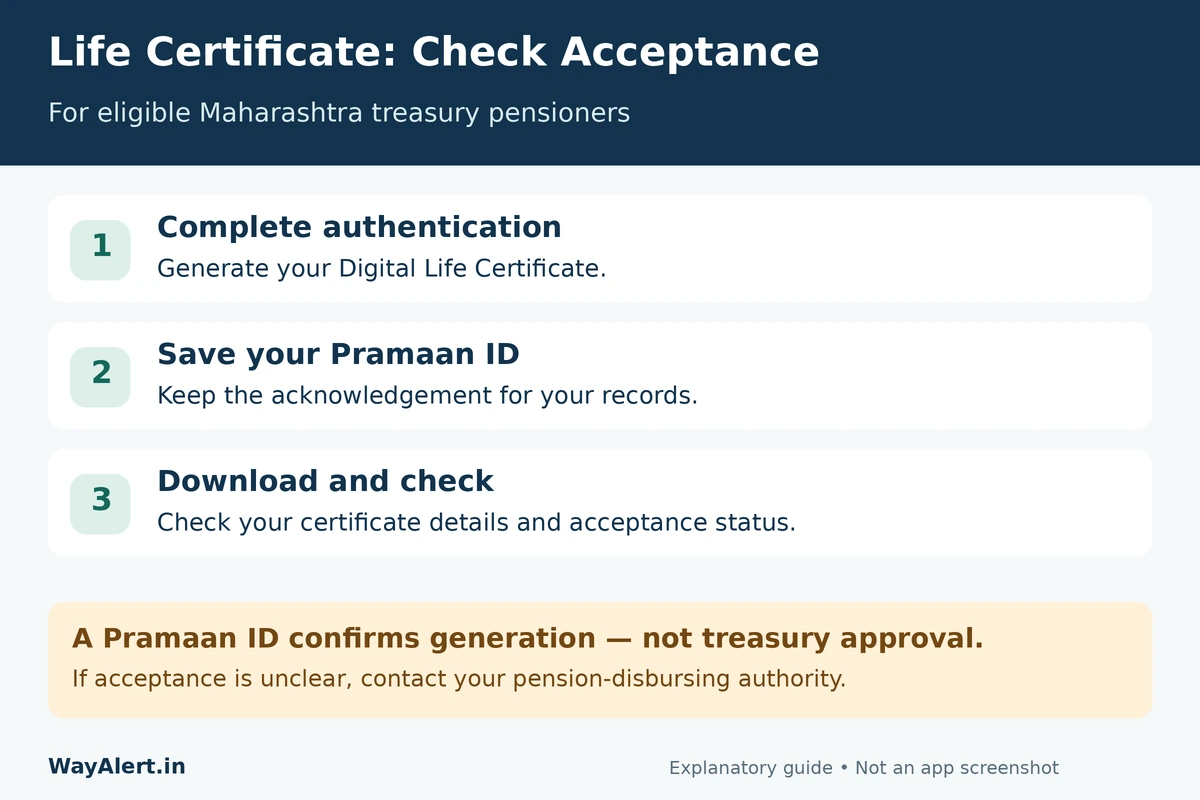
After generating a Jeevan Pramaan certificate:
- Open the official Pensioner Login page.
- Enter your Pramaan ID and the displayed captcha.
- Select Generate OTP and complete verification.
- Download your Digital Life Certificate PDF.
Check the details and acceptance information. If the status is unclear, contact your pension-disbursing authority.
A Pramaan ID confirms certificate generation; it does not by itself confirm approval by the treasury. The certificate is available electronically to the selected authority, but its acceptance still depends on verification.
Common Problems and What to Do
| Problem | Next action |
|---|---|
| Face authentication fails | Improve lighting, steady the phone and follow the displayed instructions. Seek assisted service if needed. |
| Pension authority is unclear | Ask your treasury which entries apply before submitting. |
| Certificate is rejected | Contact the disbursing authority, identify the incorrect information and follow instructions for a corrected submission. |
| You cannot confirm acceptance | Keep your Pramaan ID and ask the treasury to check the certificate. |
If your deadline is approaching, ask about an accepted alternative rather than repeatedly attempting an unsuccessful digital process.
Frequently Asked Questions
Is online submission compulsory?
Jeevan Pramaan is an additional submission facility. Ask your treasury about the conventional method if you cannot use it.
Do I need to submit the Jeevan Pramaan PDF physically?
Normally, the certificate is available electronically to the selected disbursing agency. Keep a copy and confirm acceptance; follow any instructions concerning separate declarations or supporting documents.
Is one life certificate valid permanently?
No. Validity follows the pension authority’s rules. Complete renewal when required by your treasury.
Can re-employed or remarried pensioners use Jeevan Pramaan?
The official Jeevan Pramaan FAQ directs re-employed or remarried pensioners to use the conventional submission method. Contact your pension-disbursing authority for the applicable procedure.
About this guide: WayAlert is an independent information website. Your pension authority’s current instructions determine the applicable submission window, verification and acceptance requirements.