
EPF Passbook Balance Check lets EPFO members view provident fund contributions, withdrawals and available balance linked to their UAN. In 2026, members can use the official EPFO Passbook Portal for a detailed passbook, while the Unified Member Portal also provides Passbook Lite for a quick summary.
This guide explains EPF passbook login, balance check, Passbook Lite, detailed passbook access, PDF download, missed-call and SMS balance enquiry, forgot password, common errors and official EPFO links.
Official EPFO Passbook Portal:
https://passbook.epfindia.gov.in/MemberPassBook/login
EPF Passbook Balance Check 2026 – Quick Answer
To check your EPF passbook balance online:
- Open the official EPFO Passbook Portal.
- Enter your UAN.
- Enter your password.
- Enter the captcha.
- Sign in.
- Select the relevant Member ID if multiple accounts are linked.
- Open the passbook to view contributions, withdrawals and balance details.
EPFO also provides Passbook Lite inside the Unified Member Portal for a simplified summary.
For quick balance enquiry, EPFO currently also provides:
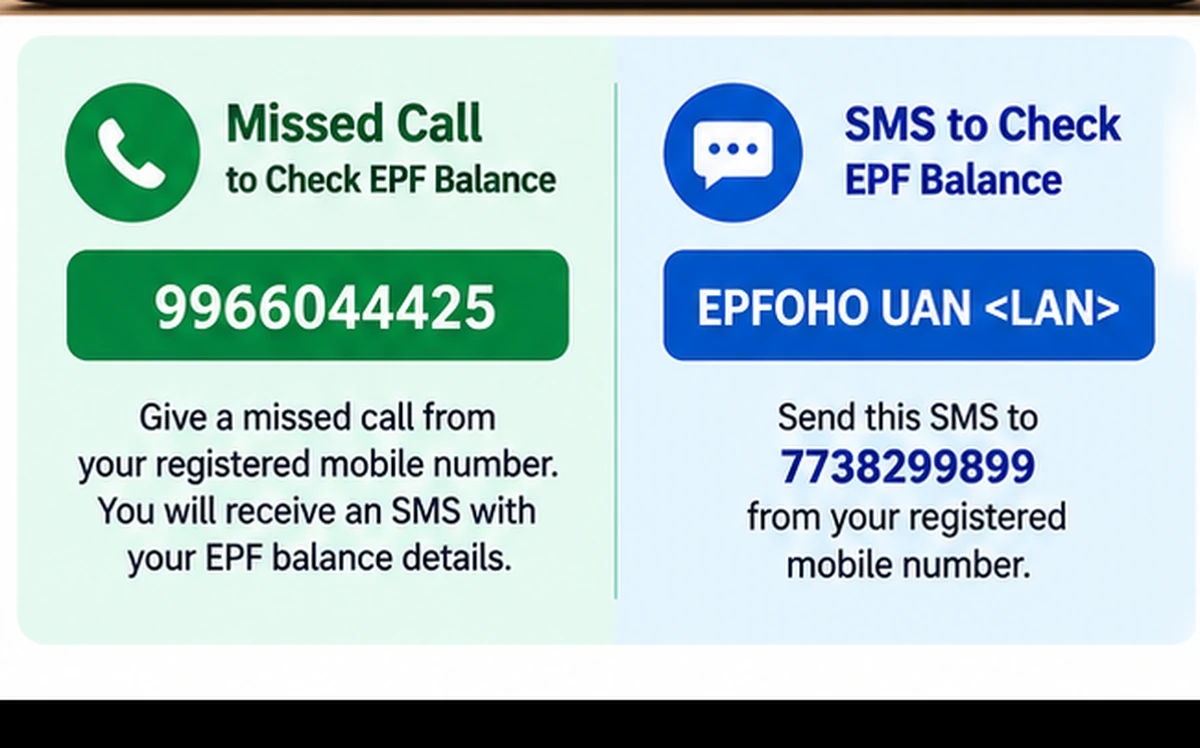
- Missed Call: 9966044425
- SMS: EPFOHO UAN to 7738299899
What Is an EPF Passbook?
An EPF Passbook is the transaction record of your Employees’ Provident Fund account.
It generally shows details such as:
- Employee contribution
- Employer contribution
- Pension-related contribution entries
- Monthly deposits
- Withdrawals or advances
- Transfer-related entries
- Opening and closing balances
- Member ID details
The passbook helps members verify whether contributions have been credited correctly.
EPF Passbook Official Website
The official EPFO Passbook Portal is:
https://passbook.epfindia.gov.in/MemberPassBook/login
The current portal is operated by the Employees’ Provident Fund Organisation under the Ministry of Labour & Employment, Government of India.
Use only the official epfindia.gov.in domain for passbook access.
How to Login to EPF Passbook Portal
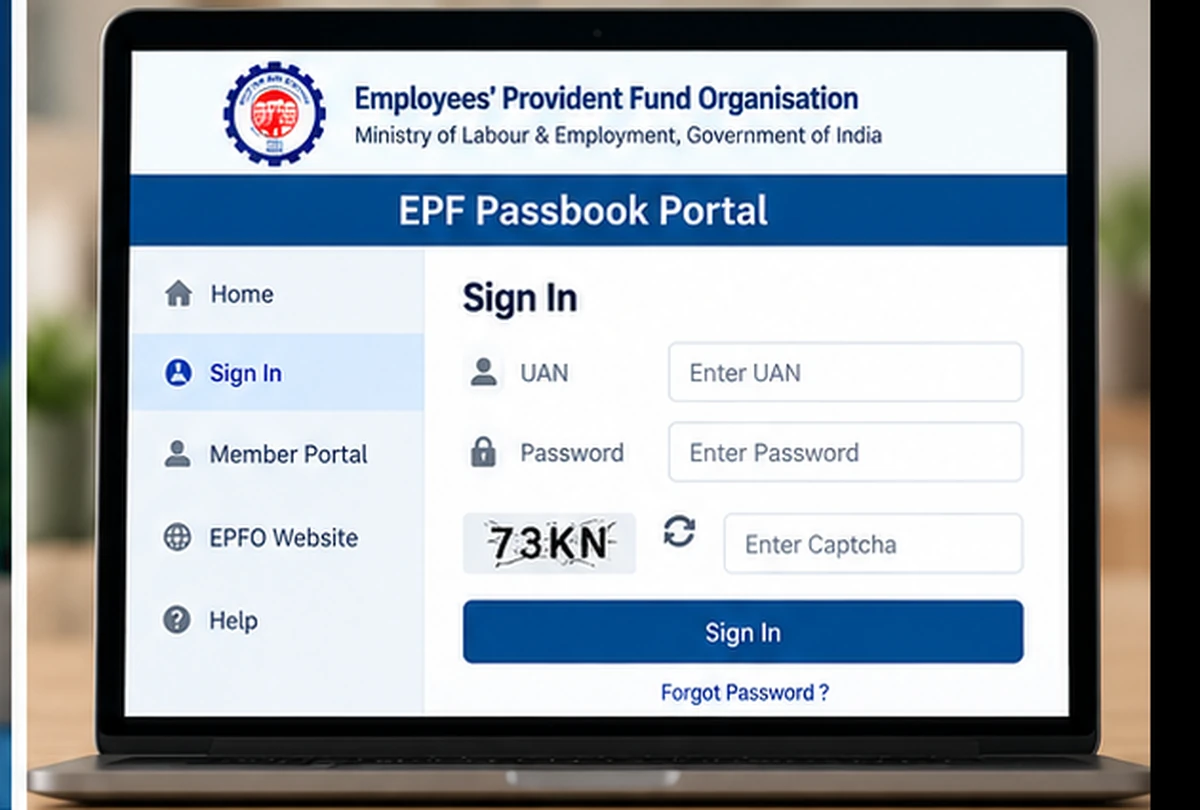
To use EPF Passbook Login:
- Open the official passbook portal.
- Enter your UAN.
- Enter your password.
- Enter the captcha shown on the screen.
- Select Sign In.
- Choose the Member ID whose passbook you want to view.
- Open the passbook details.
The same UAN can have multiple Member IDs if you have worked for different employers.
What Is EPFO Passbook Lite?
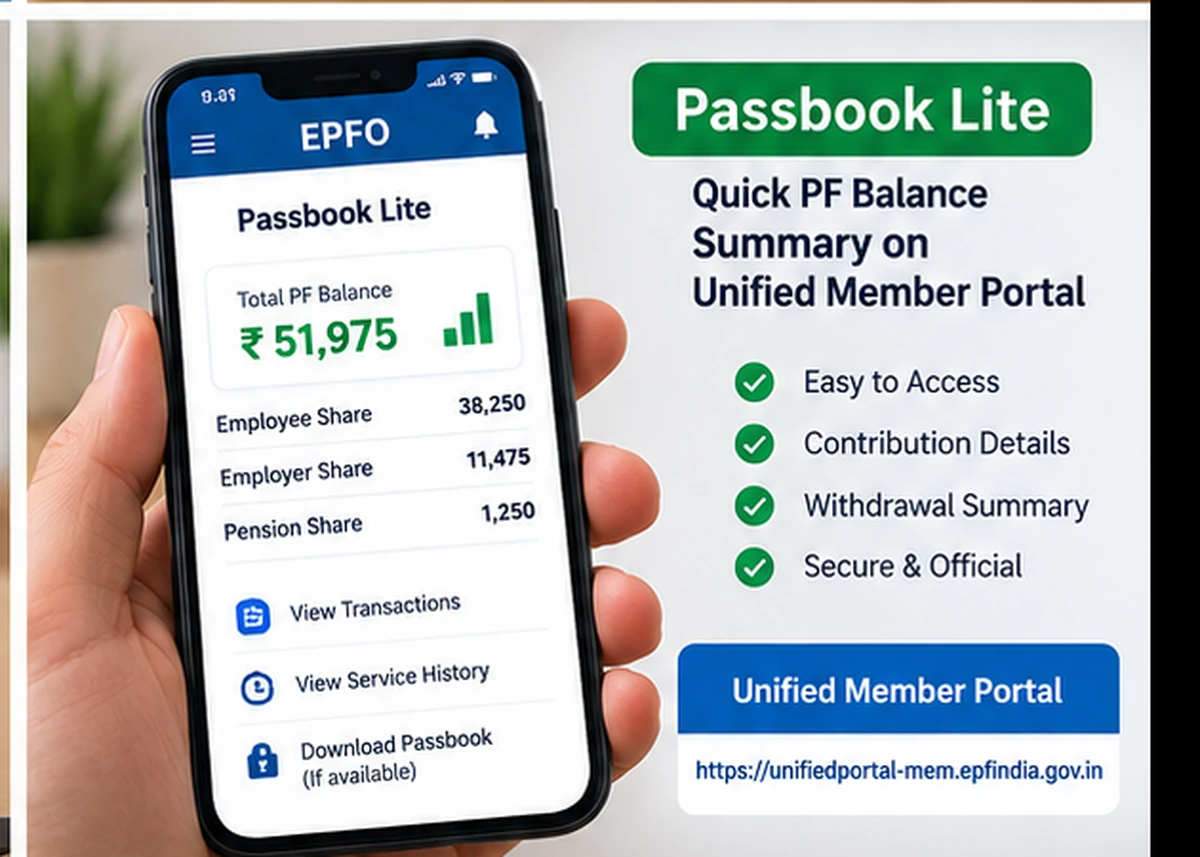
EPFO introduced Passbook Lite inside the Unified Member Portal to make PF details easier to access from a single login.
Passbook Lite provides a simplified view of:
- Contributions
- Withdrawals
- Balance summary
For users who only need a quick overview, Passbook Lite can be more convenient than opening the separate detailed Passbook Portal.
Unified Member Portal:
https://unifiedportal-mem.epfindia.gov.in/memberinterface/
Passbook Lite vs Detailed EPF Passbook
These are not exactly the same.
Passbook Lite
Useful for:
- Quick balance summary
- Contribution overview
- Withdrawal summary
- Single-login convenience
Detailed Passbook Portal
Useful for:
- Full transaction details
- Detailed contribution entries
- Comprehensive account view
- Graphical or extended passbook details where available
EPFO continues to provide the detailed Passbook Portal even after introducing Passbook Lite.
EPF Passbook Balance Check Online
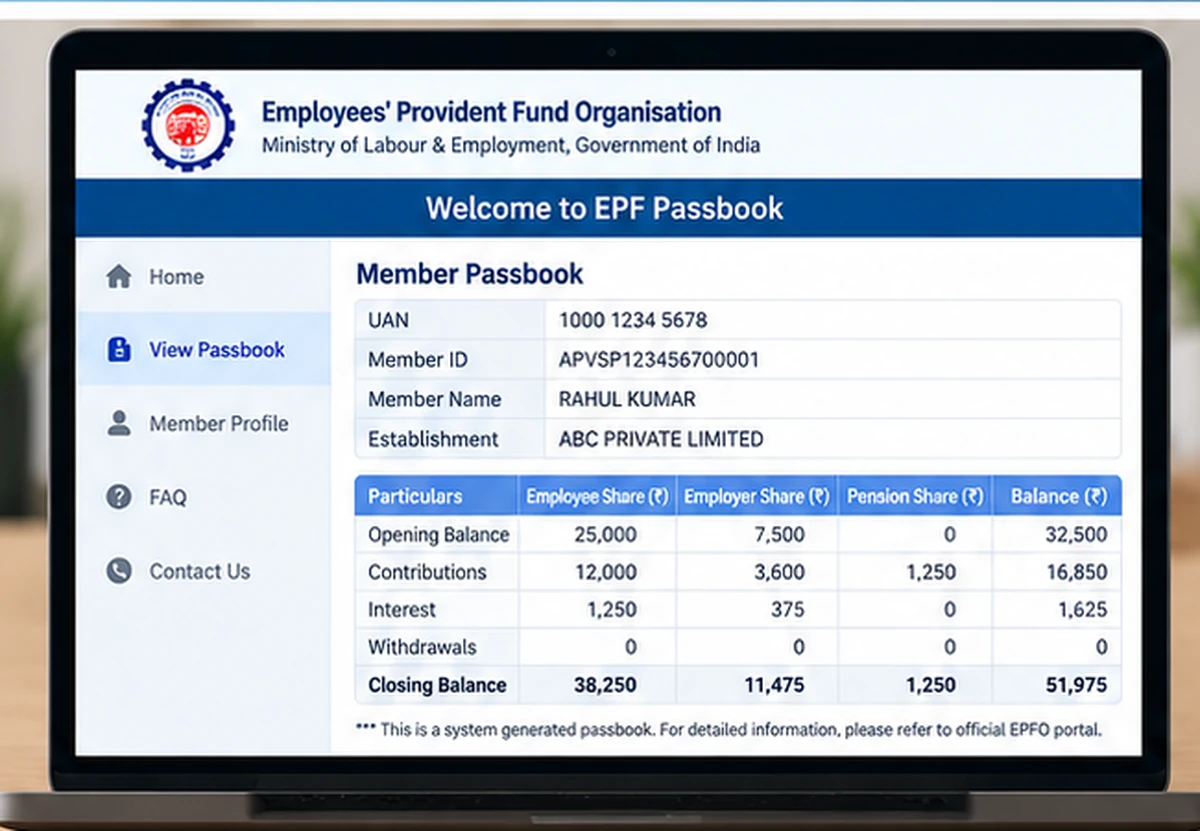
The most complete online method is through the official passbook service.
After login, select the appropriate Member ID and review the contribution entries.
The balance shown in the passbook is built from:
- Employee contribution
- Employer EPF contribution
- Interest credits
- Transfers
- Withdrawals
- Other applicable account transactions
Do not assume that the latest salary deduction will always appear immediately. Employer filing and EPFO processing can take time.
EPF Balance Check by Missed Call
EPFO currently provides a missed-call balance enquiry facility.
Missed Call Number:
9966044425
The call must be made from the mobile number registered with your UAN.
The call normally disconnects automatically after a short time.
For this facility, EPFO states that the UAN should have at least one of the relevant KYC details such as:
- Bank account
- Aadhaar
- PAN
linked with it.
EPF Balance Check by SMS
You can also use EPFO’s SMS service.
Send:
EPFOHO UAN
to:
7738299899
LAN represents the language code for the preferred language.
The SMS must be sent from the mobile number registered with the UAN.
EPF Passbook Check Without Login
A detailed passbook generally requires login using UAN and password.
However, members who only want a quick balance update can use:
- Missed Call service
- SMS service
- UMANG app, where applicable
These options do not replace the full passbook view.
EPF Passbook Download PDF
Users often search for EPF Passbook Download PDF.
The detailed passbook service allows members to view their passbook entries. Depending on the current portal options, users can download or print the passbook information.
If a direct PDF option is shown on the current portal, use that option.
If the interface changes, avoid relying on unofficial PDF downloader websites. Use the official passbook view and browser print/save options only when appropriate.
EPF Passbook Forgot Password
The passbook service uses your UAN credentials.
If you forget the password, use the official Forgot Password option on the Unified Member Portal.
Official Member Portal:
https://unifiedportal-mem.epfindia.gov.in/memberinterface
Follow the current recovery steps shown by EPFO.
Do not use third-party websites that ask for your UAN, Aadhaar, PAN or OTP.
How to Change EPFO Password
If you know your current password, use the account/security options available in the Unified Member Portal to change it.
If you do not remember the current password, use the official Forgot Password process instead.
Keep the new password:
- Unique
- Difficult to guess
- Different from banking/email passwords
- Private
Never share it with an employer, agent or unknown caller.
UAN Activation in 2026
An important 2026 change is that UAN activation through the old Member Portal has been discontinued.
EPFO currently directs users to the UMANG app for UAN activation through Aadhaar-based Face Authentication.
So if your UAN is not activated, do not follow old guides that tell you to activate it only through the web portal.
Use the current UMANG-based process shown by EPFO.
Can I Check EPF Passbook Without UAN?
The online EPF passbook service is built around UAN-based access.
If you do not know your UAN, use the official Know Your UAN service available through EPFO.
Once you recover the UAN and have valid credentials, you can access the passbook.
EPF Passbook Not Showing Latest Contribution
This is a common issue.
Possible reasons include:
- Employer has not yet filed the latest contribution
- Contribution was filed but not yet updated
- Wrong Member ID selected
- Recent job change
- Transfer still in process
- Temporary portal delay
First check whether you selected the correct Member ID.
If the contribution remains missing for an unusually long period, contact the employer or use official EPFO grievance channels.
EPF Passbook Not Showing After Job Change
When you change jobs, a new Member ID may be created under the same UAN.
The old and new employment records can appear separately.
If the old PF amount has not been transferred, the balances may remain visible under different Member IDs.
This does not automatically mean the money is lost.
Use the appropriate transfer service if consolidation is required.
EPF Passbook Balance Is Different from Expected
Differences can occur because:
- Latest contribution is pending
- Interest has not yet been credited
- Transfer is pending
- Withdrawal has been processed
- Different Member IDs are being viewed
- EPS contribution is being interpreted as EPF balance
Review transaction entries rather than looking only at a single total.
Employee Contribution vs Employer Contribution
Your EPF passbook can show different contribution components.
Employee Contribution
This is the amount deducted from the employee’s eligible wages and credited to the EPF account.
Employer Contribution
The employer also contributes according to applicable EPF rules.
Part of the employer contribution may go toward the pension scheme where applicable.
Therefore, the total employer contribution may not appear entirely as EPF balance in the same way as the employee contribution.
EPF Passbook and EPS Contribution
The EPF passbook can include pension-related entries.
EPS contribution is not the same as normal EPF balance available for withdrawal in the same manner.
Users should avoid adding every displayed contribution field together and assuming the result is immediately withdrawable.
EPF Passbook and Claim Status
The current EPFO Passbook Portal is labelled EPF Passbook & Claim Status.
Passbook balance and claim status are related but different:
Passbook
Shows contribution and transaction records.
Claim Status
Shows progress of an EPFO claim such as withdrawal, advance or settlement.
A separate detailed guide can cover EPFO claim status because that is a different search intent.
EPF Passbook Not Opening
If the portal does not open:
- Confirm you are using the official EPFO URL.
- Refresh after a few minutes.
- Try an updated Chrome, Edge or Firefox browser.
- Clear browser cache.
- Disable unnecessary browser extensions.
- Try again later if EPFO is under maintenance.
Government portals can occasionally be slow during high traffic periods.
EPF Passbook Login Error
If login fails:
Check UAN
Make sure the UAN is entered correctly.
Check Password
EPFO passwords are case-sensitive.
Check Captcha
Enter the captcha exactly as displayed.
Use Forgot Password
If you are unsure of the password, use the official recovery process instead of repeatedly guessing.
Check Existing Session
The Member Portal may show that a session is active in another browser or device.
Close duplicate sessions and retry.
EPF Passbook Balance Check on UMANG
EPFO services are available through the UMANG app.
Members can use applicable EPFO services through UMANG after the required authentication.
UMANG is also now important for UAN activation through Aadhaar-based Face Authentication.
Download UMANG only from official app stores or government links.
Avoid unofficial APK files.
EPF Passbook Help Desk
The current Passbook Portal displays:
Help Desk / Toll Free: 1800118005
The current Unified Member Portal also lists:
EPFO Helpdesk: 14470
If a portal-specific problem continues, use the number shown on the current official EPFO page.
For grievances that cannot be resolved through normal login or account support, use EPFO’s official grievance system.
EPF Passbook Security Tips
EPFO warns members against fraud.
Follow these rules:
- Never share UAN password.
- Never share OTP.
- Never share Aadhaar or PAN details with unknown callers.
- EPFO does not call members to demand deposits.
- Do not pay anyone claiming they can “unlock” PF balance.
- Use only official EPFO or UMANG services.
- Logout after using a shared computer.
- Avoid fake EPFO apps and websites.
EPF Passbook Balance Check – Important Points
Remember:
- Detailed passbook access uses UAN and password.
- Passbook Lite provides a quick summary through the Member Portal.
- Missed call and SMS can provide quick balance information.
- UAN activation now uses UMANG Face Authentication.
- Multiple Member IDs can appear under one UAN.
- Latest contributions may take time to appear.
- Claim status is different from passbook balance.
- Use only official EPFO links.
Official EPFO Links
EPFO Passbook Portal:
https://passbook.epfindia.gov.in/MemberPassBook/login
Unified Member Portal:
https://unifiedportal-mem.epfindia.gov.in/memberinterface/
These official links are enough for the main passbook and UAN-related tasks covered in this guide.
EPF Passbook Balance Check FAQs
What is EPF Passbook Balance Check?
It is the process of viewing EPFO contribution, withdrawal and balance details linked to your UAN and Member ID.
What is the official EPF Passbook website?
Use:
https://passbook.epfindia.gov.in/MemberPassBook/login
What is Passbook Lite?
Passbook Lite is a simplified PF summary available through the Unified Member Portal.
Can I check EPF balance without login?
You can use EPFO’s missed-call or SMS balance enquiry services for quick information, but a detailed passbook requires proper account access.
What is the EPF balance missed-call number?
The current official number is:
9966044425
What is the EPF balance SMS number?
Send the prescribed EPFO SMS format to:
7738299899
Can I download EPF Passbook PDF?
Use the download or print options provided by the current official passbook interface. Do not use unofficial PDF downloader websites.
What if I forgot my EPFO password?
Use the Forgot Password option on the official Unified Member Portal.
Can I activate UAN from the Member Portal in 2026?
EPFO currently states that web-based UAN activation through the old portal has been discontinued. UAN activation is now handled through UMANG using Aadhaar-based Face Authentication.
Why is my latest PF contribution missing?
Employer filing, processing delay, wrong Member ID or a recent job change can cause temporary differences.
Is EPF Passbook the same as claim status?
No. Passbook shows PF transactions and balance, while claim status tracks the processing of withdrawal or settlement requests.
Does WayAlert have access to my EPF account?
No. WayAlert.in is an independent informational website and cannot access UAN accounts, PF balances, claims, Aadhaar details or EPFO databases.
Related EPFO Guides
Separate support guides can later cover:
- EPFO Claim Status
- UAN Forgot Password
- UAN Activation through UMANG
- PF Transfer Online
- EPFO Grievance
- Know Your UAN
For WayAlert, only the most relevant support links should be added later to avoid unnecessary overlap.
Final Words
EPF Passbook Balance Check is easiest through the official EPFO Passbook Portal when you need full transaction details.
For a quicker summary, members can use Passbook Lite through the Unified Member Portal. EPFO also continues to provide missed-call and SMS balance enquiry options.
In 2026, one important change is that UAN activation has moved to the UMANG app with Aadhaar-based Face Authentication, so members should avoid old instructions that describe only the discontinued web activation flow.
Always use current EPFO or UMANG services and never share your UAN password, Aadhaar details or OTP with unknown persons.
My pf balance
Dear sir my balance pf
Dear Sir, Pl confirm my pf Balance And EPF balance as early.
pf balance and epf balance