
India Post Agent Login is the online access point used by authorised Department of Posts agents for applicable Post Office savings-related agent services. The official DOP Agent Portal is hosted on the India Post domain and is commonly used by agents handling Recurring Deposit-related work.
This updated 2026 guide explains the official DOP Agent Portal, login process, password reset using OTP, registered mobile number requirements, common login problems and important security precautions.
Official DOP Agent Portal:
https://dopagent.indiapost.gov.in/
India Post Agent Login 2026 – Quick Answer
To access the India Post Agent Login, authorised agents should use the official Department of Posts Agent Portal at:
https://dopagent.indiapost.gov.in
Agents should use the Agent ID/User ID and password assigned for their authorised account.
If the password is forgotten, eligible MPKBY agents and PRSG leaders can use the Forgot Password option on the DOP Agent Portal. An OTP is sent to the mobile number registered in the agent profile.
Never enter your India Post agent credentials on an unofficial website.
What Is the India Post Agent Portal?
The India Post Agent Portal, also known as the DOP Agent Portal, is an online system provided by the Department of Posts for authorised postal agents.
The portal supports applicable agent-related Post Office savings operations.
Department of Posts documentation specifically refers to the portal being used by MPKBY agents and PRSG leaders for crediting Recurring Deposit deposits.
The portal is not a general India Post customer login and should not be confused with India Post Internet Banking or other customer-facing services.
India Post Agent Login Official Website
The official DOP Agent Portal is:
https://dopagent.indiapost.gov.in
The domain is part of the official India Post website infrastructure.
You can also visit the main Department of Posts website at:
For security, agents should access the portal directly rather than using unknown login links received through messages, advertisements or third-party websites.
How to Login to the DOP Agent Portal
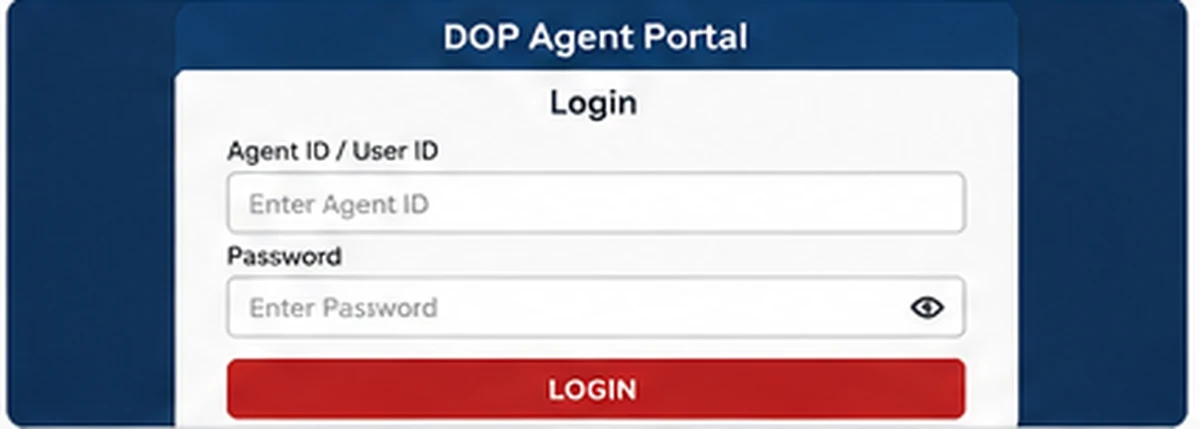
Follow these general steps for the India Post Agent Login:
- Open the official DOP Agent Portal.
- Confirm that the website address uses the official
indiapost.gov.indomain. - Open the DOP Agent Portal login screen.
- Enter the Agent ID or User ID assigned to your authorised account.
- Enter your password.
- Complete any additional verification displayed by the portal.
- Select the login option.
- After successful authentication, use only the services available for your authorised agent profile.
Do not save your agent password on a public or shared computer.
DOP Agent Portal Shows “Session Expired”
Sometimes the official DOP Agent Portal may display a “Your Session is Expired” message.
This does not necessarily mean that your Agent ID has been blocked.
The page may provide a link to access the DOP Agent Portal Application again.
If this happens:
- Return to the official DOP Agent Portal.
- Open the DOP Agent Portal Application link.
- Start a new login session.
- Enter your credentials again only on the official India Post domain.
If the same issue continues, close the browser, reopen it and try again.
Who Can Use the DOP Agent Portal?
The DOP Agent Portal is intended for authorised agent users.
Department of Posts instructions specifically mention:
- MPKBY agents
- PRSG or Pay Roll Savings Group leaders
in connection with the RD Agent Portal and Recurring Deposit deposits.
Login access depends on the Agent ID and authorisation provided through the Department of Posts system.
Ordinary India Post customers should not attempt to create or use an agent login unless they are officially authorised.
What Is an MPKBY Agent?
MPKBY refers to the Mahila Pradhan Kshetriya Bachat Yojana agency system.
MPKBY agents are associated with eligible small-savings agency work, particularly recurring deposit collections.
The Department of Posts password-reset instructions specifically identify MPKBY agents as users of the RD Agent Portal for crediting RD deposits.
What Is a PRSG Leader?
PRSG stands for Pay Roll Savings Group.
Department of Posts instructions also identify PRSG leaders as users who may use the DOP Agent Portal for applicable Recurring Deposit transactions.
The exact access and functions available depend on the user’s authorised profile.
India Post Agent Forgot Password – OTP Reset
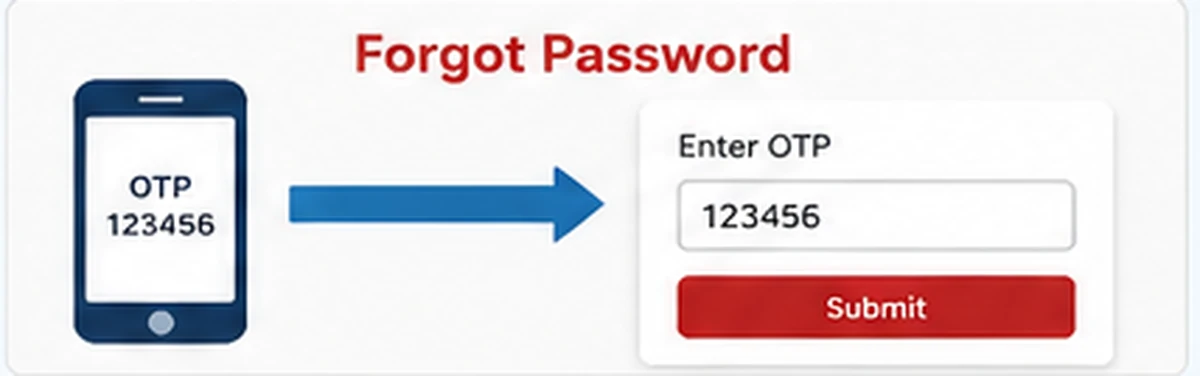
A major improvement to the DOP Agent Portal is the ability for eligible users to reset their password using an OTP.
The Department of Posts introduced the Forgot Password facility for MPKBY agents and PRSG leaders through SB Order No. 21/2023.
Instead of depending entirely on the linked Post Office for a password reset, eligible users can reset the password through the portal when the required mobile number is available in the agent profile.
How to Reset DOP Agent Password
The general process is:
- Open the official DOP Agent Portal.
- Select Forgot Password.
- Enter the information requested by the portal.
- Request the OTP.
- Check the mobile number registered in your agent profile.
- Enter the OTP received on the registered mobile number.
- Follow the portal instructions to create a new password.
- Login again using the updated password.
The exact screen layout can change, so always follow the fields shown on the current official portal.
OTP Not Received for DOP Agent Password Reset
The Department of Posts instructions state that the OTP is sent to the mobile number stored in the agent profile.
If you do not receive the OTP immediately:
- Check whether the registered mobile number is active.
- Make sure your phone has network coverage.
- Wait for the period shown by the portal before requesting another OTP.
- Avoid repeatedly pressing the OTP button.
- Try again after a short interval.
The official password-reset instructions state that the Regenerate OTP option becomes available after 180 seconds in the relevant workflow.
Registered Mobile Number Is Wrong or Old
OTP-based password reset works only when the correct mobile number is available in the agent profile.
If the registered mobile number is outdated, the agent may need to approach the concerned Post Office to update it in the agent profile.
Do not attempt to change agent-profile details through unofficial websites.
New India Post Agent Password
Department of Posts instructions state that for new agents whose Agent ID has been created in the relevant system, the initial/default password may be sent to the agent through SMS.
That password is then used to set a new password.
If you are a newly authorised agent and have not received the expected login information, contact the Post Office or office responsible for your agent authorisation.
India Post Agent ID Locked
Department of Posts instructions issued for the RD Agent Portal noted that an Agent ID could become locked in situations such as:
- Repeated incorrect password attempts
- Long periods without logging in
The official order referred to five incorrect password attempts and more than 90 days without login in the earlier password-management process.
If your account is locked, first check whether the current Forgot Password option can resolve the issue.
If self-service recovery does not work, contact the Post Office with which the agent is linked.
Do not keep trying random passwords because repeated failed attempts can make account access more difficult.
India Post Agent Login Not Working

If the India Post Agent Login is not working, check the following.
Verify the Official URL
Use: https://dopagent.indiapost.gov.in
Do not login through a similar-looking unofficial domain.
Check Your Agent ID
Make sure the Agent ID/User ID has been entered exactly as issued.
Avoid extra spaces before or after the ID.
Check the Password
Passwords are case-sensitive.
Confirm that Caps Lock is not accidentally enabled.
Try Forgot Password
If you cannot remember the password, use the official Forgot Password facility instead of repeatedly guessing.
Check the Registered Mobile Number
OTP-based recovery requires access to the mobile number stored in the agent profile.
Start a Fresh Browser Session
Close the old portal tab and open a fresh session.
Government financial portals can sometimes expire a session automatically for security reasons.
Clear Browser Cache
If an outdated or broken page continues to appear, clearing the browser cache may help.
Try Another Supported Browser
Use an updated browser such as Chrome, Edge or Firefox.
DOP Agent Login Page Keeps Expiring
Financial and government portals commonly use session timeouts for security.
If the page expires while you are working:
- Do not use the browser Back button repeatedly.
- Reopen the official portal.
- Login again.
- Avoid leaving the portal idle for long periods.
- Complete transactions only after checking all details.
Do not refresh the browser during a transaction unless the portal itself instructs you to do so.
DOP Agent Portal Password Safety
An India Post Agent account may be used for sensitive financial work, so password security is important.
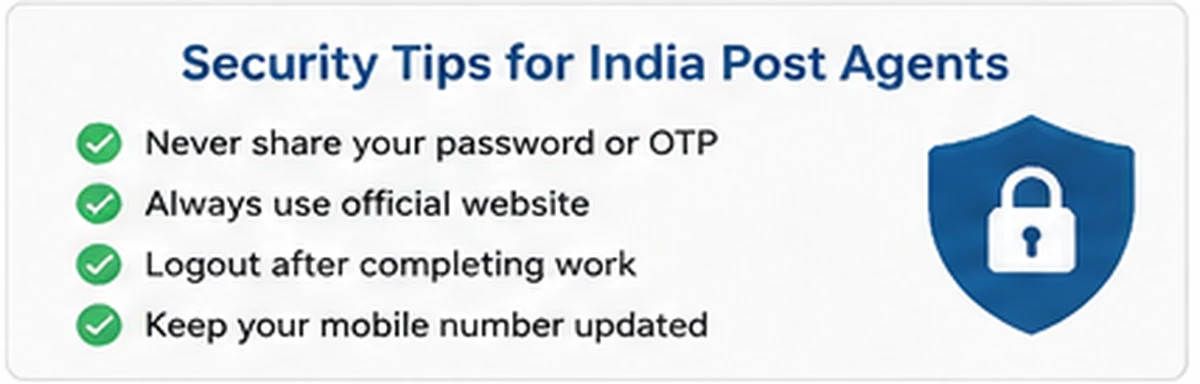
Follow these precautions:
- Never share the Agent ID password.
- Never share an OTP.
- Do not send login credentials through WhatsApp or email.
- Avoid logging in on public computers.
- Do not install unknown software claiming to automate the official agent portal.
- Check the website address before entering credentials.
- Logout after completing agent work.
- Keep the registered mobile number secure.
Is There an Official India Post Agent App?
Agents should be cautious when searching for an India Post Agent app.
Third-party apps and software may appear in search engines or app stores using terms such as DOP Agent or India Post Agent.
That does not automatically mean they are official Department of Posts applications.
For login and financial work, use the official Department of Posts Agent Portal unless India Post itself provides a different official method.
Never enter your Agent ID, password or OTP into an app simply because its name contains “India Post” or “DOP Agent.”
DOP Agent Portal vs India Post Internet Banking
These are different services.
DOP Agent Portal
The DOP Agent Portal is for authorised postal agents performing applicable agent-related functions.
India Post Internet Banking
India Post Internet Banking is intended for eligible Post Office savings customers using customer banking services.
An agent should not use the Internet Banking login as a substitute for the official agent portal.
Likewise, a normal Post Office savings customer does not need a DOP Agent login.
Can Anyone Register Online for the DOP Agent Portal?
No.
The DOP Agent Portal is not an open public registration website where anyone can simply create an Agent ID.
Agent access is linked to official authorisation and the Department of Posts system.
If you are interested in becoming a Post Office savings agent, check the current official procedure with the competent State/UT authority or Department of Posts office applicable to the agency category.
Do not pay unofficial websites promising instant India Post Agent IDs.
India Post Agent Login and Recruitment Are Different Topics
Google may show searches such as:
- India Post agent recruitment
- India Post agent salary
- India Post agent commission
- India Post agent application form
- India Post agent registration
These searches are different from India Post Agent Login.
This guide is specifically about accessing and troubleshooting the official DOP Agent Portal.
Recruitment, commission and new-agent appointment rules can vary by agency type and competent authority and should be covered separately.
India Post Agent Login Security Checklist
Before logging in, confirm:
- The website ends in
indiapost.gov.in. - You reached the official DOP Agent Portal.
- You are using your own authorised Agent ID.
- Your registered mobile number is accessible.
- You are not sharing your password or OTP.
- The device is trusted.
- No unknown browser extension or software is capturing your credentials.
After completing your work, logout from the portal.
India Post Agent Login – Official Links
DOP Agent Portal:
https://dopagent.indiapost.gov.in/
India Post Official Website:
https://www.indiapost.gov.in/
These two links are sufficient for most users. Avoid using third-party login mirrors.
Common India Post Agent Login Questions
What is the official India Post Agent Login website?
The official DOP Agent Portal is: https://dopagent.indiapost.gov.in
Is the DOP Agent Portal active in 2026?
Yes. The official DOP Agent Portal is currently accessible on the India Post domain in 2026.
What credentials are required for India Post Agent Login?
Authorised users need the Agent ID/User ID and password assigned to their agent account.
Can I reset my DOP Agent password online?
Eligible MPKBY agents and PRSG leaders can use the Forgot Password option and OTP-based password reset when the required mobile number is available in the agent profile.
Where is the DOP Agent password-reset OTP sent?
The OTP is sent to the mobile number registered in the agent profile.
What should I do if my registered mobile number is incorrect?
Contact the concerned Post Office to have the agent-profile mobile number corrected through the official process.
Why does the DOP Agent Portal show Session Expired?
The portal uses secure sessions that can expire. Open the official portal again and start a fresh login session.
What if I entered the wrong password several times?
Stop attempting random passwords and use the Forgot Password facility. If the account cannot be recovered, contact the linked Post Office.
Can a normal India Post customer use the Agent Portal?
No. The DOP Agent Portal is intended for authorised agents.
Is every DOP Agent app on Google Play official?
No. A third-party app can use terms such as DOP Agent in its name without being an official Department of Posts app. Use official India Post channels for sensitive account access.
Does WayAlert provide India Post Agent login credentials?
No. WayAlert.in is an independent informational website. It does not create Agent IDs, reset Department of Posts accounts or access agent transaction data.
Related India Post Agent Guides
Detailed support guides can later cover:
- DOP Agent Forgot Password
- MPKBY Agent Login
- India Post Agent Commission
- India Post Agent Registration
- DOP Agent Portal Not Working
Once these support articles are published, only the most relevant internal links should be added here.
Final Words
The India Post Agent Login at the official DOP Agent Portal provides authorised postal agents with access to applicable agent services.
In 2026, agents should use only:
https://dopagent.indiapost.gov.in
For password problems, eligible MPKBY agents and PRSG leaders can use the OTP-based Forgot Password facility when their mobile number is correctly registered in the agent profile.
Always protect the Agent ID, password and OTP, and contact the linked Post Office when an account-specific problem cannot be resolved through the official portal.