
AP e-Service Book Login allows authorised Andhra Pradesh Government employees to access and maintain their electronic service records using their CFMS ID and password. The e-Service Book, also called e-SR in some government instructions, was introduced to replace the traditional physical employee service register with an online record.
Through the official e-Service Book system, employees can access information such as personal details, official documents, pay-drawn details, leave records and other service information.
Official AP e-Service Book Login:
https://esr.apcfss.in/Login.do
AP e-Service Book Login 2026 – Quick Answer
To login to the AP Employee e-Service Book:
- Open the official e-Service Book website.
- Enter your 8-digit CFMS ID.
- Enter your password.
- Select Login.
- After successful login, review the employee service details available in your account.
The current official login page states that the default password for an applicable initial login is the employee’s CFMS ID. Employees should change the password after logging in rather than continuing to use the default password.
If you do not know your CFMS ID, use the official employee-service facility to retrieve it.
What Is AP e-Service Book?
The AP e-Service Book is an online employee service-record system developed for the Government of Andhra Pradesh.
The system was designed by the Finance Department through APCFSS to replace physical employee service registers with electronic records.
It allows authorised employees and officials to maintain service-related information online.
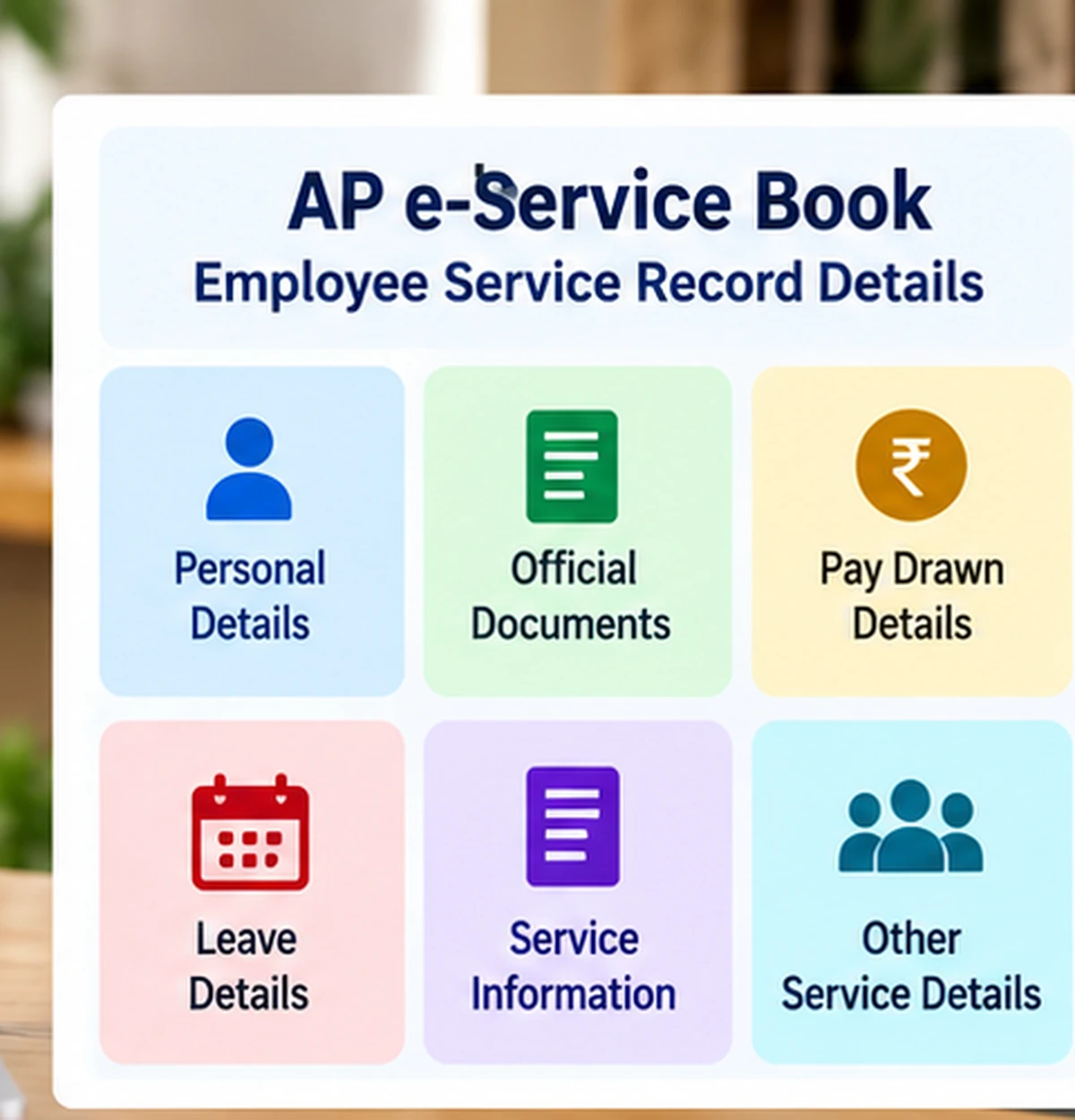
Official guidelines state that employees can view information such as:
- Personal details
- Official documents
- Pay-drawn information
- Leave details
- Employee service details
- Other records maintained as part of the service book
The electronic system makes employee service information available through secure login credentials.
AP e-Service Book Official Website
The official AP Employee e-Service Book website is:
https://esr.apcfss.in/Login.do
The portal is operated under the Finance Department, Government of Andhra Pradesh.
Before entering a CFMS ID or password, confirm that the website is hosted on the official apcfss.in domain.
Avoid third-party websites that copy the e-Service Book name but ask for employee credentials.
How to Login to AP e-Service Book
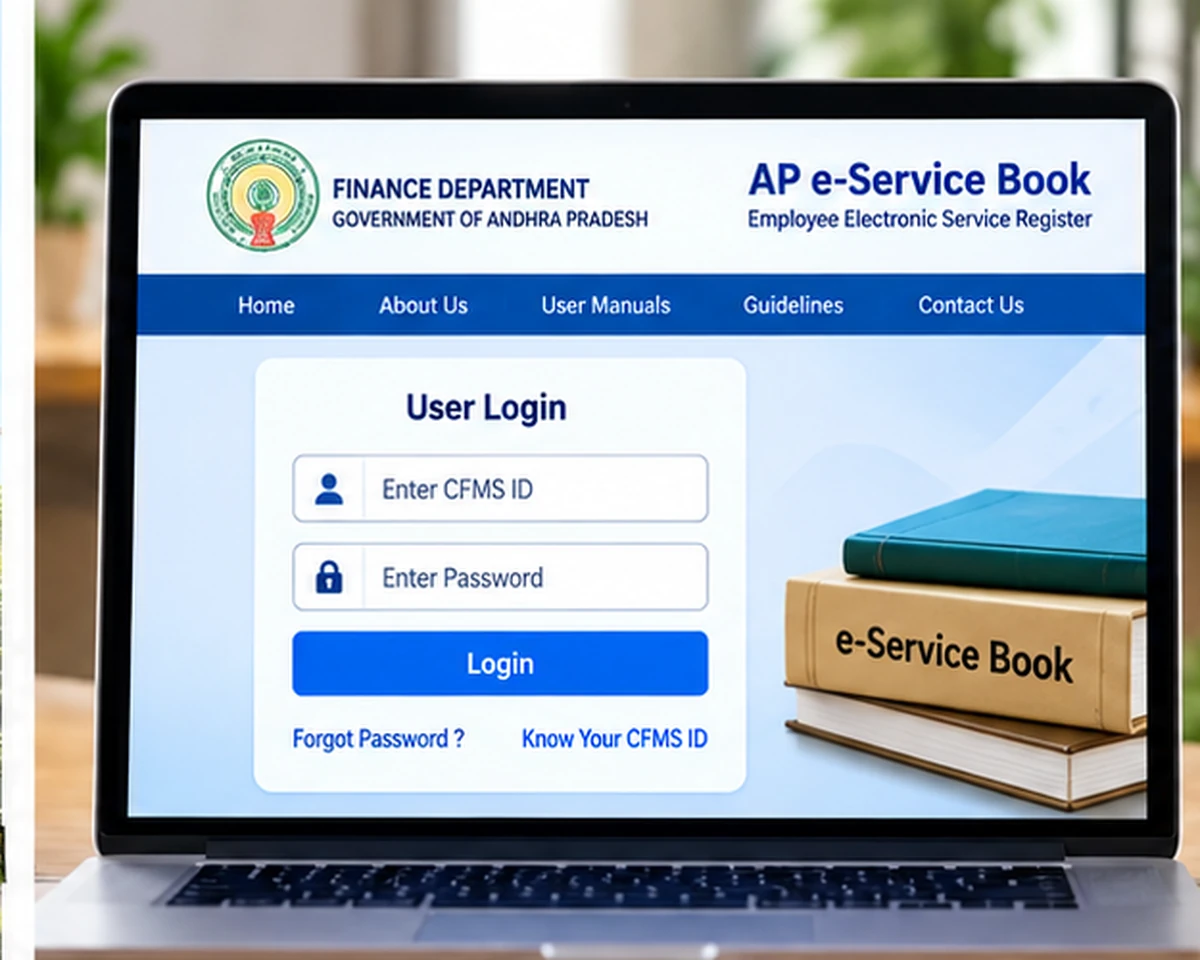
Follow these steps:
- Visit the official AP e-Service Book login page.
- Locate the CFMS ID field.
- Enter your 8-digit CFMS ID.
- Enter your password.
- Select the Login button.
- After authentication, open the employee service-record options available to your account.
The exact sections visible after login can depend on the employee record and the service-book workflow.
What Is the CFMS ID for e-Service Book?
The e-Service Book login uses an 8-digit CFMS ID.
CFMS stands for:
Comprehensive Financial Management System
The CFMS ID acts as an employee identifier across several Andhra Pradesh Government financial and employee-service applications.
It can also be associated with services such as:
- NIDHI
- Employee payslip
- e-Service Book
- Other authorised employee applications
A CFMS ID is different from a challan number or CFMS transaction reference.
How to Know Your CFMS ID
If you do not know your employee CFMS ID, the official e-Service Book page directs employees to use the employee-services facility available through CFMS.
You can also see our detailed guide:
Know Your CFMS ID:
https://wayalert.in/know-your-cfms-id/
The current CFMS-ID lookup system uses employee verification rather than allowing unrestricted public searches.
Never use a random website asking for Aadhaar or employee personal information merely to retrieve a CFMS ID.
AP e-Service Book Default Password
The current official login page states that the default password will be the employee’s CFMS ID for the applicable initial-login situation.
After successful login, the portal enables a Password Change option.
For security:
- Do not continue using the default password longer than necessary.
- Set a new password after initial login.
- Do not share the password with colleagues or third parties.
- Avoid saving it on shared computers.
The password process shown by the portal can change, so always follow the instructions displayed on the current official login page.
AP e-Service Book Forgot Password
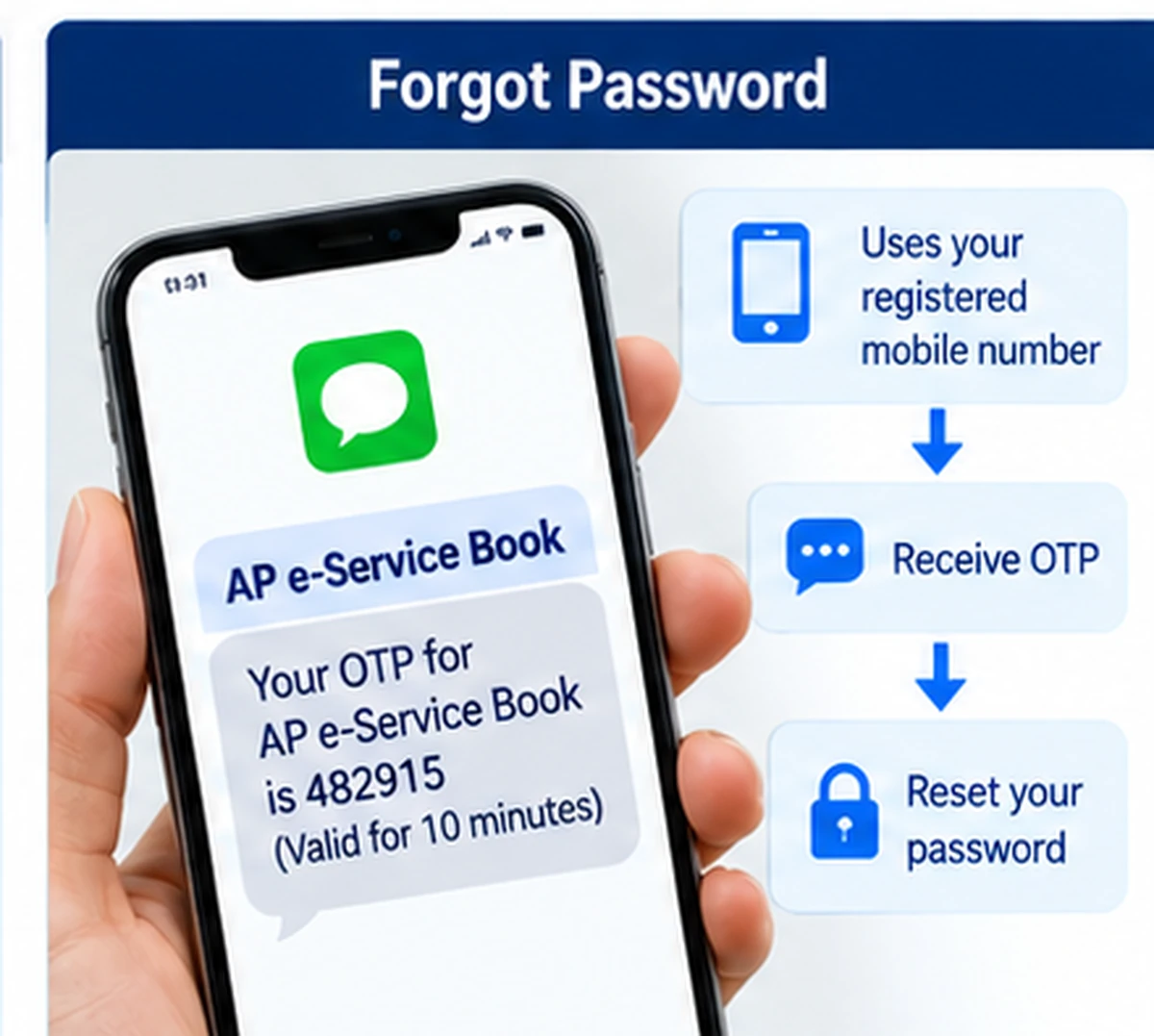
The e-Service Book provides a Forgot Password process.
The current official instructions state that Forgot Password depends on the employee’s personal mobile number being available in the relevant employee details.
If the required personal mobile number was previously updated in the service record, the Forgot Password option can use that information for recovery.
If the required mobile details are not available, the recovery process may require an official reset or employee-record update.
Do not use unofficial password-reset services.
Registered Mobile Number Is Old or Incorrect
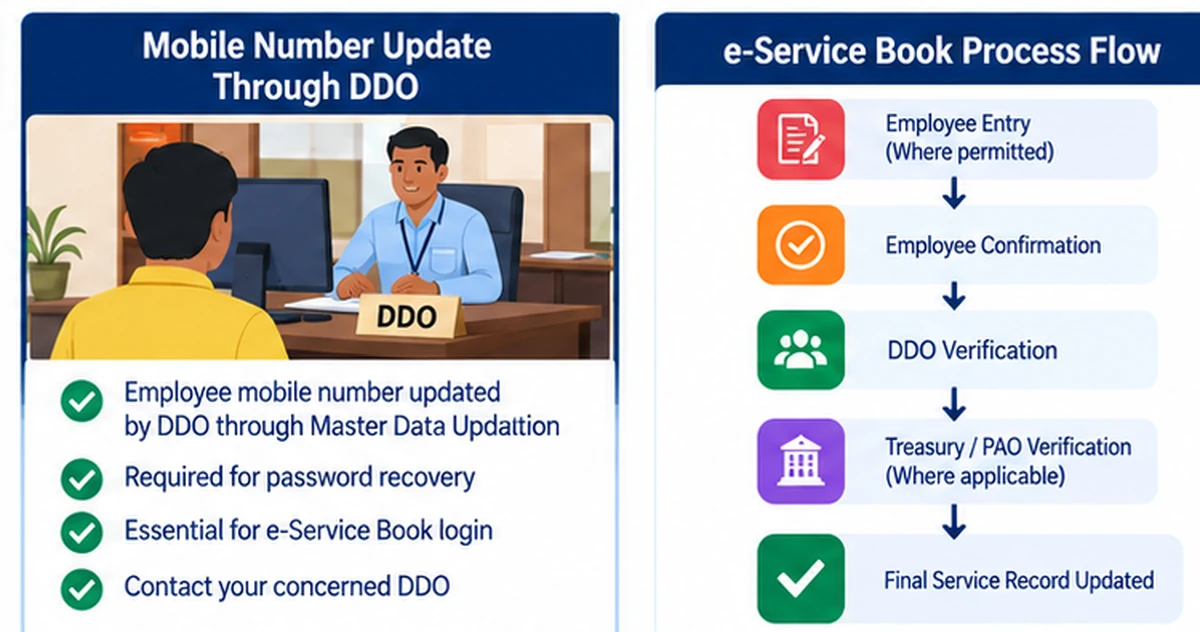
The official e-Service Book page currently states that the employee mobile number is updated by the DDO through the Master Data Updation service.
If your old mobile number is still recorded:
- Contact your concerned DDO.
- Inform them that the employee mobile number needs to be updated.
- Complete any departmental verification requested.
- Wait for the master-data change to reflect.
- Retry the relevant login or password-recovery service.
Employee master-data updates should be handled through official department procedures.
What Details Are Available in e-Service Book?
Official e-Service Book guidelines describe several types of employee records.
Personal Details
These can include employee personal information maintained as part of the service record.
Official Details
Department and employment-related information can be maintained in the electronic service book.
Official Documents
Applicable official employee documents may form part of the service-record workflow.
Pay-Drawn Details
The e-Service Book can contain pay-related historical service information.
Leave Details
Employee leave records are also part of the electronic service information.
Other Service Details
The system can maintain additional service information required by Andhra Pradesh Government employee-service rules.
The exact fields visible to an individual employee depend on the record and workflow.
AP e-Service Book Entry and Confirmation
The e-Service Book is not simply a read-only salary portal.
Official guidelines explain a structured service-record workflow.
Employees can enter applicable service information where the DDO permits employee entry.
After reviewing the information, the employee can submit and confirm the service details.
The confirmed information then moves to the concerned DDO for further verification and confirmation.
Certain employee records can also be verified through Treasury Officer or PAO-level processes where applicable.
This verification workflow helps maintain an authorised electronic service record.
Role of the DDO in e-Service Book
The Drawing and Disbursing Officer (DDO) plays an important role in the e-Service Book system.
Depending on the workflow, the DDO can:
- Enter employee service information
- Verify employee details
- Confirm service records
- Handle applicable employee master-data changes
- Update registered mobile information through the authorised process
- Reopen confirmed ESR records where authorised
Employees should contact their DDO for service-record issues that cannot be corrected through self-service options.
What Is ESR Re-open?
After an employee provides final confirmation of the service record, direct editing can become restricted.
The current official login instructions state that ESR Re-open access is available at the DDO after final employee confirmation.
This means an employee who discovers an important record problem after final confirmation may need the DDO to reopen the ESR through the authorised process.
Do not create a second service record simply because an existing record needs correction.
AP e-Service Book vs NIDHI
The e-Service Book and NIDHI are related employee-service systems, but they are not exactly the same.
AP e-Service Book
Primarily focuses on the employee’s electronic service record.
It includes areas such as:
- Personal service information
- Official records
- Pay-drawn information
- Leave records
- Service history
AP NIDHI
NIDHI is the broader HRMS environment for employee-service management.
It is associated with functions such as:
- Salary
- Payslip
- Increments
- Transfers
- Promotions
- Leave balances
- Other HRMS functions
For broader NIDHI access information, see:
AP NIDHI Login:
https://wayalert.in/ap-nidhi-login/
AP e-Service Book vs CFMS
CFMS and e-Service Book also serve different purposes.
CFMS
AP CFMS is the Comprehensive Financial Management System used for government financial and treasury processes.
e-Service Book
The e-Service Book focuses on maintaining the employee’s electronic service record.
The two systems are connected through the employee’s CFMS ID.
For a broader CFMS overview, see:
AP CFMS Portal:
https://wayalert.in/ap-cfms/
e-Service Book and AP Employee Payslip
Although e-Service Book can contain pay-drawn information, employees looking specifically for a monthly current salary slip should use the appropriate employee payslip service.
For that task, see:
AP Employee Payslip:
https://wayalert.in/ap-employee-payslip/
This helps avoid confusion between:
- Historical/service-record pay information, and
- Monthly employee salary-slip access.
AP e-Service Book Login Not Working
If login fails, check the following.
Check the CFMS ID
The official login requires an 8-digit CFMS ID.
Make sure it is entered correctly.
Check the Password
Passwords are case-sensitive.
If the password has already been changed, do not enter the old default password.
Use Forgot Password
If you cannot remember the password, use the official recovery facility.
Check Employee Mobile Details
Password recovery can depend on the personal mobile number stored in the employee record.
Start a Fresh Browser Session
Close older portal tabs and open the official login page again.
Check for Temporary Portal Problems
Government employee portals can occasionally be unavailable because of maintenance or server load.
Wait and retry later if necessary.
e-Service Book Password Is Not Working
If the default password does not work, possible reasons include:
- Password was already changed previously
- Employee account was previously accessed
- Record requires official password recovery
- Incorrect CFMS ID was entered
- Employee master data is not current
Do not repeatedly guess passwords.
Use Forgot Password or contact the concerned DDO when necessary.
Employee Details Are Incorrect
If you find incorrect information in the e-Service Book, first identify whether the field is editable by the employee or requires official verification.
For important service-record errors:
- Keep supporting official documents ready.
- Inform the concerned DDO.
- Follow the departmental correction procedure.
- Complete any required verification.
- Confirm the corrected data only after reviewing it carefully.
Do not enter false information simply to make the portal match another document.
AP e-Service Book Data Entry Status
The official e-Service Book system also provides a department-wise data-entry status report.
The report can include information about:
- Number of DDO codes
- Total employees
- Data entry started
- Data entry completed
- DDO biometric completion
- Auditor verification
- Approver verification
This is mainly an administrative monitoring facility rather than a personal employee login feature.
Can Employees Edit All Service Details?
Not necessarily.
The official e-Service Book workflow includes employee entry, confirmation and official verification.
The DDO decides or controls parts of the service-entry process depending on the administrative workflow.
Once the employee has finally confirmed information, further correction can require DDO action such as ESR reopen.
So employees should carefully check records before final confirmation.
Is AP e-Service Book Available to the Public?
No.
The employee service book contains employment and service information and is intended for authorised users.
Members of the public do not need an employee e-Service Book login.
WayAlert cannot access or retrieve another employee’s service record.
AP e-Service Book Security Tips
Follow these precautions:
- Use only the official
apcfss.inlogin page. - Never share your employee password.
- Do not share OTP or recovery information.
- Change the initial/default password where applicable.
- Avoid logging in from public computers.
- Logout after completing service-record work.
- Do not upload service documents to unofficial websites.
- Contact the DDO for official employee-record corrections.
AP e-Service Book Official Links
AP e-Service Book Login:
https://esr.apcfss.in/Login.do
Official AP CFMS Portal:
https://cfms.ap.gov.in/
These official links are enough for the primary e-Service Book and CFMS-ID information covered in this guide.
AP e-Service Book Login FAQs
What is AP e-Service Book?
AP e-Service Book is the Government of Andhra Pradesh electronic employee service-record system developed through the Finance Department and APCFSS.
What is the official AP e-Service Book login website?
The official login page is:
https://esr.apcfss.in/Login.do
What is required to login?
The current portal asks for the employee’s 8-digit CFMS ID and password.
What is the default e-Service Book password?
The current official login instructions state that the default password is the CFMS ID for the applicable initial-login process. Change it after successful login.
How can I find my CFMS ID?
Use the official employee-service CFMS-ID lookup facility. See our Know Your CFMS ID guide for the current process.
What if I forgot my e-Service Book password?
Use the official Forgot Password option. Recovery can depend on the personal mobile number maintained in the employee record.
How can I change my registered mobile number?
The current official instructions state that the DDO updates employee mobile information through the authorised master-data updation process.
What information is available in e-Service Book?
Official guidelines include personal details, official documents, pay-drawn details, leave records and other employee service information.
What happens after I confirm my service details?
The details move through the authorised DDO and other applicable verification workflow.
Can an e-Service Book be reopened?
The current official instructions state that ESR Re-open access is available at the DDO after employee final confirmation.
Is NIDHI the same as e-Service Book?
No. NIDHI is a broader HRMS/employee-service platform, while e-Service Book focuses primarily on the employee’s electronic service record.
Is CFMS the same as e-Service Book?
No. CFMS handles broader financial-management functions, while e-Service Book maintains employee service records. They are connected through CFMS-based employee identification.
Is WayAlert the official e-Service Book website?
No. WayAlert.in is an independent informational website and cannot access government employee service records, passwords or official databases.
Related AP Employee Guides
Useful related guides include:
- Know Your CFMS ID
- AP NIDHI Login
- AP Employee Payslip
- AP CFMS Portal
These pages should be linked only where they directly help the employee instead of repeating the same information across multiple articles.
Final Words
AP e-Service Book Login gives authorised Andhra Pradesh Government employees secure access to their electronic service records using an 8-digit CFMS ID and password.
The official e-Service Book replaces the traditional physical service register with an online system that can maintain personal details, official documents, pay-drawn information, leave records and other service details.
Employees should carefully verify their records before final confirmation, change the default password where applicable, and contact the DDO for mobile-number updates, ESR reopen requests or employee-record corrections.