
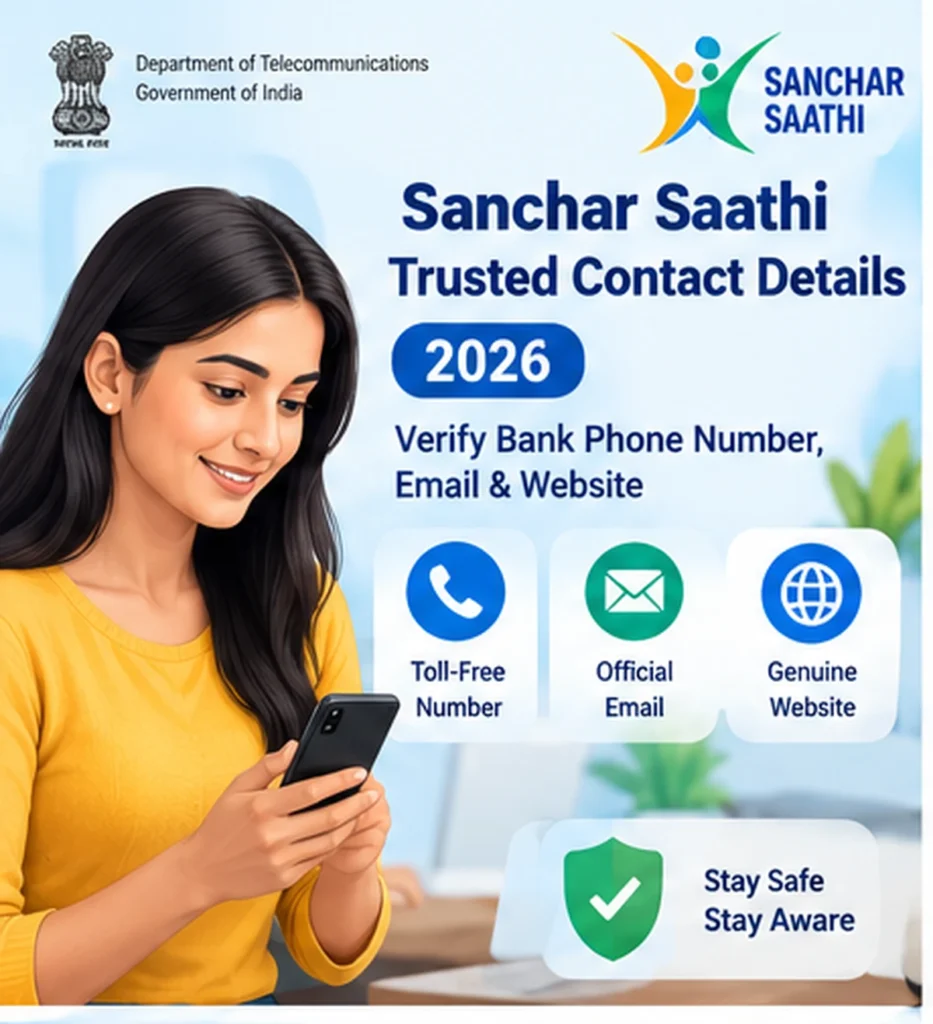
Online fraudsters often pretend to be bank employees and send fake customer-care numbers, email addresses or websites. Sanchar Saathi Trusted Contact Details helps users independently check genuine contact information before calling a number, replying to an email or opening a suspicious banking website.
The Department of Telecommunications added Trusted Contact Details to the Sanchar Saathi platform to give citizens access to verified contact information for banks and financial institutions.
This guide explains how to use Sanchar Saathi Trusted Contact Details, what information you can verify, how it differs from Chakshu, and what to do when a suspicious caller claims to represent your bank.
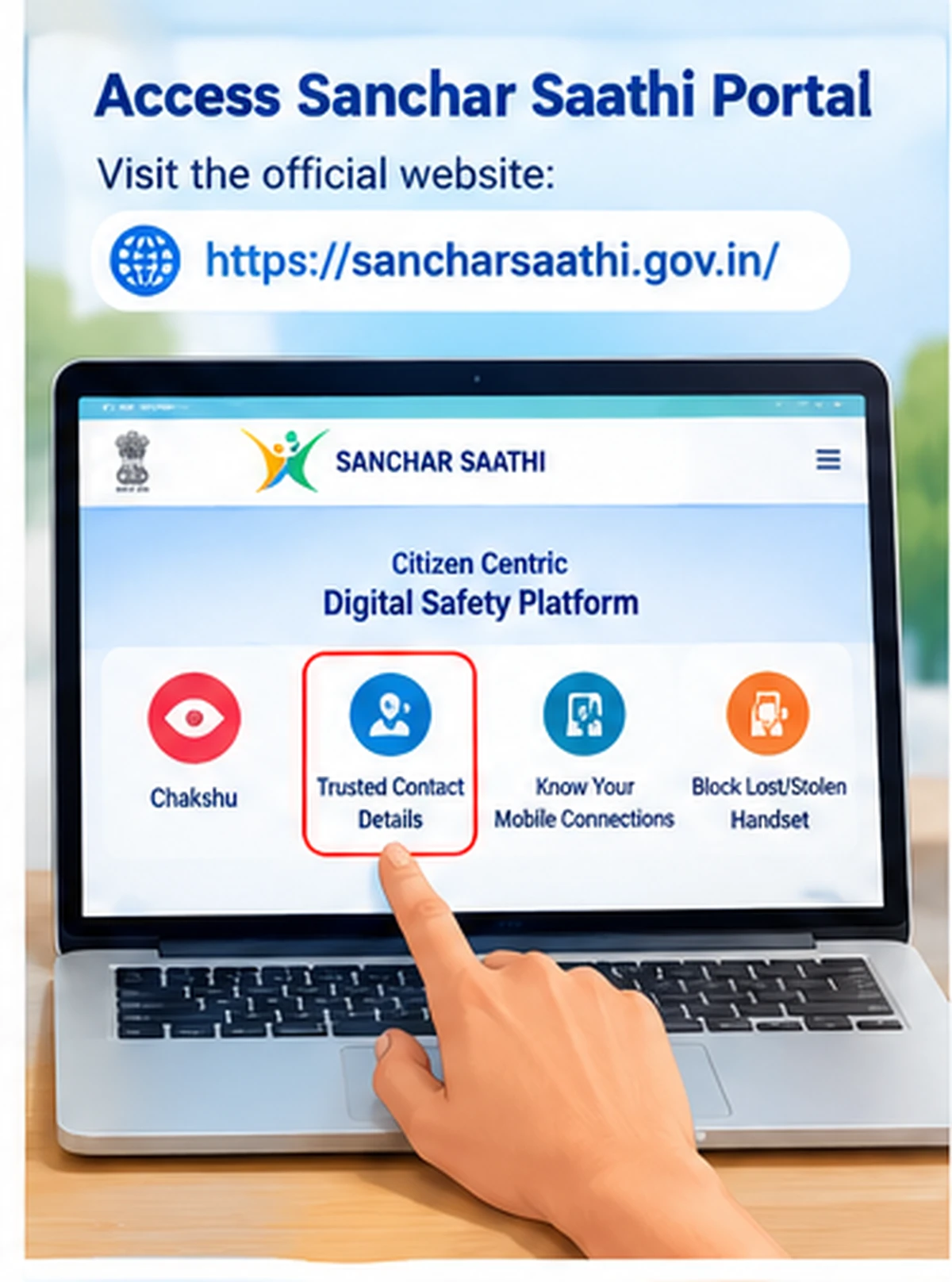
Official Sanchar Saathi Portal:
https://sancharsaathi.gov.in/
Sanchar Saathi Trusted Contact Details – Quick Answer
To verify a bank or financial institution contact:
- Open the official Sanchar Saathi portal.
- Find Trusted Contact Details.
- Search for the bank or financial institution.
- Review the official contact information shown.
- Compare it with the phone number, email or website that contacted you.
- If the details do not match, do not share OTP, PIN, password or banking information.
- Contact the organisation using the verified details shown through the official service.
Trusted Contact Details is mainly a verification tool. It does not automatically prove that an incoming caller is genuine simply because the caller mentions a real bank name.
What Is Sanchar Saathi Trusted Contact Details?
Trusted Contact Details is a digital-safety service available through the Department of Telecommunications’ Sanchar Saathi platform.
The service helps citizens find reliable contact information for supported organisations.
Official DoT information states that the module includes details such as:
- Toll-free numbers
- Official email addresses
- Genuine websites
for banks, financial institutions and other supported organisations.
Therefore, instead of trusting a phone number received through SMS, WhatsApp, social media or a search advertisement, users can independently check the institution’s official details.
Why Was Trusted Contact Details Introduced?
Financial fraud often starts with impersonation.
For example, a scammer may claim to be from:
- A bank
- Credit-card department
- Loan department
- Insurance provider
- Payment service
- Financial institution
The scammer may then ask the victim to:
- Call a fake customer-care number
- Open a fake website
- Install a remote-access app
- Share an OTP
- Enter card details
- Provide UPI PIN
- Share internet-banking credentials
As a result, simply searching Google for a customer-care number or trusting a number sent by someone can be risky.
Trusted Contact Details gives users another way to independently verify official contact information.
Sanchar Saathi Trusted Contact Details Official Website
Use the official Sanchar Saathi portal:
Before using the service, confirm that the website uses the official sancharsaathi.gov.in domain.
Avoid look-alike domains with similar names.
Also, never pay a third-party website simply to obtain a bank’s customer-care number.
How to Use Sanchar Saathi Trusted Contact Details
Follow these general steps.
Step 1: Open Sanchar Saathi
Visit:
Use a current browser and allow the page to load fully.
Step 2: Find Trusted Contact Details
Look for the Trusted Contact Details service on the Sanchar Saathi dashboard.
The position may change as the portal interface evolves.
Therefore, if you do not immediately see it, check the available citizen-safety services.
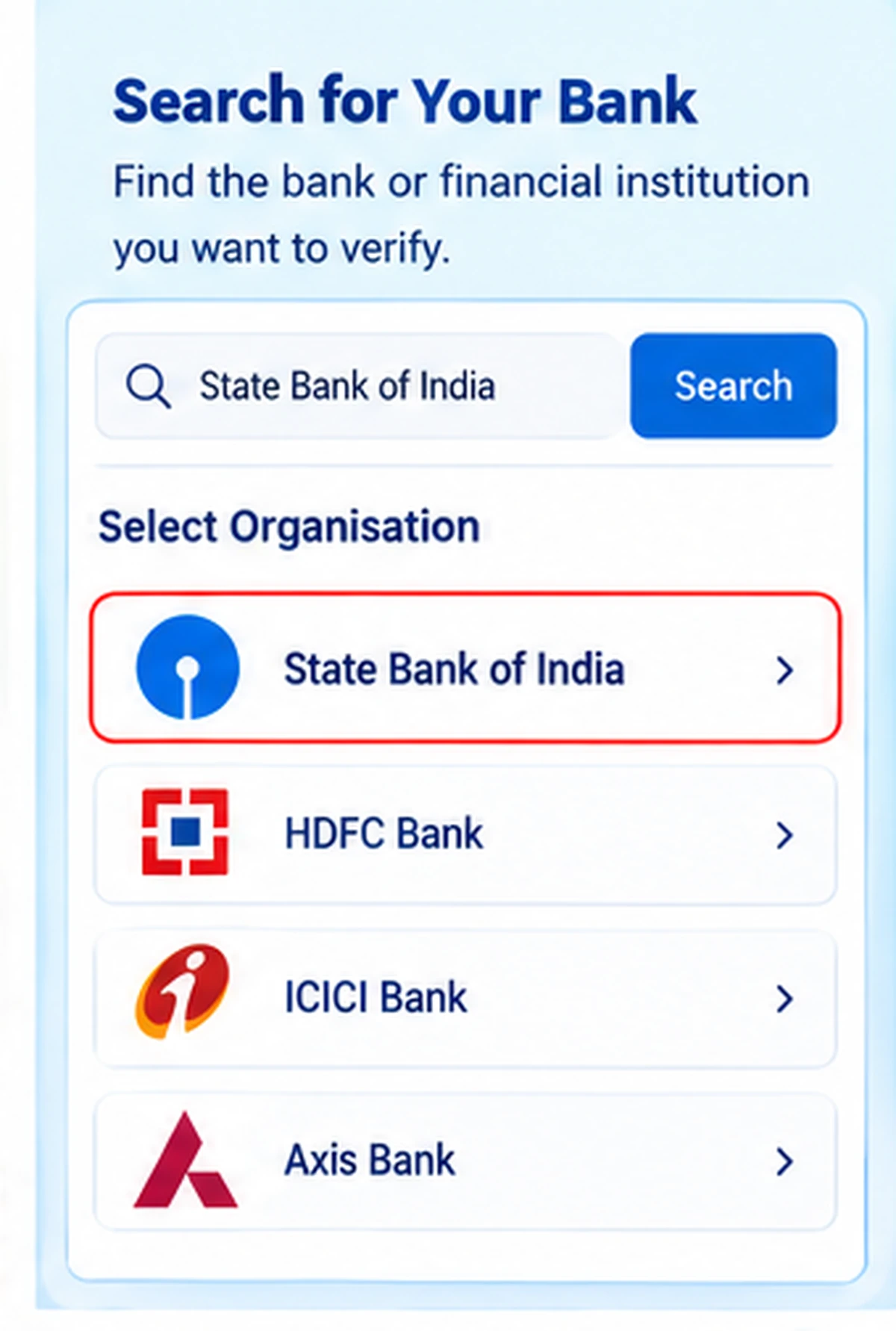
Step 3: Select the Organisation
Search for or select the relevant bank or financial institution.
Choose the exact organisation rather than a similar-looking name.
Step 4: Check the Official Contact Information
Review the details provided by the service.
Depending on the available record, you may find:
- Official toll-free number
- Official email address
- Genuine website
- Other supported contact information
Step 5: Compare the Details
Now compare the verified information with the contact details that reached you.
For example, compare:
- The caller’s phone number
- SMS callback number
- Email domain
- Website link
- Customer-care number
If the information does not match, treat the communication carefully.
Step 6: Contact the Bank Independently
If you have doubts, do not call back the suspicious number.
Instead, use the verified contact information displayed through Sanchar Saathi or another official source.
Explain the situation directly to the institution.
Can Sanchar Saathi Verify a Bank Phone Number?
Trusted Contact Details can help you find the bank’s verified contact information.
However, there is an important distinction.
It is primarily designed to provide trusted official contacts. It should not be interpreted as a universal reverse-phone lookup that can certify every individual incoming mobile number.
For example, if someone calls from an unknown mobile number and says:
“I am calling from your bank.”
do not assume that person is genuine.
Instead:
- End the call.
- Open Trusted Contact Details.
- Find the bank’s official contact number.
- Call the bank yourself.
This approach reduces the risk of impersonation fraud.
How to Verify a Bank Customer-Care Number
Suppose you receive an SMS asking you to call a number because your account will be blocked.
Do not immediately call the number in the message.
Instead:
- Open Sanchar Saathi.
- Search for the bank under Trusted Contact Details.
- Check the verified customer-care or toll-free information.
- Compare it with the SMS.
- Contact the bank through the verified number.
If the numbers differ, avoid interacting with the number in the SMS.
How to Verify a Bank Website
Fraudsters often create websites that look similar to genuine bank websites.
They may use:
- Misspelled domain names
- Extra words
- Hyphens
- Unusual domain endings
- Fake login pages
Trusted Contact Details can help users identify the genuine website associated with a supported institution.
Before entering:
- User ID
- Password
- Card details
- Account number
- OTP
verify that you are on the genuine website.
Also, remember that HTTPS alone does not prove that a website belongs to your bank.
How to Verify a Bank Email Address
Phishing emails can imitate real bank branding.
They may say:
- KYC has expired
- Account is suspended
- PAN needs updating
- Credit card will be blocked
- Reward points will expire
- Refund is pending
Before replying or opening a link, compare the sender’s domain and contact information with official details.
A genuine-looking logo does not prove that an email is genuine.
Therefore, when in doubt, contact the bank independently.
Trusted Contact Details vs Google Search
Google Search can help users find official websites, but search results may also contain:
- Advertisements
- Third-party directories
- Outdated phone numbers
- User-generated pages
- Fake support pages
For sensitive financial services, do not rely only on the first phone number you see in search results.
Instead, cross-check the number using an official source such as Sanchar Saathi or the bank’s own verified website.
Trusted Contact Details vs Chakshu
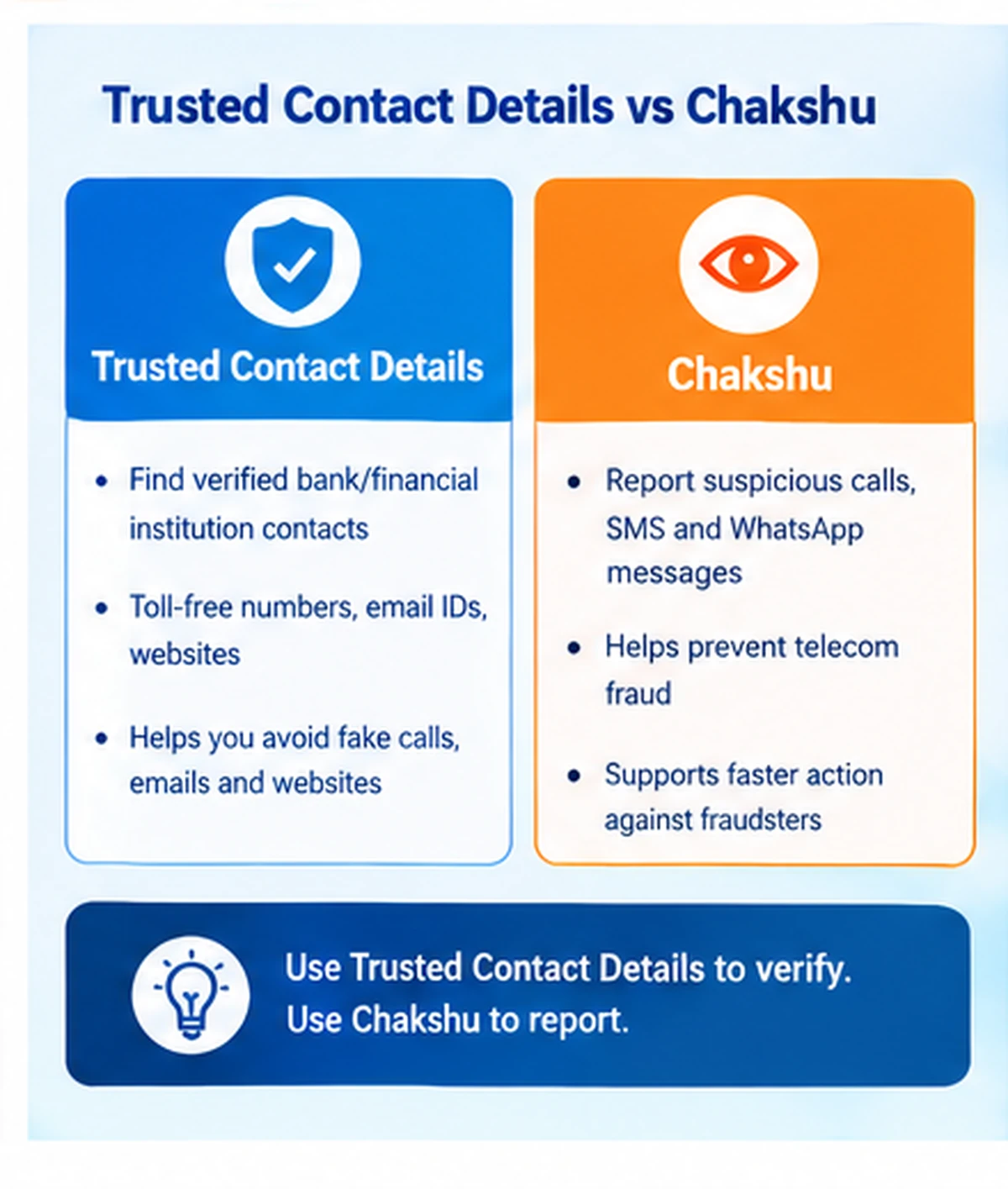
Both services belong to the Sanchar Saathi digital-safety ecosystem, but they serve different purposes.
Trusted Contact Details
Use this service when you want to find or verify official contact information for a supported bank or financial institution.
Chakshu
Use Chakshu to report suspected fraudulent communications.
These can include suspicious:
- Calls
- SMS messages
- WhatsApp communications
- Other telecom-based fraud attempts supported by the reporting system
Therefore, you can use Trusted Contact Details before interacting with an organisation and Chakshu when you need to report a suspicious communication.
What Should I Do After Receiving a Fake Bank Call?
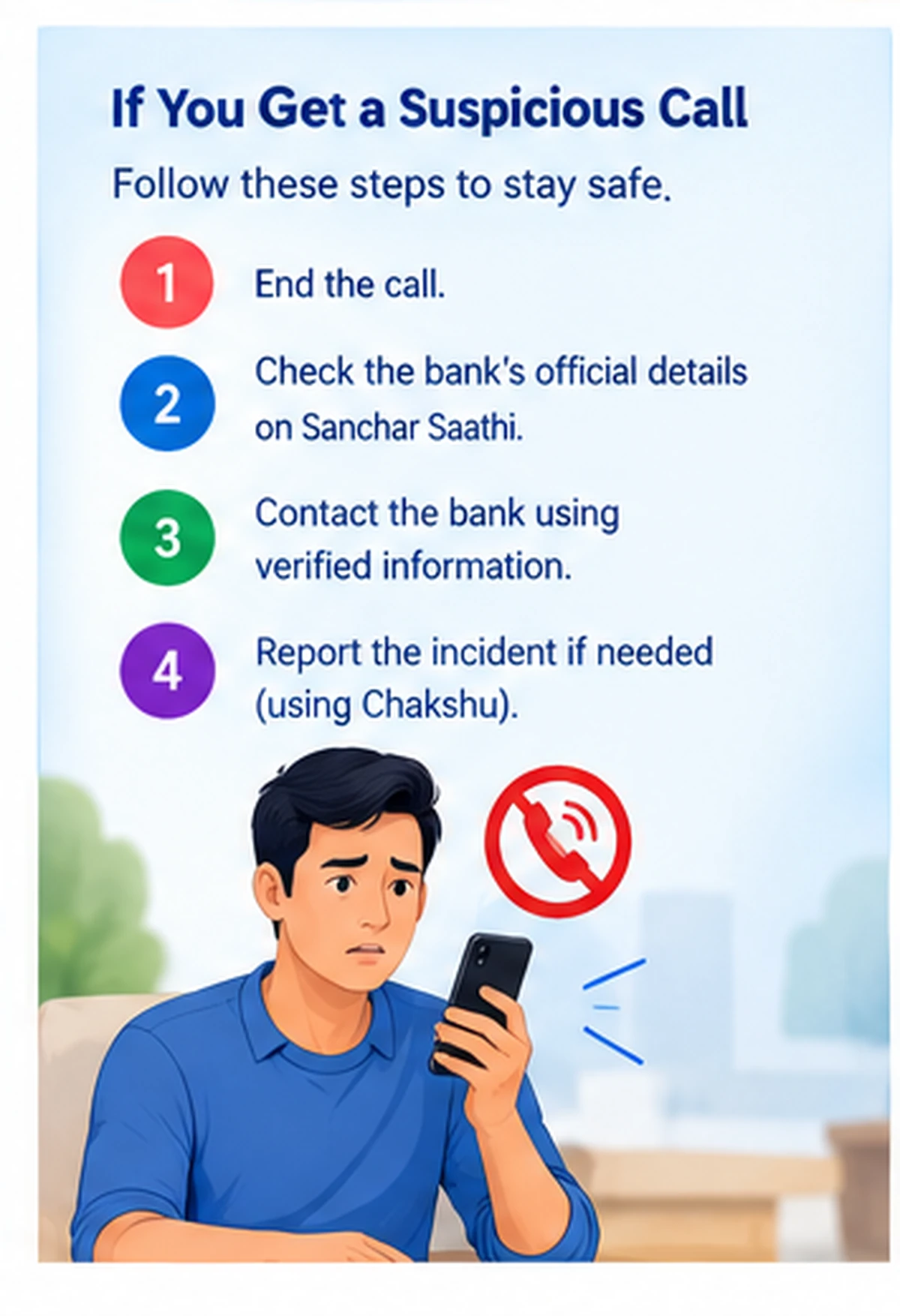
If you receive a suspicious bank call:
- Do not share personal information.
- Never reveal an OTP.
- Never reveal your UPI PIN.
- Do not provide card PIN or CVV.
- Do not install an app requested by the caller.
- End the call.
- Check the bank’s Trusted Contact Details.
- Contact the bank independently.
- Report suspicious communication where appropriate.
The caller may create urgency by saying your account will be frozen immediately.
Do not let urgency force you into sharing sensitive information.
What If the Caller Knows My Name or Bank?
Knowing your name, bank or partial account information does not automatically prove that a caller is genuine.
Fraudsters may obtain limited information from:
- Data leaks
- Public sources
- Social engineering
- Previous communications
- Compromised databases
Therefore, always independently verify the organisation before providing additional information.
Never Share These Details
A legitimate verification process should not require you to casually tell an unknown caller your:
- OTP
- UPI PIN
- ATM PIN
- Internet-banking password
- Card CVV
- Full card PIN
- Remote-access code
Do not share them even if the caller knows some of your personal details.
Can Trusted Contact Details Prevent Fraud?
The feature can help reduce risk by making it easier to find genuine organisation contact information.
However, no tool can prevent every fraud attempt automatically.
Users should still:
- Verify unexpected communications
- Avoid unknown links
- Keep banking credentials private
- Contact the institution directly
- Report suspicious communications
Trusted Contact Details works best as part of a broader fraud-prevention routine.
Is Sanchar Saathi an Official Government Service?
Yes.
Sanchar Saathi is a citizen-centric digital-safety initiative of the Department of Telecommunications, Ministry of Communications, Government of India.
The service is available through both:
- Web portal
- Mobile application
DoT introduced Trusted Contact Details as one of the platform’s citizen-safety modules.
Sanchar Saathi Mobile App
Users can also access Sanchar Saathi services through the official mobile application.
Android:
https://play.google.com/store/apps/details?id=com.dot.app.sancharsaathi
The current official app includes Trusted Contact Details among its services.
Use the app-store listing from the Department of Telecommunications rather than downloading APK files from unknown websites.
What Other Services Does Sanchar Saathi Provide?
Sanchar Saathi offers several digital-safety and telecom services.
These include:
- Trusted Contact Details
- Chakshu
- Know Mobile Connections in Your Name
- Block lost or stolen mobile handset
- Check handset genuineness
- Report suspicious international calls with Indian numbers
- Other telecom-safety services
Therefore, the platform covers much more than only bank contact verification.
Can I Check All Banks?
Trusted Contact Details depends on the organisations available in the current database.
Therefore, do not assume every bank, NBFC or financial service will always appear.
If you cannot find an institution:
- Check the exact organisation name.
- Confirm the spelling.
- Visit the organisation’s genuine official website.
- Use contact details published by the organisation itself.
Avoid using an unknown third-party directory as the only source.
Bank Not Showing in Trusted Contact Details
If the bank or institution does not appear:
- Retry using its full official name.
- Check whether it appears under another supported category.
- Update the Sanchar Saathi app if using mobile.
- Use the organisation’s official website.
- Avoid relying on numbers sent by unknown people.
The database may change as institutions and records are updated.
Trusted Contact Details Not Working
If the service does not load, try the following.
Check Internet Connection
Switch between Wi-Fi and mobile data.
Reload the Portal
Close the page and open Sanchar Saathi again.
Try Another Browser
Use an updated Chrome, Firefox, Edge or another modern browser.
Use the Mobile App
If the portal has a temporary problem, try the official Sanchar Saathi mobile app.
Try Again Later
Temporary maintenance or server load can affect government services.
Does Trusted Contact Details Require Login?
The exact access flow can change with portal updates.
Therefore, follow the current instructions displayed on Sanchar Saathi.
Do not enter credentials on a third-party site claiming to provide access to Trusted Contact Details.
Is Trusted Contact Details Free?
Sanchar Saathi is a government citizen-service platform.
You should not pay an unknown website or person simply to obtain Trusted Contact Details for a bank or financial institution.
If a website asks for money to reveal a bank customer-care number, leave the site and use official sources.
Is a Number Genuine If It Appears in Trusted Contact Details?
If Sanchar Saathi lists a contact number for a supported organisation, you can use that published number as a trusted point of contact.
However, do not assume that every call displaying a similar or spoofed number is automatically genuine.
Caller ID can be misleading in some fraud scenarios.
Therefore, when the communication involves sensitive banking activity, initiate the call yourself using the trusted contact information.
Fake KYC Calls
A common fraud message says:
“Your bank KYC will expire today.”
The sender then asks you to click a link or call a number.
Instead:
- Do not open the link.
- Check your bank’s official contact details.
- Contact the bank independently.
- Ask whether any KYC action is actually required.
Never install an APK file sent through WhatsApp for KYC verification.
Fake Credit Card Calls
Fraudsters may claim to:
- Increase card limit
- Cancel annual fees
- Redeem reward points
- Upgrade a card
- Reverse a transaction
They may then ask for OTP, CVV or card details.
Do not provide these details.
Instead, contact the card issuer using verified contact information.
Fake Loan and Refund Calls
Users may also receive calls about:
- Instant loans
- Loan closure
- Refunds
- Processing fees
- Insurance maturity
- Cashback
Before making any payment, independently verify the institution.
Never transfer money merely because someone claims to be calling from a bank.
How to Report Suspicious Communication
Sanchar Saathi provides Chakshu for reporting suspected fraud communications.
Therefore, if you receive a suspicious call or message:
- Save relevant non-sensitive details.
- Open the official Sanchar Saathi portal or app.
- Use the appropriate reporting service.
- Submit accurate information.
Do not publicly post your bank account, card or OTP details while reporting the incident.
If Money Has Already Been Lost
Trusted Contact Details is primarily a verification tool.
If a financial fraud has already occurred, act quickly.
Contact your bank using verified official contact information and follow the appropriate official cyber-fraud reporting process.
Also, preserve transaction references, messages and other relevant evidence.
Do not continue communicating with the fraudster.
Sanchar Saathi Trusted Contact Details Security Tips
Follow these simple rules:
- Use only
sancharsaathi.gov.in. - Verify banking contacts before responding.
- Never share OTP or PIN.
- Avoid remote-access apps requested by callers.
- Do not install APK files received through messages.
- Type sensitive bank websites yourself where possible.
- Check website spelling carefully.
- Use the bank’s verified number to initiate contact.
- Report suspicious telecom communications.
- Keep screenshots and transaction references if fraud occurs.
Sanchar Saathi Trusted Contact Details FAQs
What is Sanchar Saathi Trusted Contact Details?
It is a Department of Telecommunications service that provides trusted contact information for supported banks and financial institutions.
What information can I check?
Depending on the organisation, the service can provide details such as toll-free numbers, email addresses and genuine websites.
Can I verify a bank customer-care number?
You can use Trusted Contact Details to find the bank’s official contact information and compare it with the number you received.
Can it tell me whether an unknown caller is a bank employee?
Not necessarily. It provides trusted institutional contact details rather than certifying every individual incoming caller.
Can I verify a bank website?
Yes, genuine website information for supported organisations can help users identify the correct official site.
Can I verify an email address?
Where official email information is available, you can use it to compare with a suspicious email.
Is Trusted Contact Details the same as Chakshu?
No. Trusted Contact Details helps users find verified institutional contacts, while Chakshu is used to report suspected fraudulent communications.
Is Sanchar Saathi a government website?
Yes. The Department of Telecommunications, Ministry of Communications, operates the Sanchar Saathi initiative.
Is Trusted Contact Details available in the Sanchar Saathi app?
Yes. The official Sanchar Saathi mobile application lists Trusted Contact Details as one of its services.
Is the service free?
You should not need to pay a third party simply to access official Trusted Contact Details through Sanchar Saathi.
What should I do if the number does not match?
Do not share sensitive information. End the communication and contact the institution using its verified official details.
Does WayAlert verify bank numbers?
No. WayAlert.in is an independent informational website. Users should verify contact information directly through Sanchar Saathi or the concerned institution.
Final Words
Sanchar Saathi Trusted Contact Details gives citizens a simple way to cross-check official contact information for supported banks and financial institutions before interacting with an unfamiliar caller, email or website.
Instead of trusting a phone number sent through SMS, WhatsApp or an advertisement, use the official Sanchar Saathi service to identify the organisation’s trusted phone number, email or website.
Most importantly, never share OTP, UPI PIN, banking password or card PIN with an unknown caller. When something looks suspicious, end the communication and contact the institution independently through verified official channels.